

Apple Seeds Sixth Beta of macOS Mojave 10.14.4 to Developers [Update: Public Beta Available] - MacRumors
Skip to Content

Apple Seeds Sixth Beta of macOS Mojave 10.14.4 to Developers [Update: Public Beta Available]

by

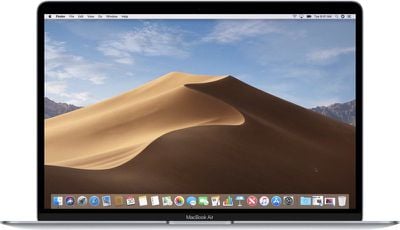
Apple today seeded the sixth beta of an upcoming macOS Mojave 10.14.4 update to developers for testing purposes, one week after seeding the fifth macOS Mojave 10.14.4 beta and two months after releasing macOS Mojave 10.14.3.

The new macOS Mojave 10.14.4 beta can be downloaded through the Software Update mechanism in System Preferences after the proper profile has been installed from Apple's Developer Center.
macbookairmojave
macOS Mojave 10.14.4 brings Apple News to Canada for the first time, allowing Canadian Mac users to access news stories in French, English, or both.

The update also includes support for Safari AutoFill using Touch ID and automatic dark mode themes in Safari. That means if you have Dark Mode enabled, when you visit a website that has an option for a dark theme, it will be activated automatically. You can see a demo of the feature here.

We're expecting Apple to release macOS Mojave 10.14.4 alongside iOS 12.2, tvOS 12.2, and watchOS 5.2 following the company's services-focused March 25 event.


Related Forum: macOS Mojave

Top Rated Comments

xgman Avatar
92 months ago
I dread 15. Something tells me that there a tons of random bits and pieces of 32 bit parts of apps all over the place that will just stop working.
Score: 4 Votes (Like | Disagree)
xgman Avatar
92 months ago
Automator is one of them or at least popped up with a “developer needs to update app to work with future versions of macOS”
I have a lot of 64 bit apps or app components that still get that message in parts like internal updaters, or installers, or preference panels or whatever. For instance crossover. It is 64 bit, but has buried 32 bit code and isn't compatible. many will eventually get updates but many will never. just going to be a pain to sort it all out and find other ways of doing certain things.
Score: 3 Votes (Like | Disagree)
92 months ago
The last big update before we learn about 10.15...unless they move to a new number...say...11.0 :)
We'd be hearing rumbles of something major if that were happening, you don't move up a major digit after 18 years on a whim, so it's unlikely, but changing the name from OS X to macOS certainly allows for that.
Score: 2 Votes (Like | Disagree)
92 months ago
True. Last year we hear rumors of some bigger UI changes for both iOS and macOS that got moved to this update so I am still curious if this is the current thinking?
Aside from Marzipan and the dropping of 32-bit, there hasn't been much on the next release of macOS.
Score: 1 Votes (Like | Disagree)

Popular Stories

iOS 26

iOS 26.4 Adds Two New Features to CarPlay

Tuesday March 24, 2026 1:55 pm PDT by
iOS 26.4 was released today, and it includes a couple of new features for CarPlay: an Ambient Music widget and support for voice-based chatbot apps. To update your iPhone 11 or newer to iOS 26.4, open the Settings app and tap on General → Software Update. CarPlay will automatically offer the new features so long as the iPhone connected to your vehicle is running iOS 26.4 or later....
AirPods Pro Firmware Feature

Apple Releases New Firmware for AirPods Pro 3, AirPods Pro 2 and AirPods 4

Tuesday March 24, 2026 12:31 pm PDT by
Apple today released new firmware for the AirPods Pro 2, AirPods Pro 3, and the AirPods 4. The firmware has a version number of 8B39, up from 8B34 on the AirPods Pro 3, 8B28 on the AirPods Pro 2, and 8B21 on the AirPods 4. There is no word on what's included in the firmware, but Apple has a support document with limited notes. Most updates are limited to bug fixes and performance...
apple tv 4k new orange

tvOS 26.4 Adds These New Features to Your Apple TV

Wednesday March 25, 2026 3:33 pm PDT by
Apple this week released tvOS 26.4, and the software update includes a handful of new features and changes for the Apple TV. tvOS 26.4 is compatible with all Apple TV 4K and Apple TV HD models released since 2015. To update your Apple TV, open the Settings app on the device, navigate to System → Software Updates, and select Update Software. Below, we have recapped what is new in tvOS...















