Apple to Announce Q1 2014 Earnings on January 27
Apple updated its investor relations page today to note that it will announce its earnings for the first fiscal quarter (fourth calendar quarter) of 2014 on Monday, January 27. The earnings release typically occurs just after 4:30 PM Eastern Time following the close of regular stock trading, and the conference call is scheduled to follow at 5:00 PM Eastern / 2:00 PM Pacific.

MacRumors will provide running coverage of the earnings release and conference call.
The release will provide a look into initial iPad Air and Retina iPad mini sales during their first quarter of availability as well as iPhone 5s and 5c sales throughout the holiday. Apple reported a record number of iPhone/iPad sales during fiscal 2013, at 150 million iPhones and 71 million iPads.
In its fiscal fourth-quarter earnings call, Apple guided expected revenue of $55–58 billion and gross margin between 36.5 and 37.5 percent. If the company meets even the low end of that guidance, it will count as the strongest quarter for Apple in history.
Popular Stories
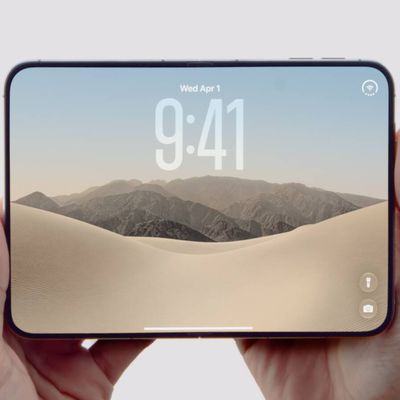
Apple today announced the "iPhone Duo," a new kind of iPhone featuring two screens and a foldable inner display.
The two halves of the iPhone Duo connect into a single continuous frame with the same aspect ratio across both displays, and Apple said the transition between open and closed is designed to feel fluid. When fully open, Apple says it is the thinnest iPhone ever made, with an...
Apple's "Surprise and Shine" event kicks off today at 10:00 a.m. Pacific Time, where we're expecting to see the foldable iPhone Duo, the iPhone 18 Pro and Pro Max, Apple Watch Series 12 and Ultra 4 models, new AirPods 5 earphones, and perhaps some other announcements.
Apple is providing a live video stream on its website, on YouTube, and in the company's TV app across various platforms. We...
Apple's biggest event of the year is almost here, and all eyes are on Cupertino. With the first foldable iPhone expected to headline Apple's "Surprise and Shine" event on Wednesday, September 9, at 10:00 a.m. Pacific Time, the rumor mill has been running full throttle, fuelled by the biggest single design change in the life of the iPhone.
To get you up to speed, here's a quick reference...