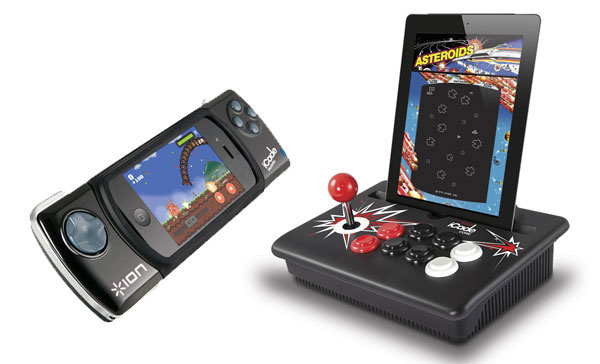
Ion Audio's original iPad iCade started life as a ThinkGeek April Fool's joke but has since become one of the most well supported iOS game controller accessories. If you aren't familiar with it, it was a small arcade cabinet stand that allowed you to prop your iPad up and play games using a real joystick and buttons. The company behind the iPad gaming accessory has now announced that they have expanded to three new models to service a broader range of iOS devices.
iCade Core - Pictured on the top right, the iCade Core offers a stripped down version of the original iCade cabinet and supports the iPad, iPhone and iPod Touch. Like the original iCade, the iCade Core lets you play your iOS games with a real joystick and buttons. Communication is done through Bluetooth, but a 30-pin connector is included to allow for charging while playing. No pricing yet for this slimmed down version.
iCade Mobile - Pictured top left, the iCade Mobile is a device that wraps around the iPhone or iPod Touch to give you more of a mobile handheld gaming experience. Again, using Bluetooth alone for the communication, it offers a swiveling landscape or portrait orientation. This one will cost $79.99 when it becomes available this spring. Engadget took this video showing it in motion.
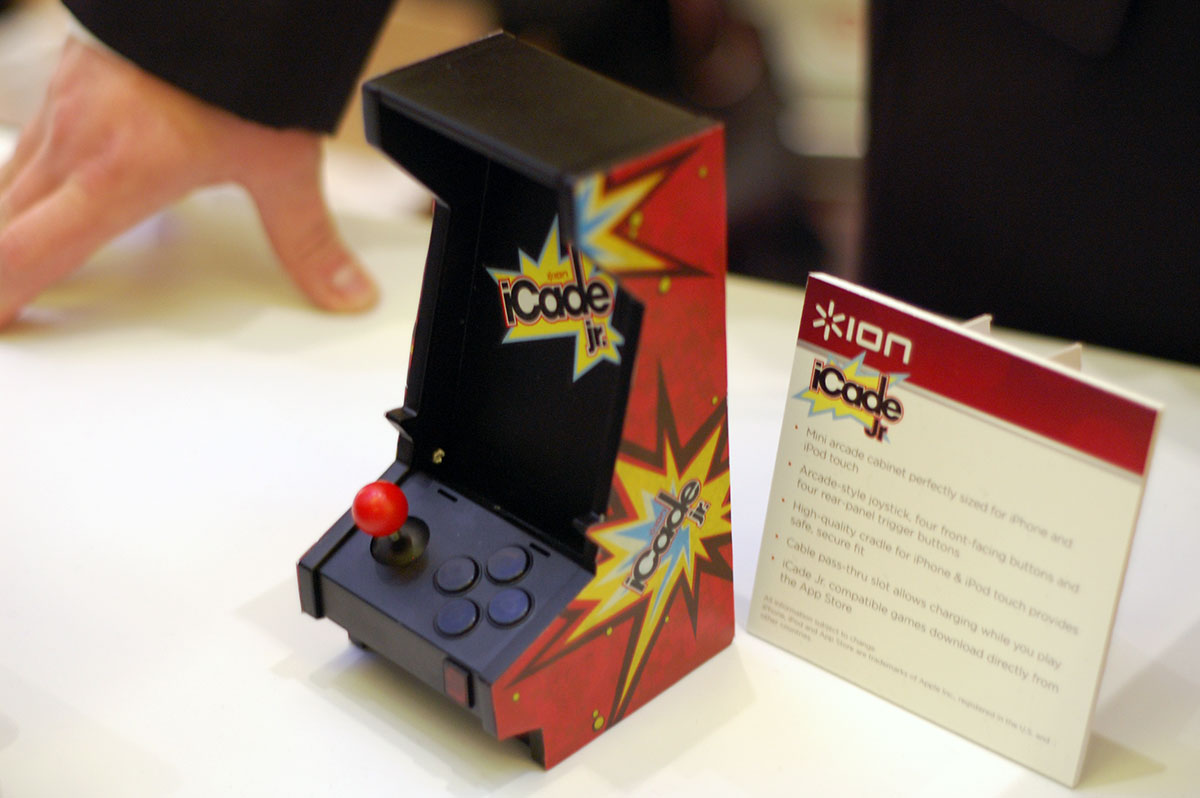
iCade Jr. - Pictured below, the iCade Jr. is a shrunk down version of the original iCade. This version is made specifically for the iPhone or iPod Touch and lets you prop up your device in this miniaturized arcade cabinet. It comes with an arcade joystick and 4 front facing buttons a 4 rear facing buttons. It also offers a dock connector for charging. This one is expected to cost $49, again coming in spring.
There have been other similar mobile gaming accessories for iOS devices, but the iCade seems to be the one that has garnered the most support amongst gaming developers. The new devices will likely be directly compatible with the existing list of iCade compatible games.
Saturday February 7, 2026 9:26 am PST by Joe Rossignol
Apple today shared an ad that shows how the upgraded Center Stage front camera on the latest iPhones improves the process of taking a group selfie.
"Watch how the new front facing camera on iPhone 17 Pro takes group selfies that automatically expand and rotate as more people come into frame," says Apple. While the ad is focused on the iPhone 17 Pro and iPhone 17 Pro Max, the regular iPhone...
Monday February 9, 2026 6:24 am PST by Joe Rossignol
In select U.S. states, residents can add their driver's license or state ID to the Apple Wallet app on the iPhone and Apple Watch, and then use it to display proof of identity or age at select airports and businesses, and in select apps.
The feature is currently available in 13 U.S. states and Puerto Rico, and it is expected to launch in at least seven more in the future.
To set up the...
Tuesday February 10, 2026 4:27 pm PST by Juli Clover
Apple is planning to launch new MacBook Pro models as soon as early March, but if you can, this is one generation you should skip because there's something much better in the works.
We're waiting on 14-inch and 16-inch MacBook Pro models with M5 Pro and M5 Max chips, with few changes other than the processor upgrade. There won't be any tweaks to the design or the display, but later this...
Tuesday February 10, 2026 6:33 am PST by Joe Rossignol
It has been a slow start to 2026 for Apple product launches, with only a new AirTag and a special Apple Watch band released so far. We are still waiting for MacBook Pro models with M5 Pro and M5 Max chips, the iPhone 17e, a lower-cost MacBook with an iPhone chip, long-rumored updates to the Apple TV and HomePod mini, and much more.
Apple is expected to release/update the following products...
Wednesday February 11, 2026 10:07 am PST by Juli Clover
Apple today released iOS 26.3 and iPadOS 26.3, the latest updates to the iOS 26 and iPadOS 26 operating systems that came out in September. The new software comes almost two months after Apple released iOS 26.2 and iPadOS 26.2.
The new software can be downloaded on eligible iPhones and iPads over-the-air by going to Settings > General > Software Update.
According to Apple's release notes, ...
*Apple ~4 years ago* "physical buttons are dead. Touch is the way of the future!" *App-makers today* "we can't be bothered making an enjoyable and intuitive touch interface, let's just go back to physical buttons"
Touch certainly works well in many games. But not all. The two biggest problems IMO are that virtual d-pads just aren't nearly as responsive as their physical counterparts and the lack of shoulder buttons means that you have to juggle your thumbs around more complicated controls (such as those for an FPS).
Nice. I like the iCade more than I expected I would. And more iCade models = more iCade support in games!
The little one looks tippy unless youre a very gentle gamer! But at $49, Id choose it as my charging dock, and just think of the stick/buttons/cabinet as just a fun added novelty factor.