Apple Approving Mac App Store Apps for OS X Lion
Earlier this week, Apple began inviting developers to submit their OS X Lion apps for inclusion in the Mac App Store, preparing to populate the store with apps capable of taking advantage of some of the new features being deployed in the new operating system.
It's only been a few days, but Apple is already beginning to approve those Lion-capable apps, as noted by OS X Daily in the case of WordCrasher [Mac App Store].
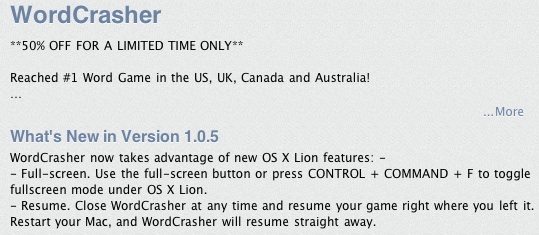
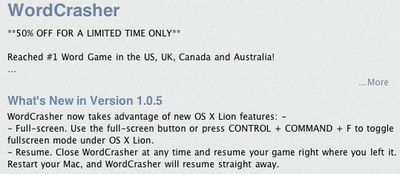
WordCrasher now takes advantage of new OS X Lion features:
- Full-screen. Use the full-screen button or press CONTROL + COMMAND + F to toggle fullscreen mode under OS X Lion.
- Resume. Close WordCrasher at any time and resume your game right where you left it. Restart your Mac, and WordCrasher will resume straight away.
Several other recent app updates have mentioned fixing issues with performance under Lion, but WordCrasher appears to be the first third-party app update to be approved specifically mentioning Lion-only features. Apple has pushed out a number of updates for its own apps this week, including the iLife '11 suite and Aperture, with those updates also quietly adding Lion-only features such as full-screen support.
Popular Stories
Apple has unveiled a whopping nine new products so far this March, including an iPhone 17e, iPad Air models with the M4 chip, MacBook Air models with the M5 chip, MacBook Pro models with M5 Pro and M5 Max chips, the all-new MacBook Neo, an updated Studio Display, a higher-end Studio Display XDR, AirPods Max 2, and now the Nike Powerbeats Pro 2.
iPhone 17e features the same overall design as...
Apple has unveiled nine new products this month, but the wait continues for the next-generation Apple TV 4K and HomePod mini models.
In his Power On newsletter today, Bloomberg's Mark Gurman said new versions of the Apple TV and HomePod mini have been "ready" since last year, but he reiterated that Apple has held off on releasing them until the more personalized version of Siri and other...
iOS 26.4 was released today, and it includes a couple of new features for CarPlay: an Ambient Music widget and support for voice-based chatbot apps.
To update your iPhone 11 or newer to iOS 26.4, open the Settings app and tap on General → Software Update. CarPlay will automatically offer the new features so long as the iPhone connected to your vehicle is running iOS 26.4 or later....