Apple devices support a relatively unknown three-finger gesture that lets you share a photo across your devices in super-quick time. It's a neat trick to fall back on if AirDrop is playing up or your iCloud Photos are taking ages to sync.
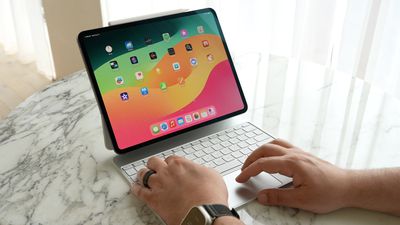
Universal Clipboard is usually associated with copying and pasting text, but by using this gesture, you can make it work really well for sharing images between your devices too.
It can be used to quickly copy images across nearby devices for pasting into Messages, Notes, emails, Pages, and other apps with input fields.
For the following steps to work, you'll need to have Wi-Fi and Bluetooth turned on and your devices signed into the same Apple Account and connected to the same network.
- Make sure Handoff is enabled on your devices: On Mac, select System Settings ➝ General ➝ AirDrop & Handoff and toggle on the switch next to Allow Handoff between this Mac and your iCloud devices. On iPhone/iPad, turn on Settings ➝ General ➝ AirDrop & Handoff, then toggle on the switch next to Handoff.
- On iPhone or iPad, perform a three-finger pinch gesture on a photo. On Mac, use the Command+C keyboard shortcut.
- Switch to the device you want to share the photo with, and then pinch outward with three fingers to paste it into a text field. If on a Mac, you can perform this gesture on the trackpad or use the Command+V.
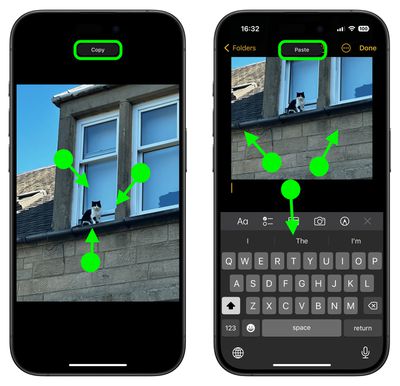
That's all there is to it. You will know that your three-finger gestures have been recognized when "Copy" and "Paste" appear at the top of the device's screen.
Tip: You can also cut images to Universal Clipboard using the same three-finger pinch gesture by performing it two times in rapid succession. Just remember to paste your content within a short period of time, as it won't be available for ever.