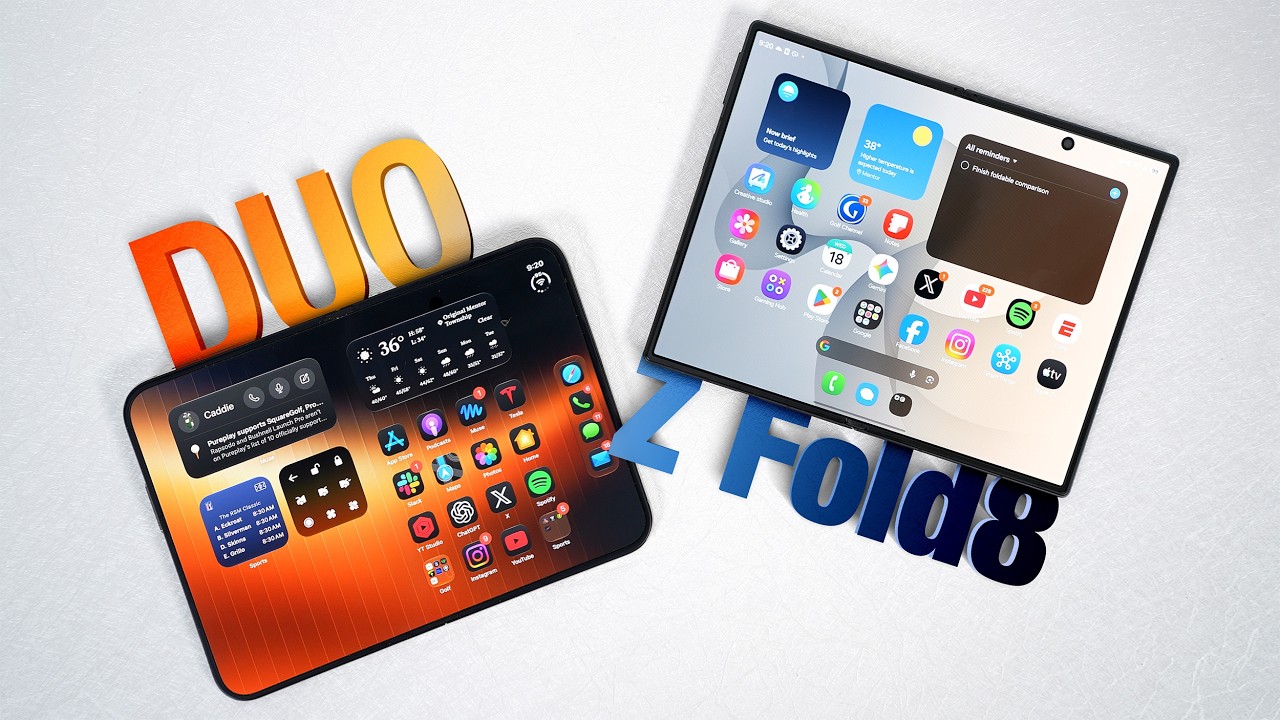
MacBook Ultra: Everything We Know About Apple's OLED Touchscreen Mac
Apple is working on a high-end MacBook Pro that could be called the "MacBook Ultra." The device will have several firsts in a Mac, including an OLED display and a touchscreen.
The "Ultra" name isn't a sure thing, because Apple could also continue to call the device the MacBook Pro and make it a high-end model in the Pro lineup. There are rumors of other "Ultra" devices in the works like...
Read Full Article • 170 comments
iOS 27 Wallet App Gets 7 New Features
Apple is making more of an effort to turn the iPhone into a physical wallet replacement in iOS 27, and there are several upgrades to the Wallet app.
Pass Upgrades
Apple upgraded airline boarding passes in the Wallet app with iOS 26, and in iOS 27, upgrades are available for more types of passes. Memberships, gift cards, loyalty cards, and rewards cards can use a bolder "Poster Generic" card ...

iOS 27: All the New Phone and FaceTime Features
The Phone and FaceTime apps didn't get as many new features as some of Apple's other apps, but there are a handful of capabilities that add utility and convenience.
Phone App
The Phone app has one major update, and that's Call Context. When you call a company, the Phone app can surface relevant information from the Mail app.
If you call an airline, it might show your confirmation code...

iOS 27: All the New iCloud Features
iOS 27 includes new iCloud capabilities across several apps like Apple Home, Siri, Photos, and more. There are some direct iCloud improvements like upgrades to photo uploads and sharing, along with some indirect new features.
HomeKit Secure Video Cameras (iCloud+)
If you have HomeKit Secure Video cameras, the Home app in iOS 27 has a couple of useful new Apple Intelligence features.
You...

10 iOS 27 Performance Improvements You'll Actually Notice
With iOS 27, Apple focused on making improvements to iOS performance, optimizing everything from system animations to AirDrop transfer speeds. iPhone performance is smoother and faster on all iPhones able to run iOS 27, which includes the iPhone 11 and newer.
There are over 80 iOS 27 improvements Apple announced, with 10 of the most useful listed below.
App Launching
Apps launch up to 30 ...

macOS Golden Gate Public Beta: 10 Features to Try First
macOS 27 Golden Gate is available to public beta testers as of this week, which means you can try out Siri AI and the other changes coming in the update before it launches this fall.
Subscribe to the MacRumors YouTube channel for more videos.
We don't recommend betas for devices that serve a critical function, and it's always best to test on a secondary device. macOS Golden Gate is a stable...

iOS 27 Public Beta Is Here: 10 New Features Worth Testing
Apple released the iOS 27 public beta today, and if you've been curious about the new software, now's the time to try it out. iOS 27 brings Siri AI, performance improvements, and lots of new Apple Intelligence features. With the public betas, you don't need to wait until September to see what's new.
iOS 27 is one of Apple's most stable betas compared to prior years. We never recommend...

iOS 27: What's New With the Mail App
Apple's Mail app is getting some useful updates in iOS 27, with Apple making big improvements to search and introducing new AI features.
Search
iOS 27 has an overhauled search system that extends to the Mail app. Instead of surfacing results based on keywords and recency, Mail app search ranks results by relevance and intent. Search results that come up in Mail are more relevant than...

Apple Watch: 15 Tips Every Owner Needs to Know
Apple Watch is now eleven generations in, and packed with useful features that are easy to miss at first glance. To help you get more out of your device, we've rounded up 15 practical tips you might not have discovered yet, including a few that long-time users often overlook.
Bounce Between Two Apps
On your Apple Watch, double-press the Digital Crown to see a deck of all currently open...
iOS 27: All the New Apple Maps Features
The Maps app didn't get as many iOS 27 updates as some of Apple's other apps, but there are still several useful features worth knowing about.
Flyover Improvements
Apple is upgrading Flyover in iOS 27, making it more detailed than before. It combines aerial imagery with Vision Intelligence models to add more texture and sharper visuals for trees, architecture, and more.
Apple says...

iOS 27 Makes the Shortcuts App Much Less Intimidating
The Shortcuts app can be intimidating to casual iPhone users, but with iOS 27, it's a lot easier to use. With Apple Intelligence integration, shortcuts can be created using natural language, and they're much more accessible to the average person.
Describe a Shortcut
When you tap on the New Shortcut button in the iOS 27 Shortcuts app, it opens to the Describe a Shortcut interface....

iOS 27 Home App: 10+ New HomeKit Features
Apple updated the Home app with some useful new features that rely on Apple Intelligence. The updates improve the way HomeKit Secure Video cameras work on Apple's HomeKit platform.
Apple Intelligence Summaries
The Home app generates written summaries for motion alerts and what's detected, using AI to determine what's been recorded. It can recognize people, animals, vehicles, packages, and...

Every New AirPods Feature in iOS 27
With every iOS update, Apple adds new features to the AirPods. In iOS 27, the AirPods work with Siri AI, and there's a long-requested custom EQ option.
Subscribe to the MacRumors YouTube channel for more videos.
Custom EQ
Apple resisted custom EQ for the AirPods for years, preferring to require users to stick with Apple's sound profiles. That's changing in iOS 27, and there are finally...

iOS 27 Weather App: All the New Features
There are no new AI features in the iOS 27 Weather app, but Apple did make improvements to the layout. It's now easier to see at-a-glance information for weather conditions.
Highlights
The top of the Weather app now has a Highlights section that shows you need-to-know weather information for the day.
Conditions
There are new views for the Conditions section of the main Weather app...

Everything New in iOS 27 Beta 2
Apple released the second beta of iOS 27 today, and as is common with a second beta, there are multiple changes. There are new features and updates to existing features as Apple prepares for a July public beta and a September software launch.
Write with Siri
There is a new Write with Siri button above the keyboard in Notes, Mail, Messages, and more. It makes it easier to locate the option...
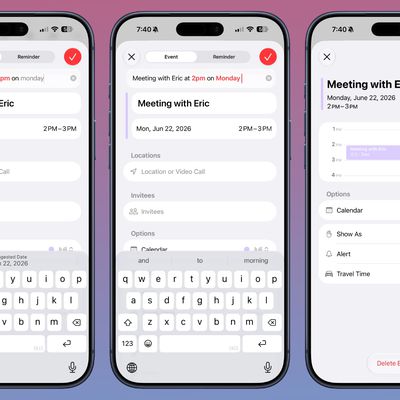
Everything New in Calendar and Reminders in iOS 27
The Calendar and Reminders apps look about the same as they did in iOS 26, but there are a couple of useful new Apple Intelligence features that make both apps more intuitive in iOS 27.
Subscribe to the MacRumors YouTube channel for more videos.
Natural Language for Calendar
Apple Intelligence in Calendar lets you add events by describing them in natural language. It identifies people,...

Here's What's New With Visual Intelligence in iOS 27
Visual Intelligence is getting a big upgrade in iOS 27. It's now easier to find than it was before, and there are new Visual Intelligence capabilities. Apple also expanded it to the iPad and the Mac, so you can use the same features across devices.
Camera App
Apple moved Visual Intelligence to the Camera app in iOS 27, and it's accessible through a new Siri Mode that lives with the Photo,...

Siri AI in iOS 27: Features, Requirements, and How It Works
The biggest change in iOS 27 is Apple's total overhaul of Siri, with Siri turning into Siri AI. Apple delivered on the features originally promised at WWDC 2024 and added new capabilities that turn Siri into a viable competitor to chatbots like Claude and ChatGPT.
Siri AI is available in the iOS 27 beta that developers and public beta testers can download, but everyone will get access this...

iOS 27: All the New Health and Fitness Features
Apple was rumored to be working on an AI health service, but it was scrapped well before the iOS 27 beta came out. It could resurface in the future, but for now, there are a handful of health and fitness changes in the update.
Design
Apple redesigned the Browse section of the Health app, and it now uses a card-style interface instead of a list. It is more colorful and easier to see the...
What's New in the iOS 27 Photos App
The Photos app is one of a handful of apps that Apple paid extra attention to in iOS 27. It has multiple improvements to performance, and several quality-of-life upgrades. There are also new AI photo editing tools that use Apple Intelligence.
AI Tools
There is a set of AI photo editing tools in the Photos app, accessible by tapping on the icon featuring three sliders, and then selecting the ...