Tim Hardwick

Tim is a Senior Editor at MacRumors and has been writing for the site since 2016. Formerly a magazine journalist, his work has appeared in over 30 newsstand print publications and online brands covering a range of topics, from the latest trends in technology to the mysteries of ancient history.
Based in the UK, Tim's current role at MacRumors involves editorial oversight and how tos, in addition to covering daily news and contributing occasional reviews. Tim can be reached at tim@macrumors.com, Telegram (@waxeditorial) or Twitter.
Based in the UK, Tim's current role at MacRumors involves editorial oversight and how tos, in addition to covering daily news and contributing occasional reviews. Tim can be reached at tim@macrumors.com, Telegram (@waxeditorial) or Twitter.
Tim Hardwick's Articles
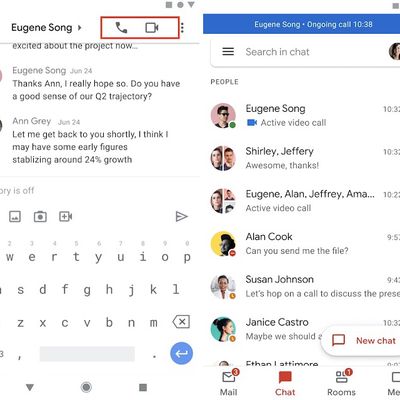
Google Rolls Out Voice and Video Call Features to Gmail App
Google has added the ability to join one-on-one Google Chat voice and video calls from within the Gmail app, the company has announced.
Before now, it was possible to make calls from within the Gmail app on iOS and Android, but users had to send an invite to a Google Meet video conferencing call, which was more convoluted and limiting.
In future, however, users will be able to tap new...
Read Full Article • 17 comments

WhatsApp Makes Disappearing Messages a Default Option With Multiple Durations
WhatsApp says it is rolling out a new option that makes disappearing messages the default behavior for all new chats on the end-to-end encrypted messaging platform.
It's been over a year since WhatsApp launched its disappearing messages feature, which allows messages, photos, and videos to be marked to disappear after seven days. The feature can be enabled for direct messages and in groups...

How to Watch YouTube Without Ads
YouTube in recent years has been increasing the number of ads that viewers see in and between videos, all in an attempt to get more people to subscribe to its YouTube Premium plan, which removes all ads for a monthly fee, amongst other benefits.
If you're a regular user of YouTube, paying a few dollars a month to enjoy an ad-free experience is probably worth the outlay, especially if you...

How to FaceTime a Windows PC User From Mac
In macOS Monterey, you can enable anyone, even if they don't have an Apple device, to join a FaceTime call with you by creating a link to a FaceTime conversation that can be shared anywhere.
Using this new link function, friends and family members who do not have an Apple account can log into a FaceTime call with you using a web browser opened on any non-Apple device, whether...

How to Listen to Spatial Audio on a MacBook Pro
Spatial audio is a sonic feature exclusive to AirPods (3rd generation), AirPods Pro, Beats Fit Pro, and AirPods Max that adds surround sound to Apple's premium audio wearables. By utilizing dynamic head tracking, it brings a theater-like audio experience to the movie or video you're watching, so that it seems as if the sound is coming from all around you. This article explains how to listen to...
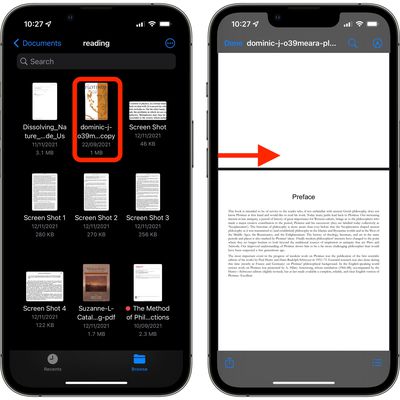
iOS 15: How to Edit PDF Documents in the Files App
In iOS, Apple's stock Files app is a handy place for keeping PDF documents on your iPhone or iPad. Not only can you view and organize your documents in the Files app, but it also provides you with editing tools that go beyond the usual Markup features like highlighting passages and adding your signature.
It's not immediately obvious, but when viewing PDF documents in the Files app, there are ...

How to Transfer Data From Your Old Mac to a New Mac
When you want to move data from an old Mac to a new one, the most reliable method is to use Apple's Migration Assistant. Found in the Utilities folder of your Applications folder, Migration Assistant copies all of your files from your old Mac to your new Mac, so you don't have to transfer them manually.
The first set of steps in this article assume that you have both the old Mac and the new...
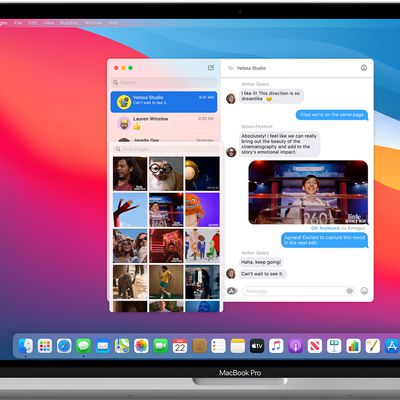
How to Share Your Screen Using Messages on Mac
When you're chatting in Messages, you can share your Mac's screen with the person you're messaging, or they can share theirs with you. You can also let someone control your screen, and vice versa. It's a great way to give a friend or family member some remote tech support, or you can use it to work collaboratively on a project. Here's how it works.
In the Messages app on your Mac, select a...
macOS Monterey: 40 Tips, Tricks, and Features You Might Have Missed
Apple released macOS Monterey to the public in the fall, and the new desktop OS brings a whole slew of useful new features and changes to apps like Safari, Maps, FaceTime, Notes, Photos, Messages, and more.
Subscribe to the MacRumors YouTube channel for more videos.
Beyond the headline features, Apple has also made numerous tweaks and changes to macOS that aim to make the time you spend using ...

Had It With the Dropbox App? Here Are Five Alternative Dropbox Clients
The Dropbox app has a troubled reputation among Mac users. The client is often called out for using significant system resources, even when it's not doing anything in the background. And when it does lurch into action, syncing with Dropbox's servers can sometimes be painfully slow, for no obvious reason.
Added to this is the fact that almost a year after the first Macs with the M1 chip...

Apple Announces Winners of Third Annual Apple Music Awards
Apple has announced the winners of the third annual Apple Music Awards, which recognize "the best artists of 2021 and their influence on global culture."
The awards honor achievements in music across five categories, with winners chosen through a process that reflects both Apple Music's editorial perspective and what customers around the world have been listening to most.
Apple has...
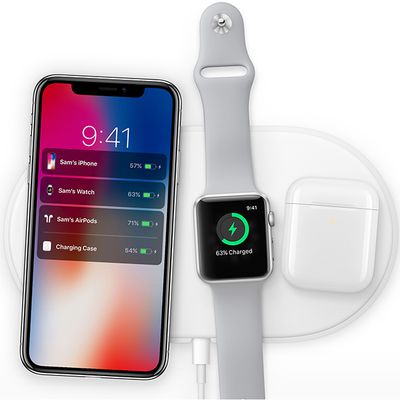
Apple Still Working on AirPower-Like Charger, Also Long-Range Wireless Charging and Reverse Charging
Apple is still working on a future wireless charger that would function similarly to the now-abandoned AirPower, according to Bloomberg's Mark Gurman.
In the latest edition of the journalist's Power On newsletter, Gurman reiterates earlier reports that Apple still intends to create a wireless charging accessory that would charge multiple devices like an iPhone, Apple Watch, and AirPods all...
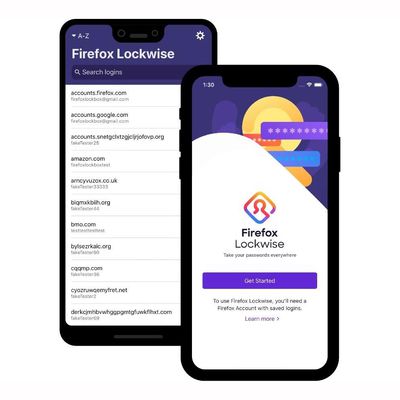
Mozilla Ending Support for Firefox Lockwise Password Manager in December
Mozilla has told users of its Lockwise password management app that it will officially end support for the app on December 13. While the password manager will continue to work after that date, it will no longer receive support or security updates.
Lockwise began life in 2018 as Lockbox, an open-source mobile app for iOS, Android, and desktop that allowed users to access login credentials and ...
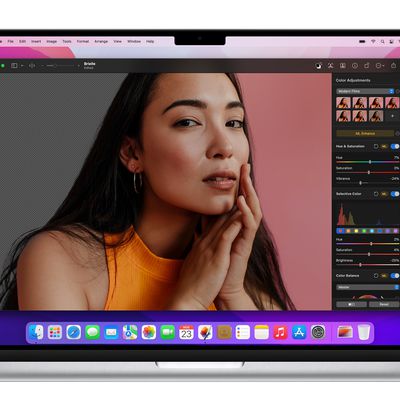
Pixelmator Pro 2.3 Adds Smart Subject Selection and Background Removal Features, Plus New Select and Mask Tools
Pixelmator Pro 2.3 went live on the Mac App Store on Tuesday, and the latest major update to the popular image editing app brings a smart new automatic background removal feature, automatic subject selection, new Select and Mask tools, and more.
In a blog post announcing the update, Pixelmator's developers say that it's now possible for users to "magically" remove the background from any...

Apple Fined $150M+ By Italian Watchdog for Anti-Competitive Cooperation With Amazon
Apple and Amazon were today fined a total of more than 200 million euros ($225 million) by Italy's antitrust authority for alleged anti-competitive cooperation in the sale of Apple and Beats products, reports Reuters.
The fines are the culmination of an investigation that began last year over allegations that the two companies had been blocking the sale of Apple and Beats devices to...

How to Reset Beats Fit Pro
Apple's Beats-branded Beats Fit Pro have a useful reset function that returns them to their factory settings. This can come in handy if you're handing down the wireless earbuds to someone else or you're having any sort of problem with them.
How to Reset Beats Fit Pro
Place both earbuds in the charging case and leave the case open.
Press and hold the system button inside the case for 15...
How to Use Apple's Live Listen Feature With Beats Fit Pro
Since 2014, Apple has included a little-known feature in iOS called Live Listen that allows an iPhone or iPad to serve as a remote microphone for an MFI-compatible hearing aid.
In iOS 14.3 and later, Live Listen supports Beats Fit Pro, Apple's sporty Beats-branded earphones, making it possible to use your iOS device as a directional mic and have the audio relayed to your ears.
As an...

How to Use Spatial Audio on Beats Fit Pro
Spatial audio is a sonic feature of Beats Fit Pro that adds surround sound to Apple's audio wearables. By utilizing dynamic head tracking, it brings a theater-like audio experience to the movie or video you're watching, so that it seems as if the sound is coming from all around you.
Spatial audio uses the gyroscope and accelerometer in your Beats Fit Pro and iOS device to track...

How to Get a List of Directions in Apple Maps
After several years of iterations and improvements, Apple Maps has become a solid app and a viable Google Maps alternative for getting GPS-based directions to navigate journeys by car, public transport, bicycle, and on foot.
Depending on the journey though, you may want to print off a list of turn-by-turn directions to refer to instead of relying on your iPhone and draining the battery. Or...

iOS 15.2 Beta: How to Use Find My to Locate Items That Can Track You
Update December 13: This change did not make it into the final release of iOS 15.2, but may reappear in a future update.
In iOS 15.2, which is available in beta right now, Apple introduced new features for the Find My app, including a way to search for items that might be used to track your location.
The new Unknown Items feature is called "Items That Can Track Me," and when activated,...