iOS 27: How to Install the Beta
Apple has announced iOS 27, with key new features including "Siri AI" and a Siri app, a slider to adjust the appearance of Liquid Glass, expanded child safety features, faster performance, "tons of refinements" for improved reliability, and more.
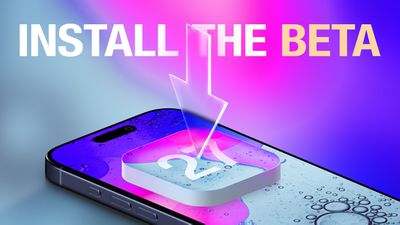
Anyone with an Apple Developer account is able to install the iOS 27 developer beta for free, with Apple Developer Program membership for $99 per year no longer required in recent years. After registering, restart your iPhone and open the Settings app. Next, tap on General → Software Update → Beta Updates and select the iOS 27 Developer Beta option. From there, you can install the beta on your iPhone.
Apple said the first iOS 27 public beta will follow in July.
To install a public beta, first sign up at beta.apple.com. After enrolling, restart your iPhone and open the Settings app. Next, tap on General → Software Update → Beta Updates and select the iOS 27 Public Beta once it is available.
Keep in mind that the revamped version of Siri — aka "Siri AI" — has a waitlist.
iOS beta versions can have bugs and performance issues. Backing up your iPhone before installing beta software is highly recommended.
Popular Stories
Apple today seeded the release candidate of an upcoming iOS 27.2 update to developers for testing purposes, with the update coming a week after Apple released the fourth iOS 27.2 beta. Apple also seeded the iPadOS 27.2 RC.
Registered developers can download the beta updates by opting in under Settings > General > Software Update and selecting the iOS 27 developer beta.
The beta was used...
Apple today released iOS 27.0.1, the first update for the iOS 27 update that came out two weeks ago.
iOS 27.0.1 can be downloaded over the air by going to Settings > General > Software Update. Apple has also released iPadOS 27.0.1 and visionOS 27.0.1 updates, as well as iOS and iPadOS 26.7.1 updates for devices not updated to iOS and iPadOS 27.
According to Apple's release notes, iOS...
AT&T and Apple are taking action today as they try to resolve iPhone 18 Pro Max cellular issues, according to MacRumors contributor Aaron Perris.
Thousands of iPhone 18 Pro Max users have been unable to connect to the AT&T network for phone calls, text messages, and data. The underlying cause has yet to be disclosed, but AT&T and Apple continue to work toward a resolution.
First, Apple...