Apple Releases AirPods Firmware Updates — What's New?
Apple recently released firmware updates for all AirPods 4, AirPods Pro 2, and AirPods 3 models, and it has since shared release notes for the updates.
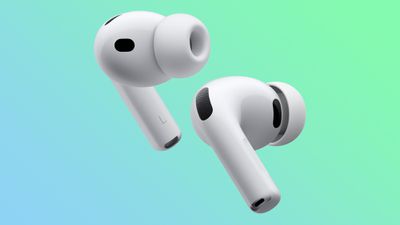
Unfortunately, Apple merely says the firmware updates include unspecified "bug fixes and other improvements," with no new features mentioned.
For all AirPods 4 and AirPods Pro 2, the latest firmware version number is now 8B21. For the AirPods Pro 3, the update is version 8B25.
How to install firmware updates on AirPods, according to Apple:
- Make sure that your iPhone, iPad, or Mac is updated to the latest version of iOS, iPadOS, or macOS, and that Bluetooth is on.
- Make sure that your AirPods are connected via Bluetooth to your iPhone, iPad, or Mac.
- Connect your iPhone, iPad, or Mac to Wi-Fi.
- Connect your charging case to power.
- Put your AirPods in their charging case and close the lid. Keep the lid of the charging case closed, and keep your AirPods in Bluetooth range of your iPhone, iPad, or Mac.
- Wait at least 30 minutes for the firmware to update.
- Open the lid of the charging case to reconnect your AirPods to your iPhone, iPad, or Mac.
- Check the firmware version again.
More details are available in Apple's support document.
Popular Stories
Bloomberg's Mark Gurman has high expectations for Apple's first foldable iPhone.
In his Power On newsletter today, he said the foldable iPhone will be "the most significant overhaul in the iPhone's history."
"iPhone 4, iPhone 6 and iPhone X were clearly a big deal, but this is a whole new design," he said.
Like Samsung's Galaxy Z Fold 7, the foldable iPhone will reportedly open up like ...
March has been an incredibly busy month for Apple, with the company unveiling more than 10 new products and accessories. We said hello to the MacBook Neo at the start of the month, and we bid farewell to the Mac Pro at the end of it.
Nevertheless, there is still a lot more to come this year.
Beyond the usual annual updates to iPhones and Apple Watches, Apple's all-new smart home hub is...
Apple is expected to release two new iPhone apps this year, including an Apple Business app and a Siri app with chatbot-like functionality.
With the Apple Business app, employees at businesses using the new Apple Business platform will be able to install apps for work, view contact information for colleagues, and request support. Apple Business is launching on April 14, and it replaces Apple ...
Popular Stories
Apple is planning to launch at least three new "Ultra"-class devices this year, according to Bloomberg's Mark Gurman.
Writing in this weekend's "Power On" newsletter, Gurman explained that while the low-end of Apple's product lineups are now well-served by the Apple Watch SE, iPad 11, and MacBook Neo, there is "a more significant shift underway" toward higher-end, "Ultra" devices. Apple is...
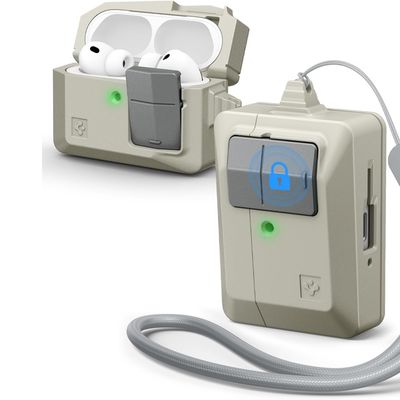
Accessory maker Spigen this week expanded its lineup of case options that are designed to look like vintage Apple Macs. The clever new Classic LS AirPods Pro 3 Case resembles a the iconic Apple Macintosh mouse, so it goes well with Spigen's Mac-style iPhone cases.
Priced at $25 from Amazon, the case features the stone color that was used for the Classic Macintosh, along with a gray mouse...
Apple today released new firmware for the AirPods Pro 2, AirPods Pro 3, and the AirPods 4. The firmware has a version number of 8B39, up from 8B34 on the AirPods Pro 3, 8B28 on the AirPods Pro 2, and 8B21 on the AirPods 4.
There is no word on what's included in the firmware, but Apple has a support document with limited notes. Most updates are limited to bug fixes and performance...