

Apple announced watchOS 26 at WWDC, introducing the "Liquid Glass" design language from iOS 26, a new AI-powered fitness feature called Workout Buddy, and updated Smart Stack functionality.
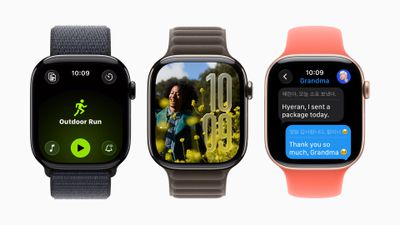
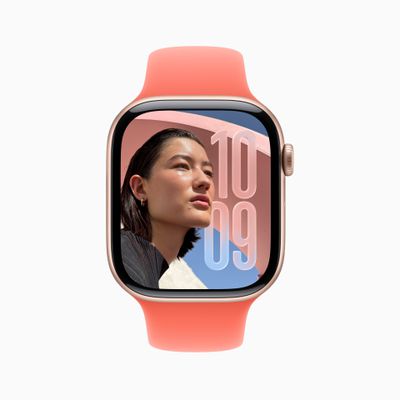
Liquid Glass uses real-time rendering to create translucent interface elements that reflect and refract content. The design appears across Smart Stack widgets, Control Center, notifications, and in-app navigation. The Photos watch face also receives numerals made of Liquid Glass, showing more of users' photos through the display.
Workout Buddy uses Apple Intelligence to analyze workout data and fitness history, providing spoken motivation during exercise sessions.
The feature incorporates data like heart rate, pace, distance, Activity rings, and fitness milestones to generate insights during workouts. It can provide updates like "You're 18 minutes away from closing your Exercise ring" or "Your total running distance for the year just crossed the 200-mile mark."
During workouts, it marks mile splits and milestones. At the end, it recaps workout statistics and achievements. The feature uses a text-to-speech model with voice data from Fitness+ trainers. It requires Bluetooth headphones and an Apple Intelligence-supported iPhone nearby.
Workout Buddy works in English for Outdoor and Indoor Run, Outdoor and Indoor Walk, Outdoor Cycle, HIIT, and Functional and Traditional Strength Training. The Workout app also receives a layout update with four corner buttons for accessing features like Workout Views, Custom Workout, Pacer, and Race Route.
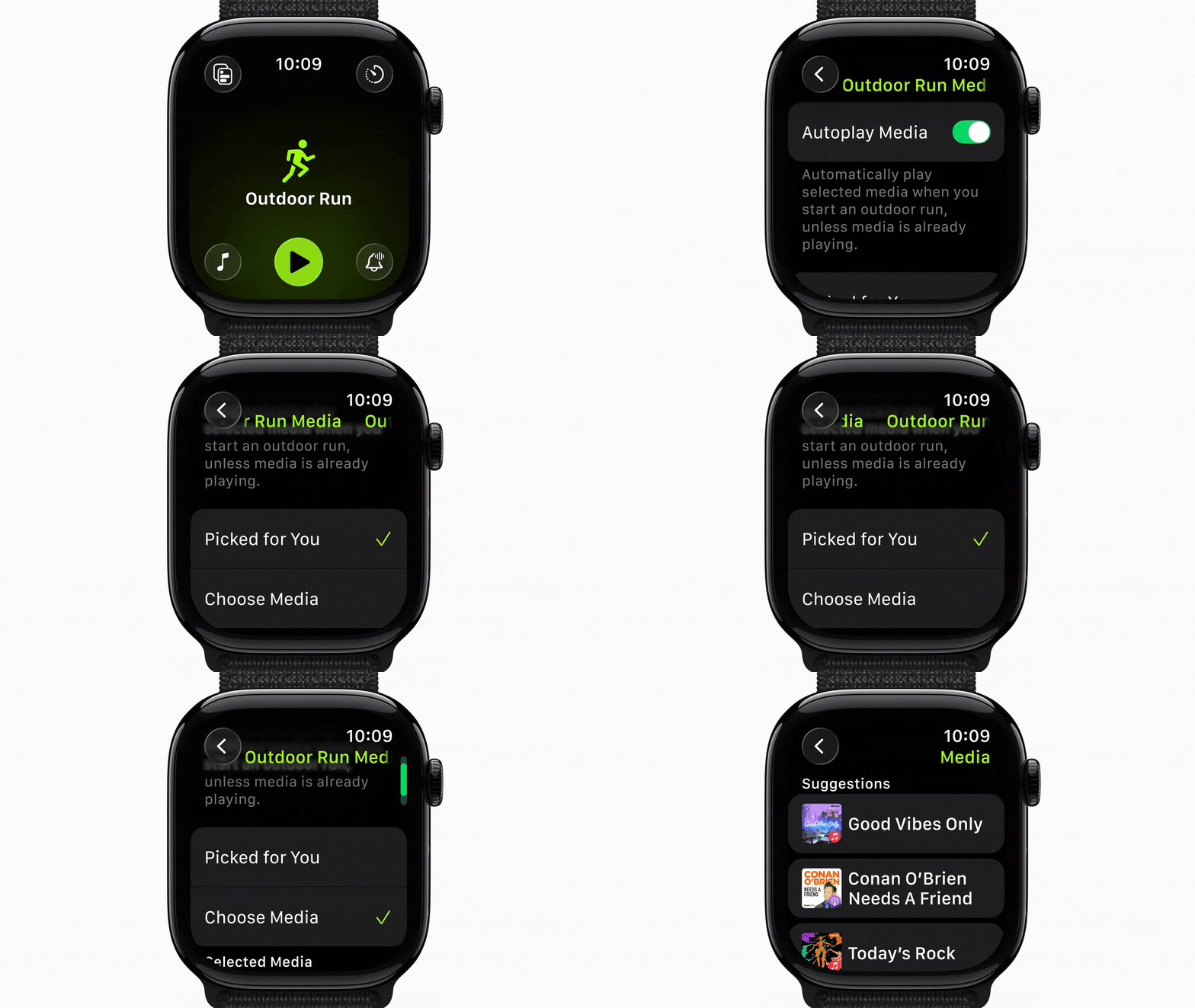
Users can set up music and podcasts in the Workout app to play automatically when workouts begin. Apple Music can select playlists based on workout type and user preferences, or suggest content based on listening habits for specific exercise types.

The Smart Stack adds a hints feature using contextual data, sensor information, and routine patterns for actionable suggestions. These appear as visual prompts on the display, such as Backtrack in remote locations or workout suggestions when arriving at fitness locations.
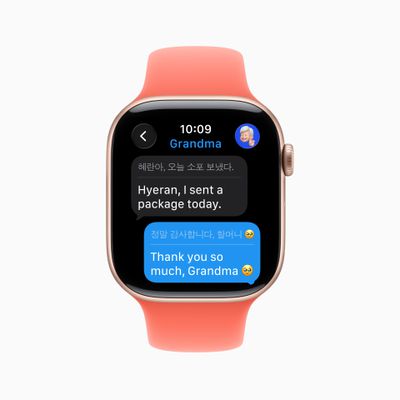
Apple Watch now supports Live Translation in Messages with Apple Intelligence, automatically translating incoming texts and responses. The feature works on Apple Watch Series 9, Series 10, and Ultra 2 with a supported iPhone.
For English users, the watch suggests relevant actions in Messages, like starting Check In or using Apple Cash. Customizable backgrounds from iPhone appear on Apple Watch, and users can respond to polls from their wrist.
Elsewhere, a wrist flick gesture on newer Apple Watch models allows one-handed notification dismissal. Users turn their wrist over and back to dismiss notifications, silence timers and alarms, or return to the watch face. The feature uses accelerometer and gyroscope data with machine learning.
Apple Watch also automatically adjusts speaker volume based on ambient noise for notifications, calls, and Siri responses.
In watchOS 26, the Notes app comes to Apple Watch with functionality including pinning, unlocking, and creating notes via Siri or dictation. The Phone app also adds Hold Assist and Call Screening when an iPhone is nearby.
Meanwhile, Live Listen controls arrive for users who are deaf or hard of hearing, with real-time Live Captions and remote control capabilities. The Photos face also shuffles images based on Featured content, and a redesigned watch face gallery organizes faces into collections.
Developers get new APIs for adopting Liquid Glass design materials, creating custom Control Center widgets, and adding third-party widgets to the Smart Stack with location-based relevance.
watchOS 26 is available now in developer beta, with a public beta coming next month and a general release this fall for Apple Watch Series 6 or later, Apple Watch SE (2nd generation), and all Ultra models paired with iPhone 11 or later running iOS 26. Apple Intelligence features require supported iPhone models.





















