Google Translate Now Available as Default Translation App on iPhone and iPad
iPhone and iPad users can now set Google Translate as their default translation app on iOS, replacing Apple's built-in Translate app as the go-to option.
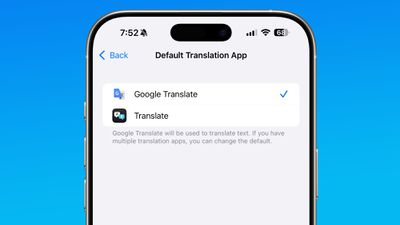
To change your default app, you'll need to install the latest version of the Google Translate app, which was released today. From there, you can open up the Settings app, select the Apps section, tap on Default Apps, tap Translation, and choose Google Translate instead of Apple Translate.
The default translation app can be changed as long as you're running iOS 18.4 or iPadOS 18.4 or later.
iOS 18.4 and iPadOS 18.4 added the ability for users to set a different translation app as their default. Users worldwide can select Google Translate or another translation app as an alternative, and there are also options for changing the default Email, Messaging, Calling, Browser, and Password apps. In the EU, users can also select a different default navigation app, such as Google Maps.
Popular Stories
Starting today, the seven new Apple products that were announced last week are available at Apple Stores and beginning to arrive to customers.
The colorful MacBook Neo and all of the other new products are on display at most Apple Store locations around the world starting today. Apple Stores have inventory of the new products for both walk-in customers and Apple Store pickup, but...
Apple today announced that it will celebrate the company's 50th anniversary over the coming weeks, but it has yet to reveal any specific plans.
Apple was founded on April 1, 1976, so the company will turn 50 on April 1, 2026.
"While Apple is known for looking forward, this milestone offers a special moment to reflect on the journey that has brought the company here, to celebrate the...
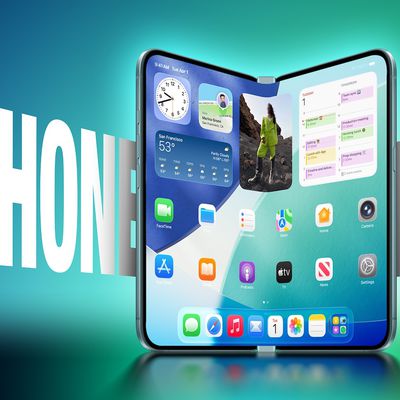
The upcoming foldable iPhone that Apple plans to debut this September will operate like a cross between an iPhone and an iPad, reports Bloomberg.
When the device is opened up, the UI will have an iPad-like layout that supports multitasking with two apps side-by-side. No iPhone to date has supported running multiple apps on the display at the same time, beyond simple picture-in-picture mode...