iOS 18.5 Includes a Useful Change to Screen Time
Apple today shared release notes for iOS 18.5 and iPadOS 18.5, ahead of the updates being released to the general public next week. The updates are minor overall, but they do include a useful change for the Screen Time feature on iPhones and iPads.
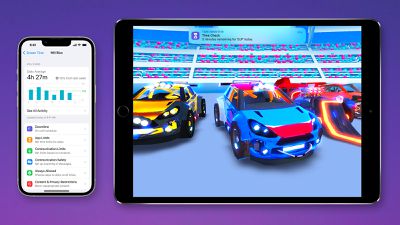
Specifically, Apple says that parents will now receive a notification when their Screen Time passcode is successfully entered on their child's device.
This change will allow parents to be alerted immediately if their child has correctly guessed or figured out the Screen Time passcode, which can allow the child to turn off or adjust the restrictions that were set by their parents.
Parents will also receive these notifications on a Mac running macOS 15.5, which should be released to the general public next week.
Screen Time launched in 2018 as part of iOS 12, providing parents with settings to remotely manage a child's device. For example, parents can restrict device usage to certain times, set time limits for apps, and block inappropriate content.
Popular Stories
Apple today announced the "iPhone Duo," a new kind of iPhone featuring two screens and a foldable inner display.
The two halves of the iPhone Duo connect into a single continuous frame with the same aspect ratio across both displays, and Apple said the transition between open and closed is designed to feel fluid. When fully open, Apple says it is the thinnest iPhone ever made, with an...
Apple's "Surprise and Shine" event kicks off today at 10:00 a.m. Pacific Time, where we're expecting to see the foldable iPhone Duo, the iPhone 18 Pro and Pro Max, Apple Watch Series 12 and Ultra 4 models, new AirPods 5 earphones, and perhaps some other announcements.
Apple is providing a live video stream on its website, on YouTube, and in the company's TV app across various platforms. We...
At its event today unveiling the iPhone 18 Pro, AirPods 5, Apple Watch Series 12, and more, Apple announced that iOS 27 will be released later this month.
iOS 27 has already been available as a developer beta since June and as a public beta since July, and Apple today said that the update will be released for all users with a compatible iPhone model on Monday, September 14.
iOS 27 is...