Apple Releases Firmware Updates for AirPods Pro 2 and AirPods 4
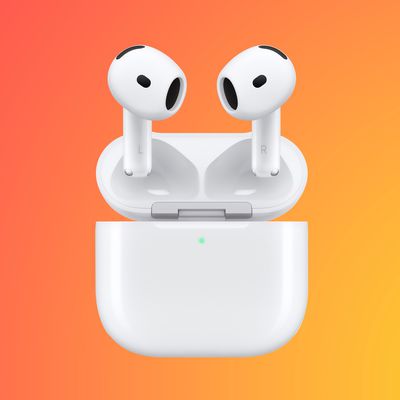
Apple today released firmware updates for both AirPods 4 models (version number 7B20) and the AirPods Pro 2 with both Lightning and USB-C charging cases (version number 7B21). All of these AirPods models were previously on firmware version 7B19.

It is not immediately clear what new features or changes are included in firmware versions 7B20 and 7B21, but we will update this story if we find out.
Last month's firmware version 7B19 enabled new hearing aid, hearing test, and hearing protection features on AirPods Pro 2 when paired with an iPhone or iPad running iOS 18.1 or iPadOS 18.1 or later. Availability of these features varies by country. Apple's release notes never indicated what that firmware version added to the AirPods 4.
There is no way to manually force the installation of a firmware update on AirPods. Firmware updates are generally installed over-the-air when the AirPods are in a charging case and connected to an iOS device or a Mac.
Update: Apple says firmware versions 7B20 and 7B21 include "bug fixes and other improvements." No further details were provided.
Popular Stories
Apple's "Surprise and Shine" event kicks off today at 10:00 a.m. Pacific Time, where we're expecting to see the foldable iPhone Duo, the iPhone 18 Pro and Pro Max, Apple Watch Series 12 and Ultra 4 models, new AirPods 5 earphones, and perhaps some other announcements.
Apple is providing a live video stream on its website, on YouTube, and in the company's TV app across various platforms. We...
Apple today released new firmware for the AirPods Pro 2, AirPods Pro 3, AirPods 4, and AirPods Max 2. The firmware is available for all of the above devices, and it will enable support for new iOS 27 features. The firmware has a build number of 9A348.
In iOS 27, iPadOS 27, and macOS Golden Gate, Apple is adding a new AirPods interface, a slider for Adaptive mode, and support for custom EQ....
In his newsletter today, Bloomberg's Mark Gurman reiterated that AirPods 5 will be released as early as this September, alongside the iPhone 18 Pro, iPhone 18 Pro Max, a foldable iPhone, the Apple Watch Series 12, and the Apple Watch Ultra 4. Apple is holding an event on Wednesday, September 9 at 10 a.m. Pacific Time.
He also reiterated that he expects an iPad mini with an OLED display and...