

Apple's upcoming iOS 18.2 update will introduce two new photography features for iPhone 16 owners, along with a new setting that gives users more control over when the Camera Control button can activate the camera.
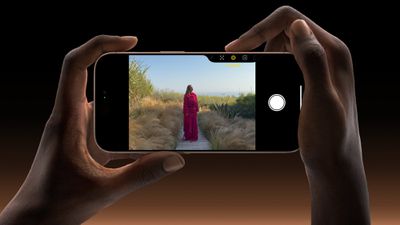
First up, users will gain the ability to lock auto focus and auto exposure settings using Camera Control. Initially previewed during Apple's iPhone 16 announcement in September, the new capabilities allow photographers to maintain consistent focus and exposure settings by applying light pressure to Camera Control. The lock remains active until the user releases their finger from the button.
Enabling the feature involves navigating to Settings ➝ Camera ➝ Camera Control and toggling on the AE/AF Lock option. Apple has also added new customization options for Camera Control's double-click speed, with settings for Default, Slow, and Slower responsiveness.
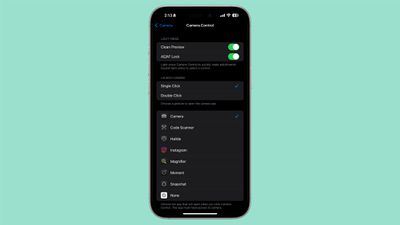
These new controls complement existing Camera Control features introduced with the iPhone 16, including the ability to switch between camera modes and swipe to zoom. Users can fine-tune these settings through the Accessibility menu under Camera Button options.
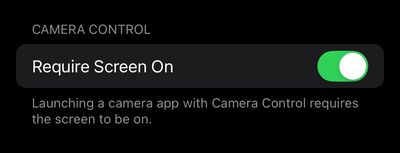
Meanwhile, a new "Require Screen On" toggle appears in Settings ➝ Display & Brightness. When enabled, the Camera Control button will only launch the Camera app or supported third-party camera apps if your iPhone's display is already active. Leaving the setting disabled maintains the button's ability to launch camera apps regardless of screen state, matching the button's default behavior at launch.
iOS 18.2 is currently in beta testing and is expected to be released to the public in early December.

















