Latest iOS 16.2 Beta Lets You Disable Wallpaper and Notifications for Always On Display
With the third beta of iOS 16.2 that was provided to developers this morning, Apple has added new functionality to the always on display feature available for the iPhone 14 Pro models.
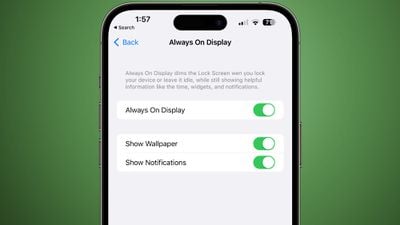
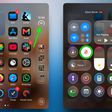
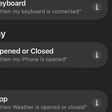
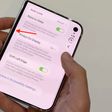
There are now two toggles for disabling wallpaper or notifications when always on display is active. The options can be reached by opening up the Settings app, selecting Display & Brightness, and then going to the Always On Display section.
Toggling off wallpaper will remove your wallpaper when you have always on display enabled, and toggling off notifications will prevent notifications from showing, leaving just the time and widgets if you have widgets installed on your Lock Screen.
The updated option makes for a much simpler always on display interface for those who want a more minimal look that may also save some battery life.
Popular Stories
Some iPhone Duos are already experiencing hinge issues that cause display cracks, based on photos shared on Reddit and the MacRumors forums. Almost all of the display faults are right along the hinge, and most result in a line of bright pixels across one side of the screen.
An iPhone Duo owner in Australia said his device cracked after being opened fewer than 20 times, and there was no...
Apple Music has a 404 page easter egg on the web: a functional iPod that appears when you load a page that does not exist, such as music.apple.com/macrumors.
"Page Not Found," says Apple. "Give this a spin instead."
Apple is clever with this. If you navigate to music.apple.com/ipod instead, the page says "Looking for something?" instead of "Page Not Found."
The easter egg is only...
Apple's iPhone Duo has failed JerryRigEverything's latest durability test. Despite its IP68 dust-resistance rating, dust entered the hinge through several ingress points, overwhelming the magnets that hold the phone shut. The bend test then left a permanent green line across the inner display, before the screen became unresponsive.
The outer screen with Ceramic Shield 2 scratched at level 7...