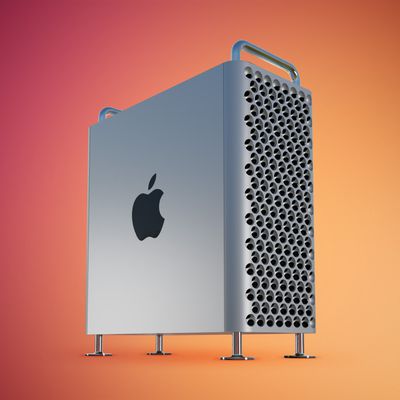
Mac Pro Now Starts With 512GB of Storage and Radeon Pro W5500X Graphics
Apple this week upgraded its base model Mac Pro to include 512GB of storage and AMD's Radeon Pro W5500X graphics for the same $5,999 starting price. Previously, this configuration included 256GB of storage and Radeon Pro 580X graphics. These changes apply to both the tower and rack versions of the Mac Pro.

As we previously reported, Apple has also made AMD Radeon Pro W6600X graphics available as a $300 upgrade option for the Mac Pro.
Released in December 2019, the Mac Pro continues to use Intel's Xeon processors, but Apple confirmed during its "Peek Performance" event on Tuesday that an Apple silicon version of the high-end desktop computer is planned. Apple did not provide a release timeframe or any additional details about the future Mac Pro.
Bloomberg's Mark Gurman has previously reported that an Apple silicon version of the Mac Pro will have two chip options, including one with a 20-core CPU and a 64-core GPU and the other with a 40-core CPU and a 128-core GPU.
Popular Stories
Apple today updated its U.S. trade-in estimates, raising maximum values across the iPad lineup and for most Macs following today's announcement of the new iPad mini.
Every iPad category has gained value, although the increases are relatively modest. The iPad mini and standard iPad both rise by $20, while the iPad Air gains $15 and the iPad Pro increases by $10. The revised maximum estimates...
Owners of Apple's 2019 Mac Pro could repurpose its enclosure for a custom PC using a conversion kit being crowdfunded by Practical Prototyping (via Hackster).
The project comes after Apple discontinued the Mac Pro in March, confirming that it has no plans for future models. For owners of the 2019 Intel-based tower, the conversion offers a potential way to keep using its distinctive...
Shortly after the iPhone Duo launched, a few users reported hinge issues that were causing cracks in the inner display. Apple has now responded to the reports in a statement to MacRumors, saying a small number of units are affected.
The response to iPhone Duo from early users has been incredibly positive, and we are seeing exciting things from developers who are rapidly updating their apps...