Apple today seeded the second beta of an upcoming watchOS 7.4 update to public beta testers, with the new beta coming two weeks after the first public beta and a day after the release of the second developer beta.
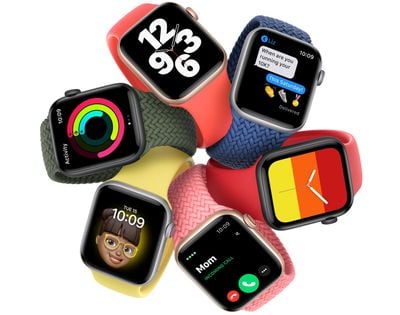
The watchOS 7.4 update can be downloaded after upgrading your iPhone to the public beta version of iOS 14.5. After installing iOS 14.5, the watchOS 7.4 software should show up, as long as you have the proper profile from Apple's beta software website. To update to the new software, the Apple Watch needs to have 50 percent battery life, it must be placed on the charger, and it must be in range of the iPhone.
Alongside iOS 14.5, watchOS 7.4 introduces a new "Unlock with Apple Watch" feature that lets an iPhone with Face ID use an unlocked and authenticated Apple Watch as a secondary authentication measure when you're wearing a mask, alleviating the need to enter a passcode to unlock the iPhone.
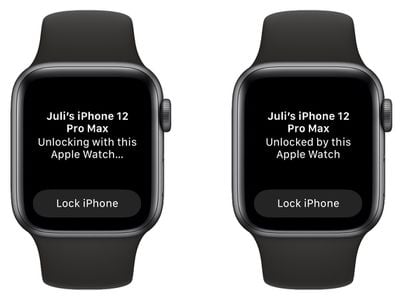
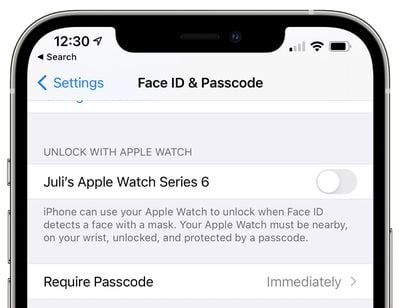
Face ID does not work when wearing a mask, but this new Apple Watch feature provides an easy but still secure way to access the iPhone without the hassle of a passcode. It's similar to the Apple Watch unlocking on Mac and can be enabled in the Settings app under Face ID & Passcode.
An unlocked Apple Watch paired with Face ID can unlock the iPhone when a mask is worn, but it's only for mask usage. The Apple Watch cannot be used to authenticate Apple Pay or App Store purchases, nor can it be used to unlock apps that require a Face ID scan. In these situations, the mask will need to be removed or a passcode/password will need to be used instead.
When the Apple Watch unlocks the iPhone, you'll feel a haptic tap on the wrist and will receive a notification on the watch, similar to how it works when using the watch to unlock a Mac.
For those who use Apple Fitness+, the watchOS 7.4 update combined with iOS 14.5 and iPadOS 14.5 enables AirPlay 2 for Apple Fitness+, so workouts can be streamed to an AirPlay 2-enabled TV or set-top box. Apple Watch metrics do not show up on the screen when AirPlayed, however, and that feature is limited to iPhone/iPad/Apple TV.
watchOS 7.4 is going to be available in a beta capacity for several weeks, with Apple planning to release the update in the early spring.