

VMware Fusion 12 Now Available With macOS Big Sur Support and More - MacRumors
Skip to Content

VMware Fusion 12 Now Available With macOS Big Sur Support and More

Last month, VMware announced the next major version of its virtualization software for Mac, Fusion 12, and as of today, the update is now available.
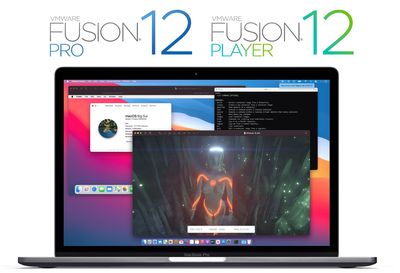
vmware fusion 12 pro player
As we noted last month, Fusion 12 includes a number of updates and improvements, such as eGPU compatibility, support for container-based applications built with Kubernetes, DirectX 11 and OpenGL 4.1 support, improved security for the sandbox rendering engine, improved accessibility controls, and more.

Fusion 12 has also been optimized for macOS Big Sur, with both host and guest support for Apple's upcoming release. On systems running macOS Catalina, Fusion 12 will continue to run with kernel extensions as it has in the past, but on macOS Big Sur, Fusion will take advantage of Apple's APIs to run virtual machines and containers.

With the launch of Fusion 12, VMware is also restructuring its licensing to bring it in line with Workstation 16, Fusion's sister software for Windows and Linux. The basic level of Fusion is now known as Fusion 12 Player and is free for personal use for the first time. A commercial license is priced at $149, with a $79 upgrade license available. Discounted education pricing will also be available, although many of those users will qualify for free personal licensing.

Fusion 12 Pro, aimed at developers and IT professionals rather than typical consumer and business users, offers some additional features and a license to run on up to three machines. Notably, this is a cross-platform license that allows for any combination of three machines using Fusion 12 or Workstation 16 across Mac, Windows, and Linux. Fusion 12 Pro is priced at $199, or $99 as an upgrade.

In order to keep up with Apple's advancing technologies, Fusion 12 requires macOS Catalina or Big Sur. For users with systems still on macOS Mojave, a Fusion 12 license key will be valid to activate Fusion 11.5.6 on those machines.

Note: MacRumors is an affiliate partner with VMware. When you click a link and make a purchase, we may receive a small payment, which helps us keep the site running.


Tag: VMware

Popular Stories

All Screen iPhone 2030 Feature Sans Text

iPhone 18 Pro: Nine Reasons Not to Upgrade This Year

Monday September 7, 2026 5:01 am PDT by
Apple is set to unveil new iPhone 18 Pro and iPhone 18 Pro Max models on Wednesday, September 9, and the devices are expected to feature a design that's largely similar to the iPhone 17 Pro models, with a peppering of enhancements inside. Major changes are not expected until next year, when Apple is expected to introduce a radically redesigned 20th-anniversary iPhone. If you're thinking of...
iPhone 18 Pro Dark Cherry Feature

iPhone 18 Pro Reportedly Starts With 256GB of Storage

Thursday September 3, 2026 9:22 am PDT by
While the iPhone 17 Pro has double the base storage compared to the iPhone 16 Pro, there will apparently be no further increase this year. Taiwanese research firm TrendForce today again reported that the iPhone 18 Pro models will start with 256GB of storage, like the iPhone 17 Pro models. Minimum storage capacities by model:iPhone 16 Pro: 128GB iPhone 17 Pro: 256GB iPhone 18 Pro...
Foldable iPhone Ultra Still Likely to Be Missing These Five Features 16x9 1

Foldable 'iPhone Ultra' Still Likely to Be Missing These Five Features

Friday September 4, 2026 3:00 pm PDT by
Apple's first foldable iPhone, dubbed the "iPhone Ultra," is expected to launch without at least four features that will be present on the iPhone 18 Pro models, despite a price tag of at least $2,000. The iPhone Air lacks Ultra Wide and Telephoto rear cameras, a SIM card slot, and stereo speakers. With a super thin design, a titanium frame, and a glass back, the iPhone Ultra is expected to ...

Top Rated Comments

mikeroySoft Avatar
78 months ago

I can't see a free perpetual licence at all when I attempt to register, only a 90 day evaluation...? I've clicked on all the links people have provided - what am I doing wrong?


Yah, that's a typo... I'm working with the backend... some of the standard boilerplate stuff snuck through in a late edit... it is 100% a perpetual license (the product itself reflects that).

Source: I'm the product manager
Score: 14 Votes (Like | Disagree)
78 months ago

Roadmap: No Windows on Apple Silicon Macs.
May run ARM Linux if VMWare release an Apple Silicon version.

We can speculate all day, but if you NEED Windows on a Mac, I recommend y'all to wait this out until at least one AS Mac is released and people have TESTED the bejesus out of it.
I don't know how many times we have to go over this. Apple Silicon Macs will NOT RUN WINDOWS as you know it. They will probably (no guarantees) be able to run the ARM version of windows, which is NOT COMPATIBLE with most Windows software aside from Office, in one form or another (likely virtualization), but this will NOT be like running x86 Windows in a VM today (and won't hold a candle to Bootcamp).

If running Windows in one form or another is a requirement for you, you need to buy an Intel Mac, a Windows PC, or a hackintosh. Period.
Score: 14 Votes (Like | Disagree)
nylon Avatar
78 months ago

The link only says free for 30 days. It’s a trial.
Bottom left of the webpage 'Fusion 12 Player'. Register for a free personal use license. The license key you receive is perpetual, not trial. Not for 30 days. I have it up and running.


Attachment Image
Score: 11 Votes (Like | Disagree)
chrfr Avatar
78 months ago

I installed the Fusion Player today, installed a Windows 10 Pro VM -> Everything works fine but I assigned 8GB RAM but Windows tells me it has 3GB of RAM (no matter what I do, it doesn't increase).
Maybe this is a Player limitation?
It's a 32-bit Windows limitation. Switch to a 64-bit version of Windows.
Score: 8 Votes (Like | Disagree)
78 months ago
For users with systems still on macOS Mojave, a Fusion 12 license key will be valid to activate Fusion 11.5.6 on those machines.
Actually, fun fact, VMWare also lets you straight up downgrade license keys if you need to use an earlier version of Fusion. It’s great. I did it this last November, turning a VMWare Fusion 11 key into a VMWare Fusion 8 key, which I use with OS X Mavericks.

Edit: ...but it doesn't look like you can do it with the new free license keys. Maybe the paid keys still allow it, but those are almost twice what they used to cost. This actually kind of sucks...
Score: 8 Votes (Like | Disagree)
78 months ago

I don't know how many times we have to go over this. Apple Silicon Macs will NOT RUN WINDOWS as you know it. They will probably (no guarantees) be able to run the ARM version of windows, which is NOT COMPATIBLE with most Windows software aside from Office, in one form or another (likely virtualization), but this will NOT be like running x86 Windows in a VM today (and won't hold a candle to Bootcamp).

If running Windows in one form or another is a requirement for you, you need to buy an Intel Mac, a Windows PC, or a hackintosh. Period.
This is not true anymore. They have full Windows 10, including x86 software support, on ARM now. The limited ARM version of Windows was discontinued.
Score: 5 Votes (Like | Disagree)







































