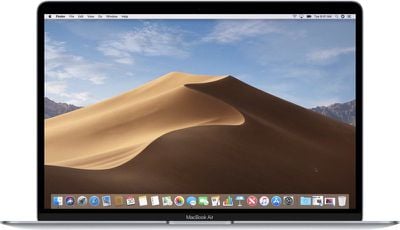
Apple today released a second supplemental update for macOS Mojave 10.14.6, the current release version of macOS that's available to the public.
The macOS Mojave 10.14.6 Supplemental Update can be downloaded by going to the "Software Update" section of System Preferences and selecting the Update Now option. There are also updates available for macOS Sierra and macOS High Sierra.
There's little detail on what's included in today's update, but Apple's release notes say that it "improves the security of macOS" and is recommended for all users. According to a support document, it addresses a vulnerability that could allow remote attacker to "cause unexpected application termination or arbitrary code execution."
The next-generation version of macOS, macOS Catalina, is still in beta testing and is set to see a public release sometime in October, though Apple has not specified when.
Sunday September 13, 2026 3:00 am PDT by Eric Slivka
Update 10:04 a.m.: iOS 27 is rolling out now, though it may take a bit for all users to see it, so keep checking!
Apple is about to release iOS 27, which will finally deliver more advanced Siri AI capabilities as well as a variety of other refinements, improvements, and new features to iPhones. It's Apple's biggest software update of the year, and Apple announced at Wednesday's iPhone event...
Monday September 14, 2026 9:00 am PDT by Joe Rossignol
Update — 10 a.m. Pacific Time: Apple has released iOS 27.
During its iPhone 18 Pro and iPhone Duo event last week, Apple announced that iOS 27 will be released widely on Monday, September 14.
iOS 27 should be available around 10 a.m. Pacific Time / 1 p.m. Eastern Time today via the Settings app, under General → Software Update.
Below, we have highlighted eight new features and...
Tuesday September 15, 2026 1:43 am PDT by Tim Hardwick
Apple today announced a new subscription initiative that turns paid iCloud+ subscriptions into a broader services bundle in more than 100 countries.
In select countries, Apple says every paid iCloud+ plan, including the cheapest 50GB tier, now includes Apple TV and Apple Arcade "at no additional cost," while family sharing extends the storage, TV and Arcade access to up to five people....
Why not just increment the version number to 10.14.7, 10.14.8? It does get confusing when there are multiple release builds out there with the same version number before the next version of MacOS is officially released.
I suspect there's something wonky about your installation that is causing this.
I recommend backing up all your data (separately, not as part of a Time Machine backup), formatting the drive down to bare metal/silicon, and doing a fresh from-scratch installation, then restoring your data. This should clean up whatever is hosed on the system that is causing updates to break it.
If so, why make it so close to the release date of Catalina? Most macOS users will not make it to the this Supplemental Update. They don't read Apple-geek blogs.
Some people can't update right away, due to company policy. I know I can't update until I get an "all-clear" email from my IT department.