How to Use Signal Messenger's Face Blurring Photo Feature - MacRumors
Skip to Content

How to Use Signal Messenger's Face Blurring Photo Feature

by

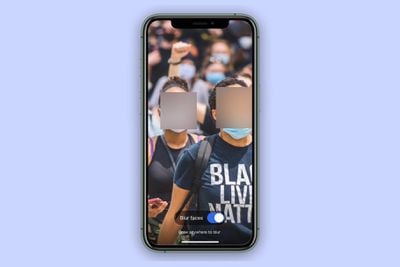
Encrypted messaging app Signal features a face-blurring feature that automatically locates and blurs faces in images shared over the chat platform.
signal blur face
It's a neat tool to help protect the privacy of the people in the photos you share, and all processing involved in the blur feature happens locally on the device to maintain privacy.

Not only does it make it easy to give every face a hiding place, it can also be used to draw a fuzzy trace over something you want to erase. The following steps show you how to use it.

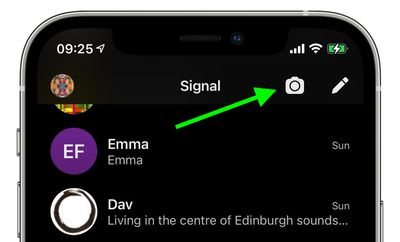
  1. Launch the Signal app on your iPhone or iPad, then from the main chat Home Screen or within in a chat thread, tap the Camera icon.
    how to signal face blur

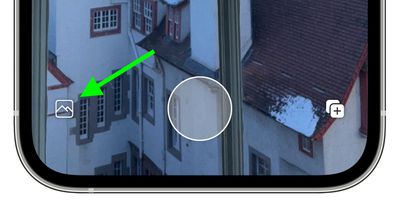
  2. Next, take a photo, or tap the photo album icon in the bottom-left corner of the screen.
    how to signal face blur 2

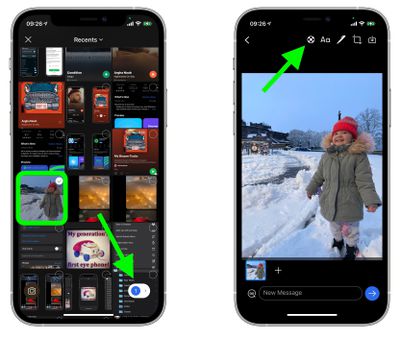
  3. If you opted to use an existing picture from your photo album, select it and tap the button in the bottom-right corner of the screen to view it, then you're in the photo editor screen, tap the Blur Tool icon at the top (it's a circle with a cross of small grey and white squares inside it).
    signal

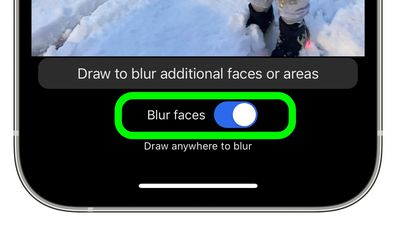
  4. To automatically blur faces in the image, toggle the Blue Faces switch that appears to the green ON position.
    how to signal blur faces 4

Bear in mind that the feature isn't perfect, and won't detect every face all of the time.

signal
To compensate for these flaws, Signal's image editor also includes an option to manually obscure faces and other areas of a photo with a blur brush.


Tag: Signal

Popular Stories

imac video apple feature

Apple Released Yet Another New Product Today

Friday March 20, 2026 2:39 pm PDT by
Apple has unveiled a whopping nine new products so far this March, including an iPhone 17e, iPad Air models with the M4 chip, MacBook Air models with the M5 chip, MacBook Pro models with M5 Pro and M5 Max chips, the all-new MacBook Neo, an updated Studio Display, a higher-end Studio Display XDR, AirPods Max 2, and now the Nike Powerbeats Pro 2. iPhone 17e features the same overall design as...
HomePod mini and Apple TV Sage

New Apple TV and HomePod Mini Remain 'Ready' to Launch

Sunday March 22, 2026 6:33 am PDT by
Apple has unveiled nine new products this month, but the wait continues for the next-generation Apple TV 4K and HomePod mini models. In his Power On newsletter today, Bloomberg's Mark Gurman said new versions of the Apple TV and HomePod mini have been "ready" since last year, but he reiterated that Apple has held off on releasing them until the more personalized version of Siri and other...
Apple Business hero

Apple Unveils 'Apple Business' All-in-One Platform

Tuesday March 24, 2026 8:53 am PDT by
Apple today announced Apple Business, a new all-in-one platform that unifies device management, productivity tools, and customer outreach features. The service is designed to be a consolidated replacement for several of Apple's existing business-focused offerings, including Apple Business Essentials, Apple Business Manager, and Apple Business Connect. It provides organizations with a single...