Apple Cash is a popular way to send money to friends and family using Apple's Messages app, and in iOS 14, you can now give your children allowances through the Family Sharing feature so they can make purchases, and send and receive money in Messages. You can even limit who your child can send money to, get notified when they make transactions, lock their account, and more.
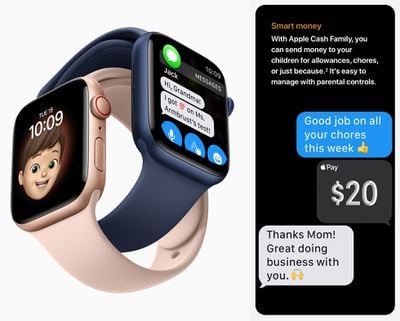
Before you start using Apple Cash Family, there are a few requirements to be aware of. You need to be already using Family Sharing and have a family member included that's under 18. As the family organizer, you also need to use the same Apple ID to set up Family Sharing. In addition, family group members need to:
- Own a compatible iPhone, iPad, or Apple Watch with the latest version of iOS, iPadOS, or watchOS installed.
- Sign in to iCloud using their Apple ID.
- Have two-factor authentication enabled for each Apple ID.
- Have their device region set to the United States.
How to Set Up Apple Cash Family
- On the family organizer's iPhone, launch the Settings app.
- Tap your Apple ID name banner at the top of the screen.
- Tap Family Sharing.
- Swipe down and select Apple Cash.
- Select a child in your family.
- Tap Set up Apple Cash and follow the prompts to set up Apple Cash Family. You may need to verify your identity.
How to View and Manage Apple Cash Family Transactions
- On the family organizer's iPhone, open the Wallet app.
- Tap the ellipsis (three dots) icon in the top-right corner of the screen.
- Swipe down and select a child.
From here you can check the child's Apple Cash balance, send them money, lock their Apple Cash account, view transactions, and set up transaction alerts. Note that if your child becomes 18 years old and they take ownership of their Apple Cash account, you won't be able to view their Apple Cash activity.