Apple Releases New Firmware for AirPods Max 2
Just ahead of the launch of the AirPods Max 2, Apple has released new firmware for the headphones. The updated firmware is version number 8E251.
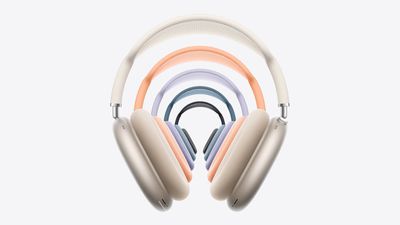
The AirPods Max 2 include the H2 chip, an upgrade over the H1. The H2 brings several new features like Live Translation, Adaptive Audio, Loud Sound Reduction, Voice Isolation, and more. The new firmware likely optimizes some of these new features.
Customers who buy the AirPods Max 2 can follow Apple's steps to get the new firmware.
To get the new firmware, make sure your AirPods are in range of your iPhone, iPad, or Mac and are connected via Bluetooth. From there, connect the Apple device to Wi-Fi, then connect the AirPods Max to power with a USB-C cable. Keep the AirPods Max in Bluetooth range of the Apple device, and wait at least 30 minutes for the firmware to update.
From there, reconnect the AirPods to the Apple device, and check the firmware version to see if it's updated. Apple says if the firmware doesn't install, to restart the AirPods Max and try again.
Popular Stories
Bloomberg's Mark Gurman has high expectations for Apple's first foldable iPhone.
In his Power On newsletter today, he said the foldable iPhone will be "the most significant overhaul in the iPhone's history."
"iPhone 4, iPhone 6 and iPhone X were clearly a big deal, but this is a whole new design," he said.
Like Samsung's Galaxy Z Fold 7, the foldable iPhone will reportedly open up like ...
iOS 26.5 is now available for developers, and while it doesn't include any new Siri capabilities, there are some major changes for the European Union, and smaller tweaks for features available worldwide.
Suggested Places
In the Maps app, there's a new "Suggested Places" feature that recommends locations to visit based on trending places nearby and recent searches. When Apple launches ads in ...
Apple has been celebrating its upcoming 50th anniversary by hosting surprise performances and other events around the world over the past few weeks, and now Bloomberg's Mark Gurman has revealed details about the company's grand finale.
In a social media post, Gurman said Apple's celebrations will conclude this week with a finale at its Apple Park headquarters for employees.
A special...
Popular Stories
While the AirPods Max were just updated with an H2 chip, the over-ear headphones could receive another update next year, if a previous rumor is still accurate.
In May 2025, Apple supply chain analyst Ming-Chi Kuo said that he expected lighter-weight AirPods Max to enter mass production in 2027. However, following the AirPods Max 2 announcement this week, it is unclear if Apple's plans have...
AirPods Max 2 will be available for pre-order on Apple.com and in the Apple Store app starting this Wednesday, March 25 in the U.S. and more than 30 other countries and territories. Apple said the headphones will launch in early April, but it has yet to provide a specific release date. In the U.S., AirPods Max remain priced at $549.
Subscribe to the MacRumors YouTube channel for more videos. ...
Apple today unveiled AirPods Max 2, with key upgrades including the H2 chip, increased active noise cancellation, improved sound quality, and features such as Adaptive Audio, Conversation Awareness, Voice Isolation, and Live Translation.
The new AirPods Max have the same overall design as the previous generation, with most of the new features coming from the upgrade to the H2 chip:- Adaptive ...