

Skip to Content

Studio Display XDR White Paper Reveals New Color System and Future Calibration Feature

Apple's newly published Studio Display XDR Technology Overview white paper reveals two notable display technologies: a forthcoming Full Calibration feature and a new color measurement model called Apple CMF 2026.
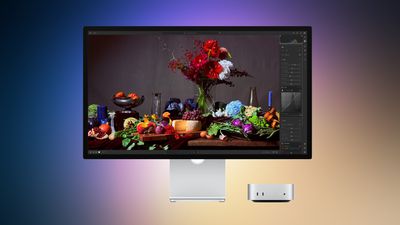
apple studio display 2 march 2026
According to the document, a future macOS update will introduce Full Calibration, a feature that allows users to recalibrate key display characteristics using professional measurement equipment. Apple says Full Calibration will adjust the white point, primary color coordinates, luminance, and gamma response of the display when used with a compatible spectroradiometer. The feature is not available at launch.

The functionality is aimed at professional color workflows, allowing the display to be recalibrated at the hardware level to maintain accuracy over time or match specific production environments. Apple currently ships each Studio Display XDR with factory calibration, alongside a set of reference presets designed for common color standards.

The white paper also introduces Apple CMF 2026, a new system Apple developed to improve how displays are measured and calibrated. Most display calibration today relies on the long-standing CIE 1931 color matching functions, a model created nearly a century ago to represent how humans perceive color.

Apple says Apple CMF 2026 addresses limitations in the CIE 1931 model that can cause displays to look slightly different even when they are calibrated to the same standard. According to the company, the new system improves visual consistency by more closely matching how colors actually appear to the human eye.

Each ‌Studio Display‌ XDR is individually calibrated using Apple CMF 2026 at the factory. However, Apple continues to support the traditional CIE 1931 system through its reference presets to maintain compatibility with existing professional workflows.

Apple says it is also working with the International Commission on Illumination (CIE) to help develop a broader industry standard based on this research, with the goal of improving color consistency across displays from different manufacturers. The ‌Studio Display‌ XDR is the first Apple display to support Apple CMF 2026.

Related Roundup: Studio Display
Buyer's Guide: Displays (Buy Now)
Related Forum: Mac Accessories

Popular Stories

imac video apple feature

Apple Unveils Seven New Products

Friday March 6, 2026 11:48 am PST by
Apple this week unveiled seven products, including an iPhone 17e, an iPad Air with the M4 chip, updated MacBook Air and MacBook Pro models, a new Studio Display, a higher-end Studio Display XDR, and an all-new MacBook Neo that starts at just $599. iPhone 17e features the same overall design as the iPhone 16e, but it gains Apple's A19 chip, MagSafe for magnetic wireless charging and magnetic...
Apple MacBook Pro M4 hero

Apple Planning 'MacBook Ultra' With Touchscreen and Higher Price

Sunday March 8, 2026 8:05 am PDT by
Apple is planning to launch an all-new "MacBook Ultra" model this year, featuring an OLED display, touchscreen, and a higher price point, Bloomberg's Mark Gurman reports. Gurman revealed the information in his latest "Power On" newsletter. While Apple has been widely expected to launch new M6-series MacBook Pro models with OLED displays, touchscreen functionality, and a new, thinner design...
MacBook Neo Feature Pastel 1

First MacBook Neo Benchmarks Are In: Here's How It Compares to the M1 MacBook Air

Thursday March 5, 2026 4:07 pm PST by
Benchmarks for the new MacBook Neo surfaced today, and unsurprisingly, CPU performance is almost identical to the iPhone 16 Pro. The MacBook Neo uses the same 6-core A18 Pro chip that was first introduced in the iPhone 16 Pro, but it has one fewer GPU core. The MacBook Neo earned a single-core score of 3461 and a multi-core score of 8668, along with a Metal score of 31286. Here's how the...

Top Rated Comments

Nugget Avatar
1 hour ago at 09:00 am

Which is a truly ludicrous way to gate folks out of a monitor.
It's only ludicrous if it's arbitrary. We can only speculate about the technical underpinnings that led to Apple's choice of model support.
Score: 4 Votes (Like | Disagree)
35 minutes ago at 09:26 am

Which is a truly ludicrous way to gate folks out of a monitor.

Major thumbs down for Apple on that one.
Yes it's really bad that they don't support outdated hardware that came out decades ago and is nowhere close to what is required to drive that new product - how dare they?
Wait, this is called innovation. The old Nokia Communicator doesn't work with this display too I guess.
Score: 3 Votes (Like | Disagree)
dredlew Avatar
25 minutes ago at 09:36 am

Aren't they calibrated out of the factory? (I'm not a photographer or anything so forgive the ignorance.)
They are, but...

* For consistent colors, you should recalibrate your monitor about once a month, as it can drift in color over time.
* If you work in different environments with varying lighting conditions, a colorimeter (external calibration device) can measure ambient light and color, then adjust the display's color and brightness accordingly.
* When connecting your monitor to multiple computers, lower-quality monitors rely on the operating system's color profiles, which may differ between machines. Hardware calibration at the monitor level helps maintain color consistency across multiple devices.
* If you use multiple monitors on a single system, a colorimeter can help match all displays to look the same.
Score: 1 Votes (Like | Disagree)
9 minutes ago at 09:51 am

Yes it's really bad that they don't support outdated hardware that came out decades ago and is nowhere close to what is required to drive that new product - how dare they?
Wait, this is called innovation. The old Nokia Communicator doesn't work with this display too I guess.
The hardware cut is fine, what's snarky is the Tahoe only limitation, which carries a mediocre level of UX.
Score: 1 Votes (Like | Disagree)
darkphoenix24 Avatar
1 hour ago at 08:31 am
That document also says:
“Studio Display XDR is fully compatible with all Mac models featuring Thunderbolt 3 or later ports. When paired with Apple silicon–based systems, it automatically leverages the advanced color management in macOS for seamless reference mode switching.”

Has anyone tried connecting a Studio Display XDR to an Intel Mac Pro for example? I only ask cause I still use that machine.
Score: 1 Votes (Like | Disagree)
xraydoc Avatar
1 hour ago at 08:53 am

That document also says:
“Studio Display XDR is fully compatible with all Mac models featuring Thunderbolt 3 or later ports. When paired with Apple silicon–based systems, it automatically leverages the advanced color management in macOS for seamless reference mode switching.”

Has anyone tried connecting a Studio Display XDR to an Intel Mac Pro for example? I only ask cause I still use that machine.
I believe the specs on the XDR specifically require an Apple Silicon-based machine and that it's not compatible with Intel Macs.
Score: 1 Votes (Like | Disagree)














