macOS Tahoe Adds These 15 New Screen Savers to Your Mac - MacRumors
Skip to Content

macOS Tahoe Adds These 15 New Screen Savers to Your Mac

macOS Tahoe includes 15 new aerial screen savers for the Mac, each panning over natural landscapes around the world.
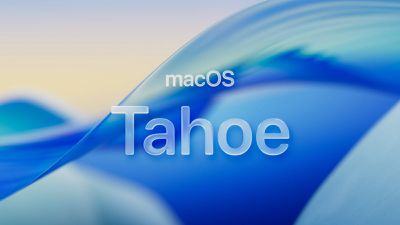
macos tahoe
The new screen saver options were highlighted by Dylan McDonald, and we have provided still previews of all of them below.

The new screen savers can also be set as wallpapers.

To browse through all screen savers on macOS Tahoe, open the System Settings app, click Wallpaper, and click the "Screen Saver…" button.

How to Install macOS Tahoe Beta

macOS Tahoe will likely be released in September, but anyone can sign up to try the public beta now for free via beta.apple.com.

New Screen Savers

Tahoe Day (Lake Tahoe, California) ↓
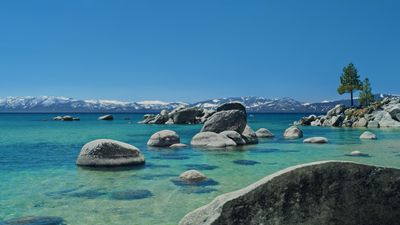
Tahoe Day Large

Tahoe Evening (Lake Tahoe, California) ↓
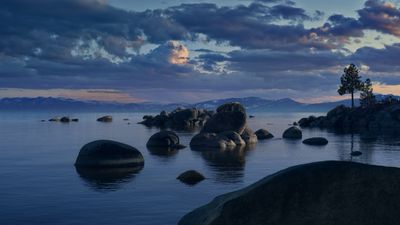
Tahoe Evening Large

Tahoe Morning (Lake Tahoe, California) ↓
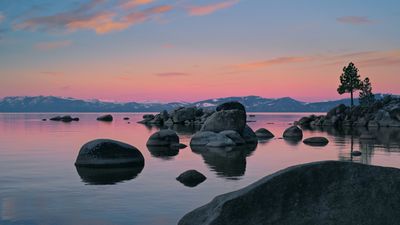
Tahoe Morning Large

Tahoe Night (Lake Tahoe, California) ↓
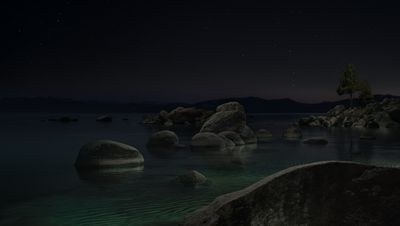
Tahoe Night Large

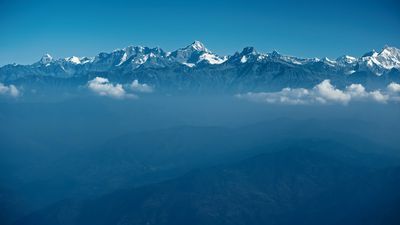
Himalayan Peaks (Himalayas) ↓

Himalayan Peaks Large

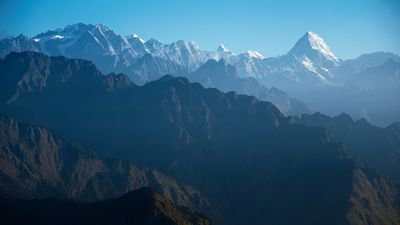
Himalayas Day (Himalayas) ↓

Himalayas Day Large

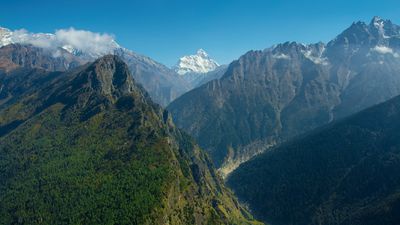
Through Himalayas (Himalayas) ↓

Through Himalayas Large

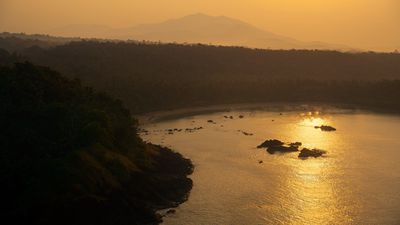
Goa Beaches (Goa, India) ↓

Goa Beaches Large

Goa Coast (Goa, India) ↓

Goa Coast Large

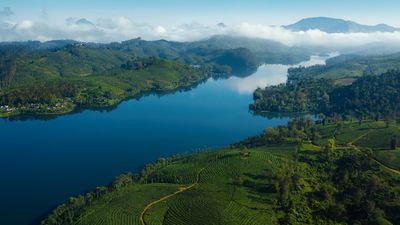
Reservoir Day (Kerala, India) ↓

Reservoir Day Large

Tea Gardens Day (Kerala, India) ↓

Tea Gardens Day Large

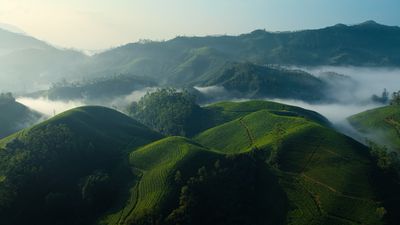
Tea Gardens Mist (Kerala, India) ↓

Tea Gardens Mist Large

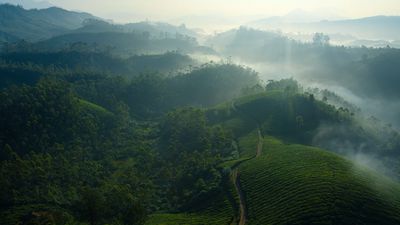
Tea Gardens from Above (Kerala, India) ↓
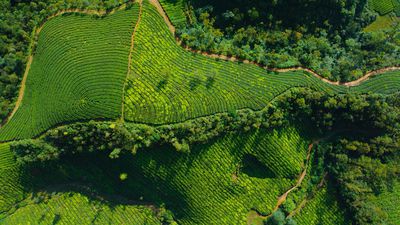
Tea Gardens from Above Large

Ghansali from Above (Uttarakhand, India) ↓
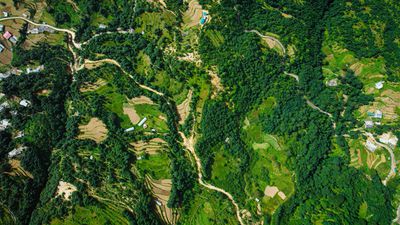
Ghansali from Above Large

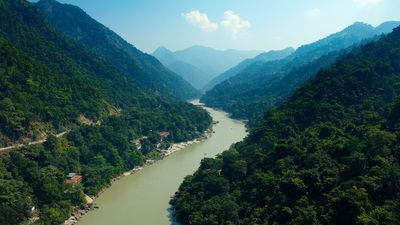
The Ganges (Uttarakhand, India) ↓

The Ganges Large

Related Roundup: macOS Tahoe
Related Forum: macOS Tahoe

Popular Stories

macOS Tahoe 26 Thumb 2

macOS Tahoe 26.4 Now Available With Safari Compact Tab Bar, Battery Charge Limits and More

Tuesday March 24, 2026 10:08 am PDT by
Apple today released macOS Tahoe 26.4, the fourth major update to the macOS Tahoe operating system. macOS Tahoe comes six weeks after Apple released macOS Tahoe 26.3. Mac users can download the new software by opening up the System Settings app and navigating to the Software Update section. macOS Tahoe 26.4 returns the compact tab bar option to Safari for those who prefer the slimmed down ...
iMac 25 Years Feature

Mac OS X Launched 25 Years Ago Today: 'The Future of the Mac'

Tuesday March 24, 2026 6:35 am PDT by
Today marks the 25th anniversary of Apple launching Mac OS X, the operating system that serves as the foundation of modern-day macOS. Apple released a public beta of Mac OS X in September 2000, and the operating system officially launched on March 24, 2001. "Mac OS X is the future of the Mac, and we hope it will delight our customers with its unrivaled power and ease of use," said Steve...
macOS Tahoe 26 Thumb 2

First macOS Tahoe 26.5 Beta Now Available for Developers

Monday March 30, 2026 10:43 am PDT by
Apple today provided the first beta of an upcoming macOS Tahoe 26.5 update to developers for testing purposes, with the update coming six days after Apple launched macOS Tahoe 26.4. Developers can download the macOS Tahoe 26.5 update by opening up the System Settings app, selecting the General category, and then choosing Software Update. Beta Updates will need to be enabled, and a free...

Top Rated Comments

Mac Fly (film) Avatar
9 months ago
Update: I should mention these are dynamic wallpapers that will change throughout the day, not merely still ones. If you set them from the Screen Saver section in System Settings both wallpaper and screen saver will change to this, and will function very much like Apple's aerial screen savers, animating as screen saver, and slowing to a freeze-frame as you unlock to your desktop. If you set them from the Wallpaper section in System Settings they will change only the wallpaper and won't animate, but will dynamically adapt in darkness and brightness for your time of day. What had me confused was that they are used as the still marketing wallpaper image for each macOS release for six years—which to my eyes they shouldn't be as they feel outdated.

How does Apple have the best aerials in the business and the least creative default wallpapers.

Tahoe:


Sequoia:


Sonoma:


Ventura:


Monterey:


Big Sur:


Attachment Image

Attachment Image

Attachment Image

Attachment Image

Attachment Image

Attachment Image
Score: 9 Votes (Like | Disagree)
9 months ago

How does Apple have the best aerials in the business and the least creative default wallpapers.


I think their reasoning is that such a simple wallpaper makes transparent controls look better. The new liquid glass doesn't work well with 'busy' wallpaper.
Score: 7 Votes (Like | Disagree)
fullauto Avatar
9 months ago
These are beautiful. Video to still image on log-in is such a great effect. Awesome to have some new beach scenes.
Score: 7 Votes (Like | Disagree)
con2apple Avatar
9 months ago

How does Apple have the best aerials in the business and the least creative default wallpapers.††
Matter of taste.

Each one shows a special scene from the environment in a minimalist style. Playing with colors, shades even "light".

Personally, I think these wallpapers are much more creative than a video loop. The designers had to put a lot of thought into the wallpapers. The beauty of the screensavers has already been created by nature.

Here is a typical photo from Sequoia and what Apple has made of it.


Attachment Image

Attachment Image
Score: 6 Votes (Like | Disagree)
turbineseaplane Avatar
9 months ago
Nice ... more screen savers is always a great thing in my book.
Score: 6 Votes (Like | Disagree)
awshucks Avatar
9 months ago
I really like the tea gardens screensavers.
Score: 6 Votes (Like | Disagree)