Skip to Content

Hands-On With the New iPad Mini 7

Today is the official launch date of the iPad mini 7, which is the first new iPad mini that we've had since 2021. It has a much faster chip and a few other tweaks, so we thought we'd check it out and do a quick review.
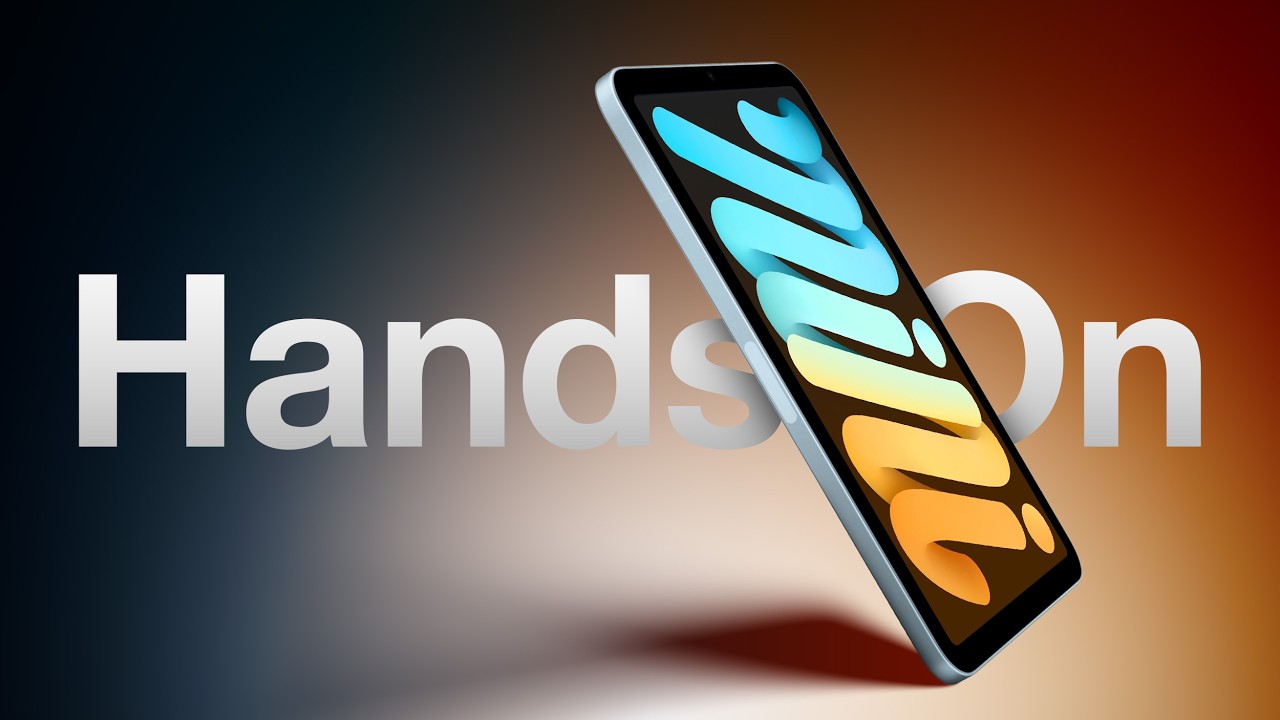

Apple didn't change the design of the ‌iPad mini 7‌ compared to the ‌iPad mini‌ 6, and it's tough to tell them apart from the outside. The colors are more muted this time around, with Apple eliminating pink and adding blue, and the text on the back now says "‌iPad mini‌" instead of "iPad." Other than that, the ‌iPad mini‌ 6 and ‌iPad mini 7‌ are identical.

Inside, there's a faster A17 Pro chip that's a notable improvement over the A15 Bionic, but depending on what you do with your ‌iPad mini‌, you might not notice huge gains in performance. If you play games, it's going to be a lot faster, plus there's now support for ray tracing and mesh shading, features that enable console-quality games like Death Stranding.

The major draw of the A17 Pro is support for Apple Intelligence, and the first AI features are set to come out next week in iPadOS 18.1. Right now, ‌Apple Intelligence‌ is limited to Writing Tools, a new look for Siri, summaries, and smart replies, but Genmoji, Image Playground, ChatGPT integration, and more will be coming in iPadOS 18.2, an update Apple started testing just today.

At $499, the ‌iPad mini 7‌ is only $100 less than the more capable and larger M2 iPad Air, so it's kind of a niche product. It's not worth choosing an ‌iPad mini‌ over an ‌iPad Air‌ unless you specifically want the smaller 8.3-inch size for portability.

With all of the changes internal, the ‌iPad mini 7‌ is somewhat of a boring update and there's not a lot to say about it. Along with the A17 Pro, you get 8GB RAM (up from 4GB), Wi-Fi 6E support (for connecting to faster 6GHz networks when available), Bluetooth 5.3, faster USB-C transfer speeds, Apple Pencil Pro support, and higher 128GB base starting storage.

Did you get an ‌iPad mini 7‌ or plan to? Let us know what you think in the comments below.

Related Roundup: iPad mini
Buyer's Guide: iPad Mini (Caution)
Related Forum: iPad

Popular Stories

Apple Event Logo

Apple Released Seven New Products Today

Wednesday March 11, 2026 7:05 am PDT by
Starting today, the seven new Apple products that were announced last week are available at Apple Stores and beginning to arrive to customers. The colorful MacBook Neo and all of the other new products are on display at most Apple Store locations around the world starting today. Apple Stores have inventory of the new products for both walk-in customers and Apple Store pickup, but...
ios 26 4 yellow

Everything New in iOS 26.4 Beta 4

Monday March 9, 2026 3:50 pm PDT by
Apple is continuing to test the iOS 26.4 beta, and the latest update is now available for developers and public beta testers. As testing goes on, there are fewer new features in each beta, but today’s release adds new emoji characters and a few other changes. New Emoji Apple added new emoji characters, including trombone, treasure chest, distorted face, hairy creature, fight cloud, orca,...
Apple MacBook Pro M4 hero

Apple Planning 'MacBook Ultra' With Touchscreen and Higher Price

Sunday March 8, 2026 8:05 am PDT by
Apple is planning to launch an all-new "MacBook Ultra" model this year, featuring an OLED display, touchscreen, and a higher price point, Bloomberg's Mark Gurman reports. Gurman revealed the information in his latest "Power On" newsletter. While Apple has been widely expected to launch new M6-series MacBook Pro models with OLED displays, touchscreen functionality, and a new, thinner design...

Top Rated Comments

turbineseaplane Avatar
18 months ago
What is the MacRumors conclusion and stance on the Jelly Scroll situation?
Score: 17 Votes (Like | Disagree)
18 months ago
The main draw of the iPad mini is the size. I think a lot of readers here have unrealistic expectations about the device. It is much better for content consumption than creation. Hence no Apple keyboard or Stage Manager support. Many are used in enterprise for point of sale or kiosk use. Hence no high end screen.
Score: 16 Votes (Like | Disagree)
18 months ago
I upgraded from a 6 and I am very happy with mine. Seems generally quicker and smoother all around. The jelly scroll seems to be dramatically improved also.
Score: 14 Votes (Like | Disagree)
gsmornot Avatar
18 months ago
I have been someone that notices the jelly issue from day one. It's on my 7 but they have done enough to make it less noticeable that I dont currently feel like I need to complain about it. General review of the 7 versus 6 in my few hours is as above, better overall but nothing that stands out a a wow factor. Just an updated 6 that can use the latest features, same size so I can use my accessories, and less of a screen issue so at least it does not make me feel bleh when I really do the things that makes it obvious. When it goes micro LED or OLED, it will be a bigger update. Overall, very satisfied and now I have more than 64GB of storage.
Score: 10 Votes (Like | Disagree)
turbineseaplane Avatar
18 months ago

Dan’s conclusion in the video is “Honestly I have no idea”. ;)
Sounds like we can look forward to 3 more years of "jelly scroll is awful", "jelly scroll doesn't bother me" and "I don't have jelly scroll" threads
Score: 9 Votes (Like | Disagree)
Johnny365 Avatar
18 months ago

Stage Manager enhances content consumption. It enables me to set up multiple app clusters and switch between them very quickly. I hope Apple one day enables official Stage Manager support for iPad Mini.
I remember being so excited for stage manager coming (to M1 iPads) and then when it came out, I tried it a few times and haven't looked back. Just not for me.
Score: 6 Votes (Like | Disagree)