Apple Seeds Sixth Betas of iOS and iPadOS 15 to Developers

Apple today seeded the sixth betas of iOS and iPadOS 15 to developers for testing purposes, with the updates coming one week after Apple released the fifth betas.
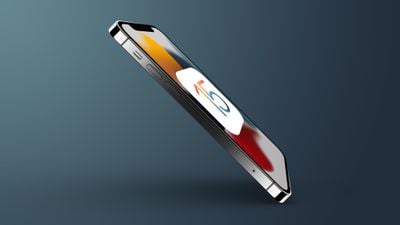
iOS 15 icon on phone
Registered developers can download the profile for the iOS and iPadOS betas from the Apple Developer Center, and once the profile is installed, beta updates will be available over the air.

iOS 15 is a major update that introduces a slew of new features focused on cutting down on distractions and spending more time with friends and family.

FaceTime has a revamped interface with new SharePlay features for listening to music, watching videos, and sharing your screen with your friends and family members, and in Messages, if something like a url, photo, news article, or song is shared with you, you can see the content in Apple's dedicated apps.

Focus lets you create custom notification modes that hide irrelevant apps and notifications when you're doing things like working or spending time with your family so you can better focus on the activity at hand, and there's a new notification summary that de-prioritizes less important notifications so you're not constantly inundated with information.

Maps includes a new 3D view in select cities that lets you see 3D landmarks, there are immersive AR directions when walking, and driving directions are better than ever, especially at complex interchanges.

Safari now supports Tab Groups for improved organization, and extensions can be used in Safari for iOS devices for the first time. Later this year you'll be able to add your ID card to the Wallet app in some U.S. states, and Apple is making it easier to add key cards for hotels, smart home locks, and more to the Wallet app.

Spotlight is better than ever and can bring up more tailored search results, and Photos has a "Live Text" feature that lets you take a photo of something with text like a receipt to translate it into typed text on your iPhone. ‌Photos‌ can also identify landmarks, books, plants, and pets, so you can snap a photo of a plant and get information on what it might be.

Apple has also added multiple privacy improvements, such as a new App Privacy report coming to the ‌iPhone‌ that will let you know how often apps access sensitive info like your location, a Mail feature that hides your IP address, and Siri processing that's done on device.

For a complete overview of everything that's new in iOS 15, we have a dedicated roundup that walks through all of the new features, and Apple has been adding feature refinements throughout the beta testing period. The fourth beta, for example, further tweaked the design of Safari, added MagSafe Battery Pack support, and more, while the fifth beta added smaller tweaks.
Related Forum: iOS 15

Popular Stories

iOS 26

iOS 26.2 Coming Soon With These 8 New Features on Your iPhone

Thursday December 11, 2025 8:49 am PST by
Apple seeded the second iOS 26.2 Release Candidate to developers earlier this week, meaning the update will be released to the general public very soon. Apple confirmed iOS 26.2 would be released in December, but it did not provide a specific date. We expect the update to be released by early next week. iOS 26.2 includes a handful of new features and changes on the iPhone, such as a new...
Google maps feaure

Google Maps Quietly Added This Long-Overdue Feature for Drivers

Wednesday December 10, 2025 2:52 am PST by
Google Maps on iOS quietly gained a new feature recently that automatically recognizes where you've parked your vehicle and saves the location for you. Announced on LinkedIn by Rio Akasaka, Google Maps' senior product manager, the new feature auto-detects your parked location even if you don't use the parking pin function, saves it for up to 48 hours, and then automatically removes it once...
AirPods Pro Firmware Feature

Apple Releases New Firmware for AirPods Pro 2 and AirPods Pro 3

Thursday December 11, 2025 11:28 am PST by
Apple today released new firmware designed for the AirPods Pro 3 and the prior-generation AirPods Pro 2. The AirPods Pro 3 firmware is 8B30, up from 8B25, while the AirPods Pro 2 firmware is 8B28, up from 8B21. There's no word on what's include in the updated firmware, but the AirPods Pro 2 and AirPods Pro 3 are getting expanded support for Live Translation in the European Union in iOS...
Foldable iPhone 2023 Feature 1

Apple to Make More Foldable iPhones Than Expected [Updated]

Tuesday December 9, 2025 9:59 am PST by
Apple has ordered 22 million OLED panels from Samsung Display for the first foldable iPhone, signaling a significantly larger production target than the display industry had previously anticipated, ET News reports. In the now-seemingly deleted report, ET News claimed that Samsung plans to mass-produce 11 million inward-folding OLED displays for Apple next year, as well as 11 million...
AirTag 2 Mock Feature

Apple AirTag 2: Four New Features Found in iOS 26 Code

Thursday December 11, 2025 10:31 am PST by
The AirTag 2 will include a handful of new features that will improve tracking capabilities, according to a new report from Macworld. The site says that it was able to access an internal build of iOS 26, which includes references to multiple unreleased products. Here's what's supposedly coming: An improved pairing process, though no details were provided. AirTag pairing is already...
iOS 26

iOS 26.4 and iOS 27 Features Revealed in New Leak

Friday December 12, 2025 10:56 am PST by
Macworld's Filipe Espósito today revealed a handful of features that Apple is allegedly planning for iOS 26.4, iOS 27, and even iOS 28. The report said the features are referenced within the code for a leaked internal build of iOS 26 that is not meant to be seen by the public. However, it appears that Espósito and/or his sources managed to gain access to it, providing us with a sneak peek...
iOS 26

15 New Things Your iPhone Can Do in iOS 26.2

Friday December 5, 2025 9:40 am PST by
Apple is about to release iOS 26.2, the second major point update for iPhones since iOS 26 was rolled out in September, and there are at least 15 notable changes and improvements worth checking out. We've rounded them up below. Apple is expected to roll out iOS 26.2 to compatible devices sometime between December 8 and December 16. When the update drops, you can check Apple's servers for the ...
iOS 26

Apple Releases iOS 26.2 With Alarms for Reminders, Lock Screen Changes, Enhanced Safety Alerts and More

Friday December 12, 2025 10:10 am PST by
Apple today released iOS 26.2, the second major update to the iOS 26 operating system that came out in September, iOS 26.2 comes a little over a month after iOS 26.1 launched. ‌iOS 26‌.2 is compatible with the ‌iPhone‌ 11 series and later, as well as the second-generation ‌iPhone‌ SE. The new software can be downloaded on eligible iPhones over-the-air by going to Settings >...
maxresdefault

iOS 26 Code Leak Reveals Apple Smart Home Hub Details

Thursday December 11, 2025 4:02 pm PST by
Apple is working on a smart home hub that will rely heavily on the more capable version of Siri that's coming next year. We've heard quite a bit about the hub over the last two years, but a recent iOS 26 code leak provides additional insight into what we can expect and confirms rumored features. Subscribe to the MacRumors YouTube channel for more videos. Macworld claims to have access to an ...
studio display purple

Apple Studio Display 2 Code Hints at 120Hz ProMotion, HDR, A19 Chip

Thursday December 11, 2025 4:19 am PST by
Apple's next-generation Studio Display is expected to arrive early next year, and a new report allegedly provides a couple more details on the external monitor's capabilities. According to internal Apple code seen by Macworld, the new external display will feature a variable refresh rate capable of up to 120Hz – aka ProMotion – as well as support for HDR content. The current Studio...

Top Rated Comments

ProfessionalFan Avatar
56 months ago
Safari bar back at the top, as it always should have been
Score: 5 Votes (Like | Disagree)
sniffies Avatar
56 months ago
Safari on iPhone got a major redesign. Again.

The latest look is very similar to a mock-up done by one of the MR users (can’t remember his username).

Finally it looks clean and neat. Love it.


Attachment Image
Score: 3 Votes (Like | Disagree)
sniffies Avatar
56 months ago

iOS devices
Prev build 19A5318f
New build 19A5325f
That is such a small difference.

The only change is probably one new Memoji.

Score: 3 Votes (Like | Disagree)
jdclifford Avatar
56 months ago
Maybe just adding CSAM ?
Score: 3 Votes (Like | Disagree)
pcd213 Avatar
56 months ago
Option present in this release to revert to the old Safari design with the bar at the top. I was convinced I would love the lower bar design until I started using it. I just couldn't get used to it.
Score: 2 Votes (Like | Disagree)
pcd213 Avatar
56 months ago

I kind of like the address bar at the bottom, but sometimes it gets in the way of buttons underneath. I’ll probably revert back to top bar.
When using the proposed design, I was reminded of Jobs' comment about design being about how it works and not how it looks. The 'design' with the bar at the bottom just did not work for me, especially at each first open of the app. I also found myself accidentally tapping the refresh button all of the time when I merely wanted to tap into the address bar.
Score: 2 Votes (Like | Disagree)