Apple today seeded the fourth beta of watchOS 6, the software that runs on the Apple Watch. The new beta comes two weeks after the third beta and more than a month after Apple first unveiled the new watchOS update at the Worldwide Developers Conference.
To install the watchOS 6 beta, you'll need the proper configuration profile, which can be obtained through the Apple Developer Center. Once the profile is in place, the beta can be downloaded using the dedicated Apple Watch app on the iPhone by going to General > Software Update.
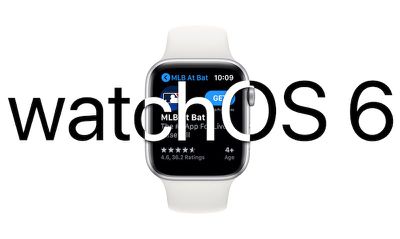
Installing the software requires the Apple Watch to have 50 percent battery. It also must be placed on the charger and it must be in range of the iPhone. It would be wise to install the beta on a secondary device instead of a primary device given that this is an early version of the watchOS 6 software that still has bugs to be worked out.
watchOS 6 is a major update that offers up a long list of new features. First and foremost, there's an App Store right on the Apple Watch, so you can find and download new Apple Watch apps on your wrist.
Apple Watch apps no longer need to have an iPhone component, which means developers can create standalone Apple Watch apps for the first time. Apps are able to take advantage of new APIs so you'll be able to do things like follow along with a workout or listen to streaming music from third-party services.
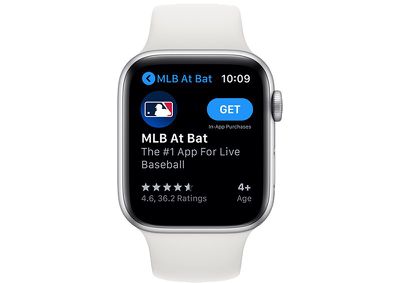
Since Apple Watch apps are now independent of apps on the iPhone, you can now remove some built-in apps from the Apple Watch, a feature that was enabled in beta 3.
There are several new watch faces in watchOS 6, including Numerals Mono and Duo with huge numbers, Modular Compact, a Gradient watch face that shifts over the course of a day, a Solar Dial watch face that visualizes the sun in a 24 hour path around the dial, and the California watch face with a mix of standard numbers and roman numerals.
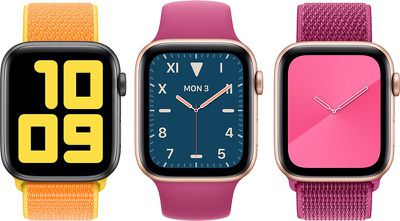
A new Taptic Chimes feature provides a silent touch on the wrist at every hour, and if sound is turned on, you'll hear an audible chime. You can also hold two fingers on the Apple Watch's display to hear the time spoken out loud.
There are new Audiobooks, Voice Memos, and Calculator apps, along with a new Noise app that warns you if you're exposed to sound that's too loud and a new Cycle Tracking app for period tracking. Activity Trends, visible on the iPhone, are also available to chart your fitness progress and make sure your fitness trends are improving.
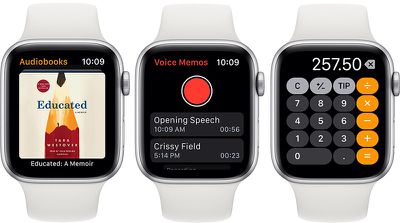
New complications are available for wind speed, chance of rain, and the new Noise app, plus there's a Voice Memos complication for recording a memo quickly, a cellular strength complication, and a complication for the Calculator that opens up the app.
Siri can now provide full web search results right on the watch when asked a question, and for Mac users, the Apple Watch can now approve Mac security prompts.
When it launches in the fall, watchOS 6 will be available on all Apple Watch models with the exception of the original Apple Watch, released in 2015. For more on what's new in watchOS 6, make sure to check out our watchOS 6 roundup.