Adobe today announced new Lightroom updates for the Lightroom iOS app and the Lightroom app designed for Macs.
In Lightroom for iOS (and Android), there's a new Home view that offers up access to recent photos, interactive tutorials, and inspirational photos, providing you with ideas and the steps to execute those ideas.
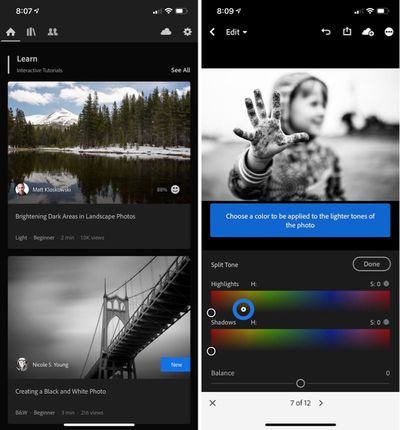
Adobe's new interactive tutorials for Lightroom walk you through each edit step-by-step, allowing you to adjust the sliders using Adobe's guidance and instruction.
The inspirational photos let you see how a photo was made with a list of step-by-step edits available. You can open up the Edits control to open up a wheel where you'll be able to scroll through the edits to see which settings were used.
Interactive tutorials and inspirational photos are limited to Adobe's mobile Lightroom apps at the current time, but are coming to Macs in the future.
Adobe for Mac is gaining an updated help interface that provides more searchable information about each tool, along with built-in tutorials.
Starting today in all versions of Lightroom, there are updated collaboration features for inviting others to add photos to your album. You can also share a link that will let people request access to an album.
Also new to all versions of Lightroom is a Texture tool that will accentuate or smooth medium-sized details like skin, bark, and hair. It's able to smooth skin without affecting pore details or accentuate hair without increasing the presence of noise because it's specifically designed for medium-sized details.
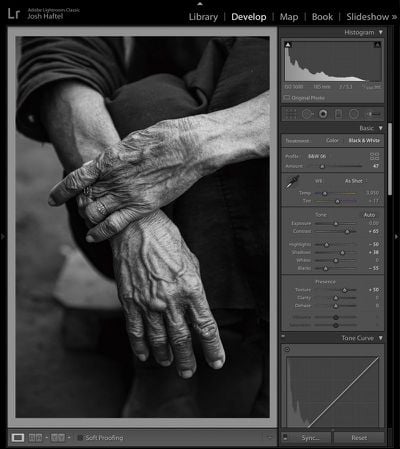
On the Mac, there's a new Defringe feature that's designed to remove purple or green fringes that are caused by chromatic lens aberrations.
For Lightroom Classic specifically, the Flat-Field Correction option that was a plug-in is now built into the Library module. It's a feature that's designed to correct for sensor and lens characteristics that can cause asymmetrical color casts.
Lightroom for iOS can be downloaded from the App Store, while Lightroom for Mac is available from Adobe as part of its Photography specific and full Creative Cloud software plans.