Apple Begins Reminding Two-Factor Authentication Users About App-Specific Passwords
Apple has begun emailing iCloud users who have enabled two-factor authentication on their Apple IDs, reminding them that application specific passwords will be required when trying to access iCloud data on third party apps starting tomorrow.
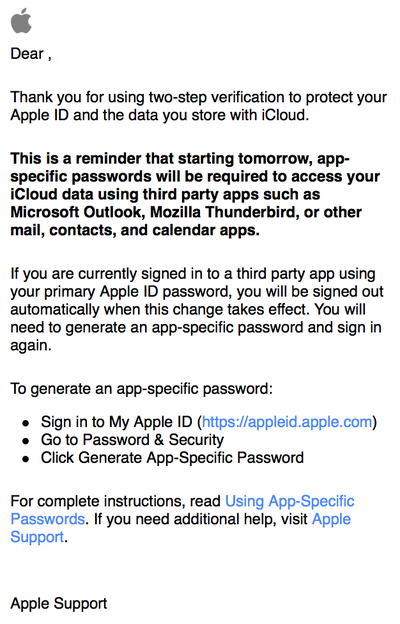
In addition to the email reminders, Apple last week published a new support document educating users on how to use app-specific passwords. While the feature was originally intended to require the feature on October 1, it's unclear why two-factor authentication users are being reminded of it a week later.
App-specific passwords are a new feature Apple introduced in mid-September, following the launch of two-factor authentication for accessing iCloud.com. The changes arrived after a hacking incident that saw the iCloud accounts of several celebrities compromised due to weak passwords.
CEO Tim Cook has promised to improve iCloud security by increasing awareness around Apple's security features like two-factor authentication as well as a sending out email notifications whenever a device is restored, an account is accessed or a password change is attempted.
Popular Stories
Since 2023, Apple's newer iPhones have had an 80 percent charge limit for those who want to extend battery lifespan. Charging to 80 percent instead of 100 percent is supposed to put less stress on the battery, improving longevity.
For the last three years, I've used that setting on my iPhone. I started with the iPhone 15 Pro Max, then did the iPhone 16 Pro Max, and most recently, the iPhone...
Apple today announced an upcoming product launch that will take place on Tuesday, October 13. We are expecting Apple's announcement to focus on new smart home products, including the long-rumored smart home hub, a new Apple TV 4K, and a refreshed HomePod mini.
Subscribe to the MacRumors YouTube channel for more videos.
The home hub is an all-new device that's like a cross between an iPad and...
Bloomberg's Mark Gurman recently reported that Apple plans to unveil an all-new home hub, a new HomePod mini, and a new Apple TV 4K on Tuesday, October 13, and MacRumors has since learned about another launch slated for later in the month.
Apple is planning to unveil additional new products in the final week of October, according to multiple sources familiar with the matter.
While we do...