iOS 7 Beta 4 Tidbits: Lockscreen Redesign, Notification Center Improvements and New Search Options - MacRumors
Skip to Content

iOS 7 Beta 4 Tidbits: Lockscreen Redesign, Notification Center Improvements and New Search Options

Apple today released the fourth beta of iOS 7, which begins a number of improvements, changes, and bug fixes to the operating system, including a designed lockscreen, Notification Center improvements, an updated look for Safari’s bookmark menu, and more.

iOS 7 beta 4 also brings a slew of minor interface tweaks and improvements that make the fourth version of the beta feel both faster and more polished. Our forum members have noted multiple enhancements that have been bundled into the release:

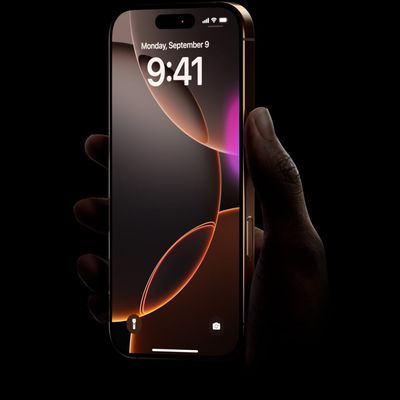
Lockscreen - Slide to Unlock has been updated with a shifting highlight color and an arrow that draw attention to the area on the lockscreen. The arrow that denoted the Notification Center is now a line shape.
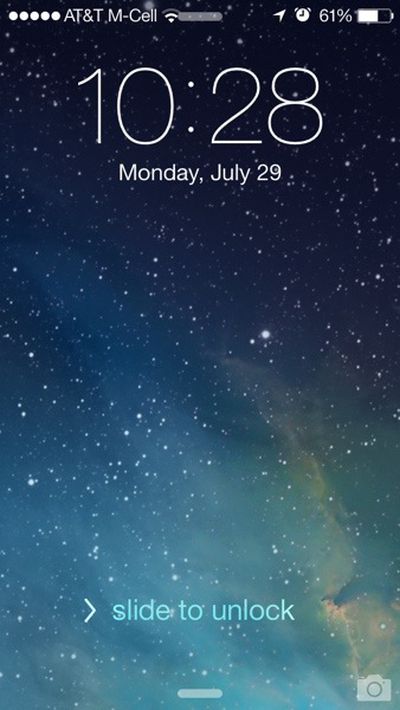
slidetounlock
Mail - Swiping to delete inbox messages from the Mail app is quicker thanks to a smoother delete animation that eliminates slight lag.

Notification Center - The different sections of the Notification Center can now be switched between by swiping left and right. There is also a new notification for completed uploads.

AirPlay - There are new AirPlay icons.

Siri - Siri’s help menu now includes suggestions for question and answer queries.
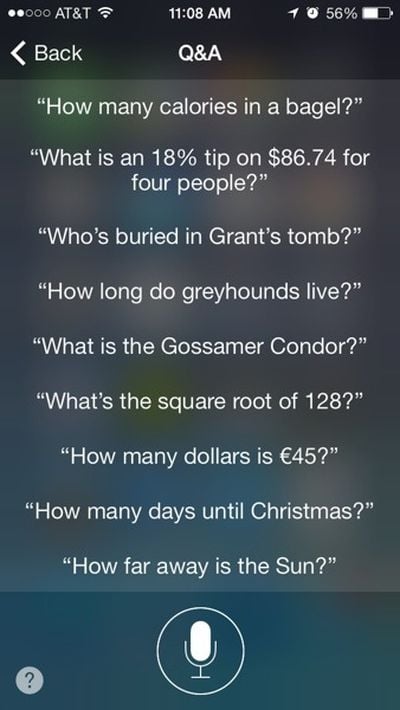
sirioptions
Apps - The camera includes a relocated HDR button and the Reminders app now offers Search functionality.

Icons - Safari and Mail appear to have slightly tweaked gradient designs.
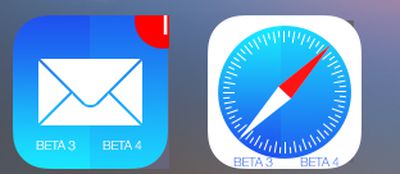
gradient
Folders - The fade animation for folders located in the dock has been updated to function properly.

Phone - The Call button has been slightly altered to take up less of the phone’s screen and the Answer/Decline buttons have also been updated.
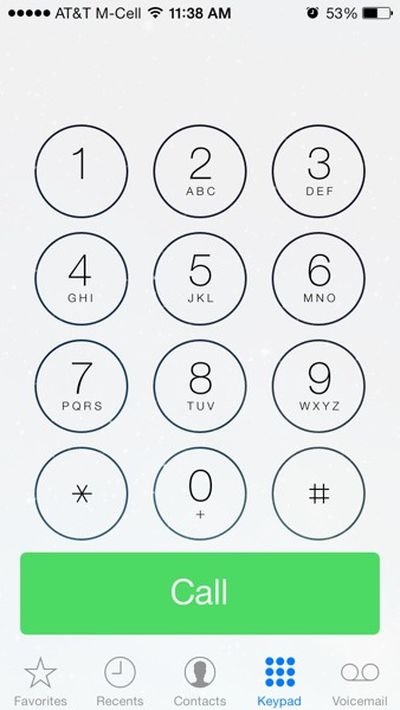
call
Messages - Messages app now uses the first name and last initial of a contact in a chat conversation rather than the full name.

Search - The iPhone’s search functionality (initiated with a downward swipe on the screen) now includes a "Cancel" option.
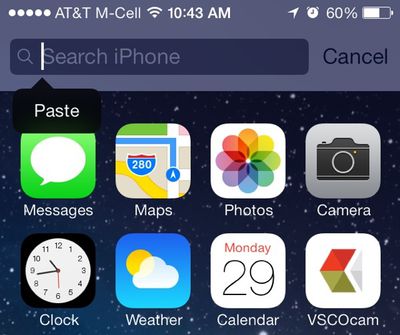
searchoption
Safari - Buttons for Bookmarks, Shared Links, and Reading List have been redesigned with icons rather than labels.

Screenshot API - As noted by 9to5Mac, iOS 7 Beta 4 includes a new screenshot detection API that solves an issue preventing Snapchat from detecting screenshots.

screenshotnotification
Apple TV - iOS 7 includes a feature that allows an Apple TV to be automatically set up using an iPhone or iPad via Bluetooth. (Thanks, Ethan!)
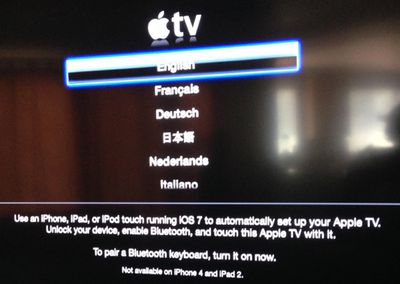
appletvios7
Additional features in iOS 7 beta 4 will be added here as they are discovered. Apple is likely to continue pushing regular updates for iOS 7, bringing minor performance boosts and changes ahead of the operating system’s public release, which is expected to come in the fall.
Related Forum: iOS 7

Popular Stories

apple back to school sans airpods 2

Apple's 2026 Back to School Offer is Coming Soon

Sunday July 12, 2026 7:29 am PDT by
Apple's stores will be rolling out Back to School marketing materials this week, according to Bloomberg's Mark Gurman. This suggests that the offer will begin in the U.S. in the next few days. Last year, college students and educational staff could receive a free accessory like AirPods 4 or an Apple Pencil Pro with the purchase of a qualifying Mac or iPad model. The Back to School offer is in...
Waze logo

5 New Waze Features Rolling Out Now: Here Are All the Details

Monday July 13, 2026 3:42 am PDT by
Google today announced that Waze is getting a handful of new features, including some Gemini-powered personalization enhancements for Conversational Reporting. Conversational Reporting already uses Gemini when users report traffic incidents like slowdowns, but now you can use it to suggest map updates like road closures or outdated addresses. Saying something like "The road is closed here"...
Mac Pro Feature Teal

Apple's M7 Ultra Chip Designed to Match a 2019 Mac Pro Feat

Sunday July 12, 2026 8:53 am PDT by
Apple's M7 Ultra chip coming in 2028 is designed to support up to 1.5TB of unified memory, according to Bloomberg's Mark Gurman. However, whether such a configuration is offered may depend on the state of the ongoing memory chip shortage. In 2019, Apple released an Intel-based Mac Pro with up to 1.5TB RAM....

Top Rated Comments

AngerDanger Avatar
169 months ago
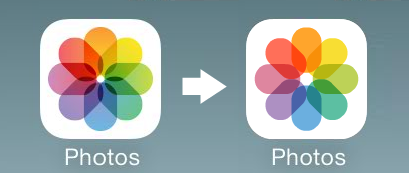
I still wish they changed the Photos icon to the one on the right. :(

Score: 27 Votes (Like | Disagree)
Cod3rror Avatar
169 months ago
The update to the messages app show the first name and the first initial of the last name.

In my contacts, I have:
Eric Wood
Eric Williams

If the messages app reduces the name of both to "Eric W" how am I supposed to tell who I am talking to easily. I think this update needs to be reverted, like "NOW" because that is going to cause a lot of issues. :mad: :eek:

You should just stop being friends with one of the guys and delete them from your contacts.

Get rid of Eric, I never liked him.
Score: 12 Votes (Like | Disagree)
169 months ago
Aaaaaand the photos icon…

Image (http://i.imgur.com/ZpFVm6L.png)

…doesn't look any different. :(

You don't see the difference? Really?
Score: 12 Votes (Like | Disagree)
169 months ago
Also added back is the option to shuffle all songs of a certain artist. For example, we can now shuffle all Led Zeppelin songs. Before we were limited to playing certain albums shuffled. Bothered me.
Score: 11 Votes (Like | Disagree)
840quadra Avatar
169 months ago
Honestly not a fan of the Screenshot API fix. I don't use Snapchat, but IMO it's none of anyone's business if I take a screenshot on my device.

As far as the other updates are concerned, be curious to hear feedback from the Dev community on the continued improvements, or any new bugs. Really hoping for speed, stability, and battery life improvements.
Score: 11 Votes (Like | Disagree)
Kariya Avatar
169 months ago
My goodness but that is some seriously ugly screenage.

Very Microsoft-like.

Swiping away notifications is "new" for iOS? Good grief...

Oh brother...:rolleyes:
Score: 10 Votes (Like | Disagree)