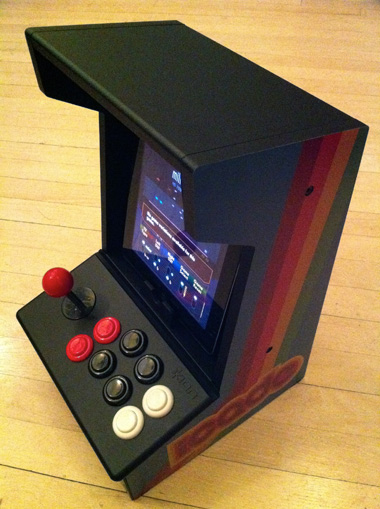
What started as a ThinkGeek April Fools joke has now become reality. The $99 iCade iPad arcade cabinet is now shipping to early customers. The iCade offers iPad users an arcade cabinet shell to slide your iPad in and use the physical joystick and buttons to play games. Our sister site TouchArcade has already received theirs and has been putting it through the paces:
The iCade comes packaged unassembled. The box contains the main control unit, two side panels, a back panel, a handy flip-up top panel with instructions printed on the inside face, a lovely red joystick knob, screws, batteries, and a set of instructions. Getting the unit together with the help of the illustrated assembly sheet is about 5 to 10 minutes' work.
Out of the box, the iCade supports Atari's Greatest Hits iPad app which offers 100 classic Atari games in a single package. Almost every Atari game is already supported with the iCade. The included instructions show how different controls are mapped to the iCade:
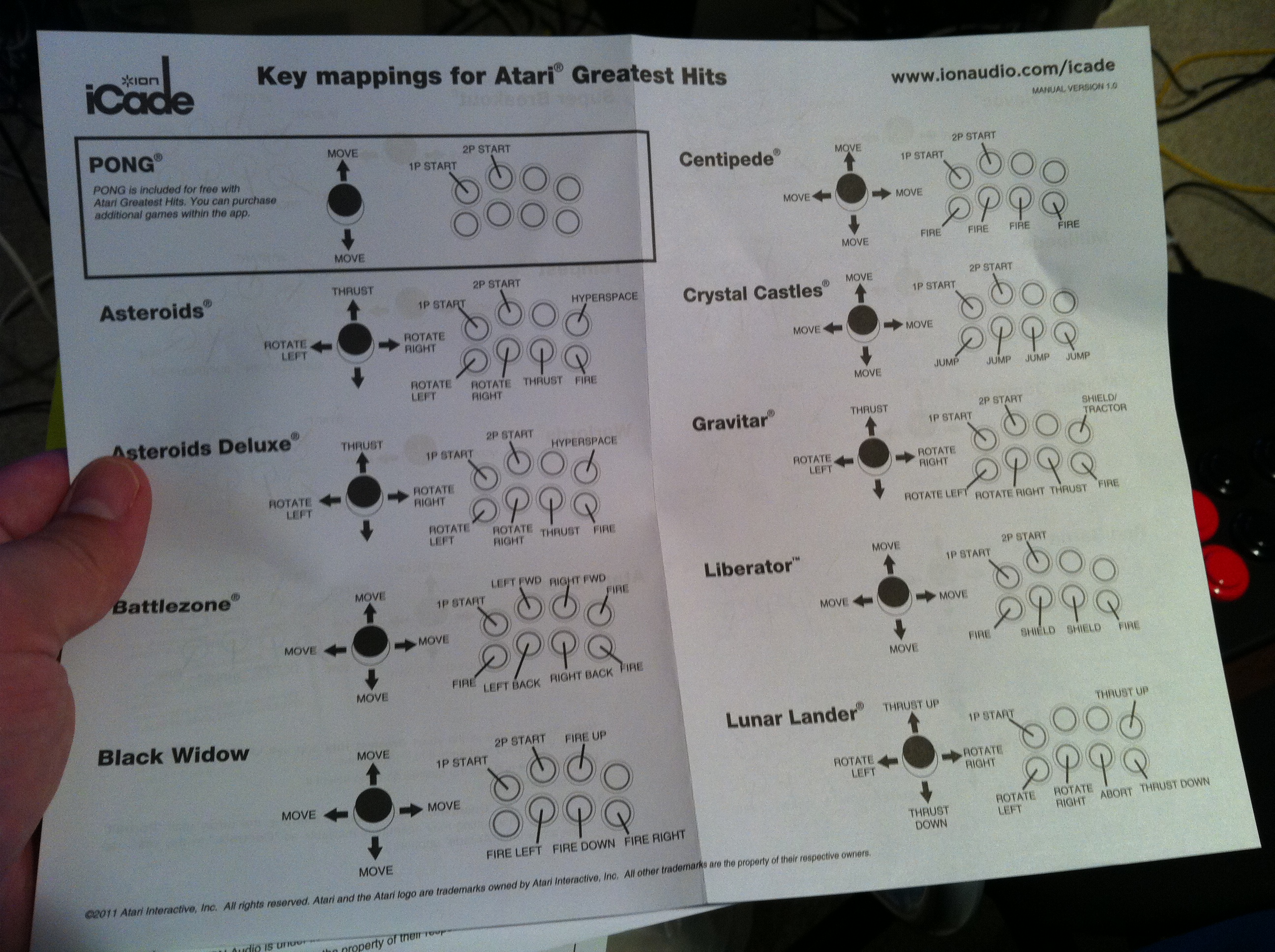
As figured out by @thatdecade, the iCade simply sends out two-letter sequences for each button or joystick movement. That means it should be trivial for any iOS game developer to build in support for the iCade into their future games.
Overall the controls seem solid and a welcome addition to these classic games.
I found tearing through these classic games on the iCade to be everything I'd hoped it to be. On the whole, it's just an awesome experience. Holding the stick in your hand, hearing the switches click open and shut, and mashing the fire buttons is absolutely the way these classic games were meant to be played. A proper stick in your hand beats a virtual D-pad every time.
At present, the Atari game pack seems to be the only app to support the iCade. There do seem to be a few frustrations with the iCade acting like a Bluetooth keyboard. For example, when paired, the iPad won't bring up a virtual keyboard in text entry fields as it thinks the iCade is actually a keyboard.
The iCade is available from ThinkGeek but presently is on backorder.