Apple Dock Connector to Support DisplayPort, USB 3.0, Thunderbolt?
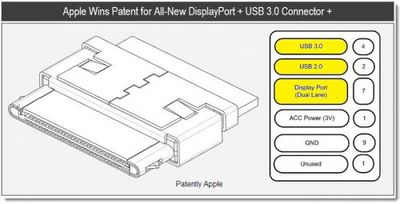
PatentlyApple reveals a new patent granted to Apple from the US Patent and Trademark Office. The patent describes what appears to be a new dock connector that can support both DisplayPort/USB 3.0.
Apple has been granted a powerful patent that packs quite the wallop. Somehow they snuck a secret patent application through the system for an all-new high speed connector that will combine at least USB 3.0 and DisplayPort. Although the patent illustrates an iPod as being one of the first to adopt this, the patent clarifies that it's for all future Mac hardware as well.
The 30-pin connector has been a staple of Apple's iPod, iPhone and iPad lines as their universal docking connector for syncing and accessories. This patent application was previously spotted during the application phase, but has renewed interest now given Apple's recent commitment to Thunderbolt connector which shares the same physical form factor as DisplayPort.
Popular Stories
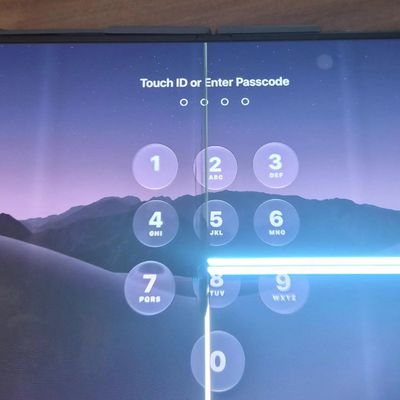
In a memo shared with Apple Stores and Apple Authorized Service Providers this week, and later obtained by MacRumors, Apple provided technicians with guidance on how to diagnose and address the iPhone Duo's inner display cracking issue.
If a customer reports the issue, Apple advised technicians to inspect the iPhone Duo and repair or replace it in accordance with their standard procedures....
Apple is releasing five new products this Friday, November 6, following pre-orders that opened last week, including its first touchscreen MacBook Pro models.
The following new products will be available from Friday:
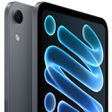
iPad mini with OLED display and A20 Pro chip
iMac with M6 chip
14-inch MacBook Pro with M6 chip
14-inch MacBook Pro with OLED touchscreen
16-inch MacBook Pro with OLED...
Apple released iOS 27.2 on October 26, bringing enhancements to Siri AI, adding Suggestions in Messages, and sneaking in a string of smaller additions across Photos, Podcasts, Games, Apple TV, and FaceTime.
iOS 27.2 is available to download to your device now via Settings ➝ General ➝ Software Update. Note that some features may not be available in all regions or on all iPhone models....