Apple Releases Second Public Beta of macOS Ventura 13.1
Apple today seeded the second beta of macOS Ventura 13.1 to its public beta testing group, allowing non-developers to try out the new features ahead of the software's release. The public beta comes two weeks after Apple released the first public beta.

Public beta testers can download the macOS 13.1 Ventura update from the Software Update section of the System Preferences app after installing the proper profile from Apple's beta software website.
macOS Ventura 13.1 introduces the Freeform app, which Apple has designed for creative collaboration. The app can be used for brainstorming, planning out ideas, jotting down notes, and more. Users can insert drawings, sticky notes, shapes, text boxes, photos, videos, PDFs, links, and other documents, with Freeform serving as a blank canvas.
Freeform "boards" can be shared with other people and discussed over FaceTime, with updates from all participants synced to everyone in real-time.
The update also introduces support for an updated Home app architecture that improves performance for smart home devices.
Popular Stories
In iOS 27, available now, CarPlay gets its biggest update in years, but some features depend on what type of car you have rather than your iPhone model. Some of the biggest additions won't do anything in the vast majority of vehicles on the road today. Here's how the new features pan out.
Works in Any CarPlay Vehicle
Custom widgets: In iOS 27, CarPlay is no longer limited to Apple's handful ...
The new Apple Watch Series 12 and Apple Watch Ultra 4 have hardware changes that allow for faster charging, but you will need to use the new version of the Apple Watch Magnetic Fast Charger included in the box in order to achieve this boost. If you need extra ones for your own charging stands or travel or so forth, Apple released the new version of the charger on its online store last week, with...
Wednesday September 16, 2026 1:32 pm PDT by
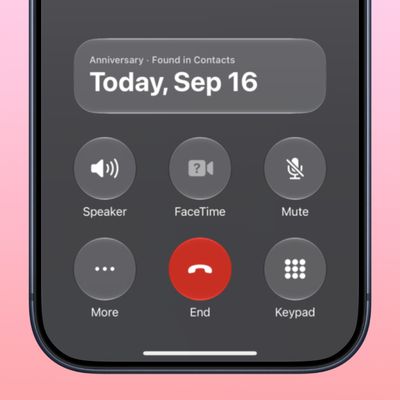
Juli CloverThe iOS 27.2 beta that Apple released today adds a feature that reminds you it's your anniversary when you call someone, as long as you've added the date in the Contacts app.
On the date of your anniversary, when you go to call the person, you'll see a reminder that it's an important day so you don't forget to say something. The anniversary alert uses Call Context, a feature Apple added in...





/https://forums.macrumors.com/proxy.php%3Fimage=https://9to5mac.com/wp-content/uploads/sites/6/2022/11/mac-system-settings-macos-ventura-2.jpg&hash=493812b0411cebfcb129fcdea96226fa)