

gfxCardStatus allows users to control which graphics card is enabled -- integrated or discrete -- on MacBook Pro models with multiple graphics cards. By more precisely controlling when each graphics card is enabled, users can improve system performance or battery life. gfxCardStatus is a menu bar application for OS X that allows MacBook Pro owners to view which GPU is in use at a glance, and switch between them on-demand.
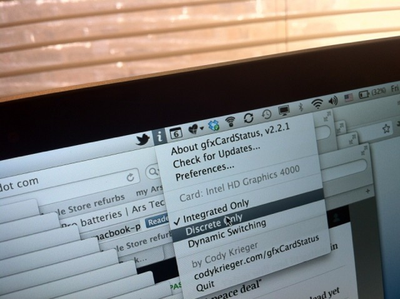
Ars Technica has much more, including the fact that the Retina MacBook Pro can be pushed to nearly 10 hours of battery life with some minor battery saving techniques:
I was consistently able to get between 8 and 8.5 hours of continuous use from the Retina MacBook Pro when running integrated graphics only. Turning down screen brightness to just two "dots," a technique I often use to maximize battery life when using a MacBook Air during conferences, caused OS X to report potential battery life as high as 10 hours. I simply didn't have the stamina to test that claim, but I did make one nine-hour run with OS X reporting a nine percent remaining battery capacity.
gfxCardStatus is a free download from creator Cody Krieger's website.




















Top Rated Comments
edit: Wow! It works! Or at least claims to, will have to do some testing. Why can't apple make it work this easy??????
Because most of the time the dGPU runs hotter than the integrated GPU hence my computer spends more time sounding like a jet engine.
Most 15"/17" MacBook Pros sold since 2009, if I remember correctly, have 2 graphics cards - one discrete card that is very powerful, but somewhat power-hungry, and an integrated one that is much less powerful but draws less power.
Mac OS X automatically switches between the available graphics cards. When you connect an external display, load something up in Flash, start a game, etc. the OS will switch to the better graphics card, and when you're done, it will switch back to save power. But it's not perfect, and a lot of apps will inadvertently force the system to use the better graphics card. For example, Google Chrome and Skype, among many others. gfxCardStatus provides a lot of control over which card is in use at any given time, and can also just notify you when the system decides that you should be using a different graphics card, and shows you why exactly the switch was made (under "dependencies"). It's a great utility.