

With the new Pure 2 EyeGuard Blue Light Glass Screen Protector, accessory company BodyGuardz is selling a screen protector that promises extreme impact shock absorption, along with the added bonus of blue light filtering for your eyes.
For those unaware, many people face overexposure to blue light from displays used in their jobs, which has been shown to result in the damage of light-sensitive cells in the eye's retina and other potentially harmful effects. In a day-to-day sense, this means that computer-heavy work can cause eye strain, fatigue, headaches, dry eyes, blurry vision, and more.
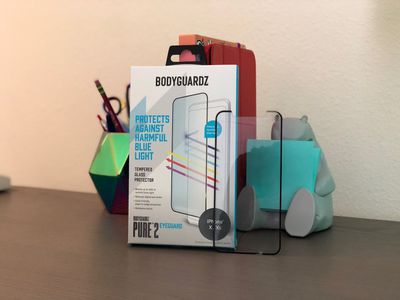
While blue light isn't only found in modern displays, new technologies and companies are emerging to combat eye strain that results from ongoing exposure to blue light from digital screens, including BodyGuardz's Pure 2 EyeGuard Screen Protector.
The BodyGuardz accessory promises to filter out up to 43 percent of blue light in an effort to protect your eyes from digital eye strain, while simultaneously safeguarding an iPhone from dangerous drops. The Pure 2 EyeGuard is sized to fit iPhone X and iPhone XS, with an edge-to-edge design that's also compatible with iPhone cases.
Installation Process
Installing a screen protector can be a daunting process, but BodyGuardz includes a few helpful accessories that make the Pure 2 EyeGuard a bit less of a hassle to place on an iPhone. There is a plastic guide to ensure the screen protector goes on straight, dust removal stickers, a clean wipe, dust wipe, and the screen protector itself.
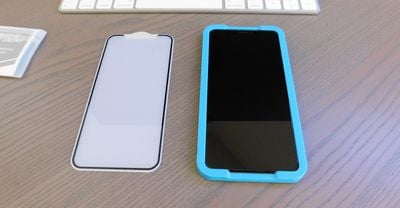
To start, I placed the plastic guide around the edges of my iPhone X. This acts as a sort of border for your installation process, and definitely makes getting the perfect angle on your iPhone much easier. Next I wiped my iPhone's screen with the included wet wipe, then finished off with the soft dust wipe cloth.
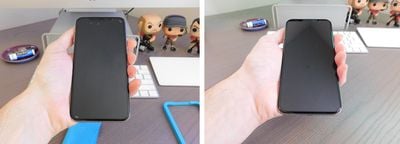
I continued by peeling off the screen protector from the plastic sheet it came on, and carefully placing it on top of my iPhone. As it fell into the plastic tray, the edges of the protector lined up easily with the small black bezels of my iPhone X and the top notch. BodyGuardz then guides you to press firmly from the middle of the protector and smooth it outwards.
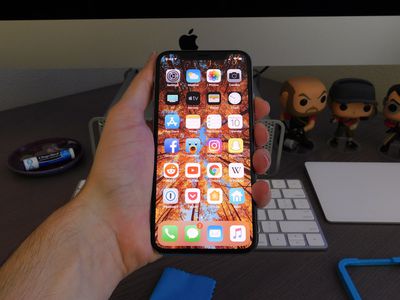
The company warns that whatever bubbles you see will disappear within 24 to 48 hours, and over the course of my testing I did see fewer bubbles. When I initially installed, however, I just pressed firmly with my thumb to smooth the screen protector out and managed to have no large or unsightly bubbles on the display.
Blue Light Filtering Quality
I have a little bit of experience with blue light filtering technology as I've worn Felix Gray glasses for about five months. I'm prone to headaches in the afternoon, after I've stared at my Mac's screen for several hours, and I have found slight alleviation from my symptoms after avoiding blue light overexposure.
I haven't seen any similar effect using the Pure 2 EyeGuard for the past few weeks. I have a feeling this is likely due to the fact that I don't stare at my iPhone's display for extended periods of time like I do my iMac or MacBook; it's simply not as predominant a worry for me personally as it has been on my larger devices.
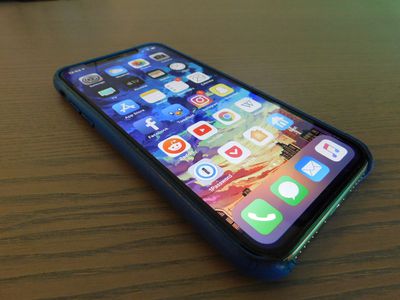
Halfway through my testing I increased my iPhone usage to further look into the screen protector's blue light filtering quality. I found similar results to my initial tests, with no noticeable positive (or negative) outcome or any quantifiable decreases in typical blue light effects.
While I believe in the potential harmful effects of blue light overexposure and will continue to use filtering technologies like the Pure 2 EyeGuard and Felix Gray glasses (mainly because they integrate into my daily routine without any hassle), I've found at-home remedies to potentially help the best of all. If you have eye strain, the 20-20-20 rule is surprisingly helpful when you can't get away from work but need some relief, as is simply taking short breaks from a screen throughout the day.
Daily Use
Throughout testing, I never found the Pure 2 EyeGuard to alter or negatively impact the color or brightness of the display in any noticeable way. My iPhone remained reliably bright and colorful, and the useful True Tone and Night Shift features in iOS were visibly unchanged.
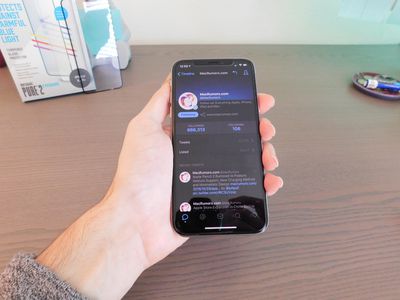
As with most thick screen protectors, one issue with the Pure 2 EyeGuard is the sometimes unreliable inputs you'll get when using the iOS keyboard. I haven't used a screen protector in a few months, so there was definitely an adjustment period where I made more typing errors than usual and it took me longer to type out messages. After a week or two, I got used to the Pure 2 EyeGuard on my iPhone X and texting speed returned to normal.
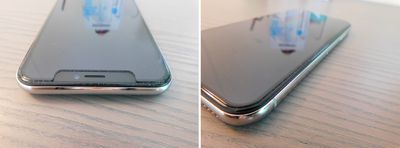
The accessory also has opaque black borders all the way around, which are slightly curved to match the curvature of the iPhone X's front display. Because of this, the Pure 2 EyeGuard avoids any "halo" effect disadvantages that some other glass screen protectors face, when they stick out at the edges and accumulate dust and other debris while not sticking directly to the smartphone. I definitely still saw a few dust particles sticking around the edges of the screen protector, but it was never to an extent that I found it bothersome.
Screen Damage Prevention
Unfortunately (or perhaps fortunately), I got to test out the full screen protection capabilities of the Pure 2 EyeGuard. Customers who face drops and scratches, and who are part of the loyalty program (which only requires your name, email address, and a password), will get free lifetime replacements for all screen protectors and full-body skins. The only catch is you'll have to pay shipping and have to return the original BodyGuardz product within 60 days.
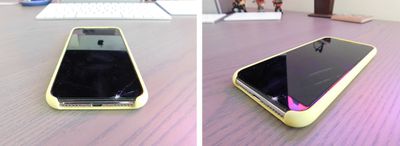
The strong impact absorption and helpful customer service are perhaps the biggest advantages of the Pure 2 EyeGuard I discovered over the past few weeks. A few days into my testing, I knocked my iPhone off of a couch and into the metal leg of a nearby coffee table, where it made contact with the bottom edge of the iPhone, which is largely defenseless due to the design of Apple's silicone cases.
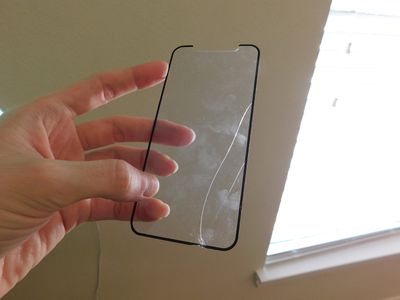
At first I thought some of the cracks that immediately appeared on the screen were part of the iPhone X's OLED display, but once I removed the Pure 2 EyeGuard from the iPhone I found that the aluminosilicate glass of BodyGuardz's accessory had taken the entire brunt of the damage. No cracks, hairline fractures, or scratches whatsoever had surfaced on the iPhone's display.
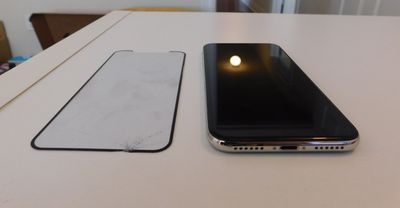
I contacted BodyGuardz about the incident, and while most of the loyalty program process was expedited for review purposes, it appears like it would be as seamless for all customers. I had a new Pure 2 EyeGuard in the mail within a week of dropping my iPhone, and have decided to keep it on for the foreseeable future following the incident.
Bottom Line
The BodyGuardz Pure 2 EyeGuard is a high-quality, super-reliable glass screen protector with a simple installation process and noteworthy replacement program.
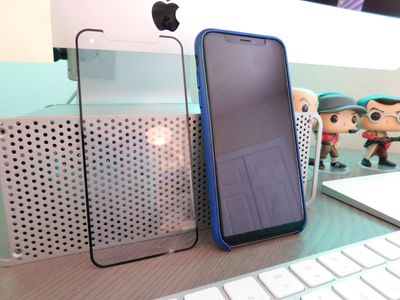
While blue light filtering is a big part of the Pure 2 EyeGuard marketing, I'd describe it as more of an added bonus for people who are apt to use their iPhone heavily throughout the day. You might see positive effects from the accessory, and even if you don't you'll still have a sturdy screen protector.
How To Buy
The BodyGuardz Pure 2 EyeGuard is available for $44.95 on the company's website and on Amazon, with occasional sales discounting the protector to around $28.
BodyGuardz provided MacRumors with two Pure 2 EyeGuard screen protectors for the purpose of this review. No other compensation was received.
MacRumors is an affiliate partner with Amazon. When you click a link and make a purchase, we may receive a small payment, which helps us keep the site running.
















Top Rated Comments
Next they will be telling people who work outdoors that they should avoid it due to blue light exposure.