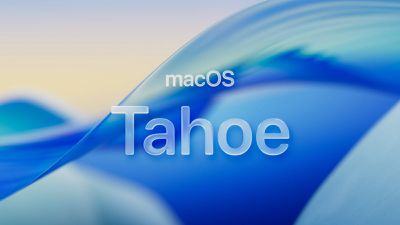
Apple has uploaded all of macOS Tahoe's beautiful new screen savers to its servers, and you can watch them right now without waiting for the operating system's release. The collection showcases some breathtaking aerial footage and nature scenes from the likes of India that will grace Mac screens later this year.
macos tahoe
Rather than waiting to see what Apple has in store, you can preview every single screen saver from the upcoming macOS release immediately. Each video streams directly from Apple's content delivery network in high quality, so you can ignore any warnings your browser throws up.

How to Watch macOS Tahoe Screen Savers

Simply click any of the links below to start streaming the screen savers instantly in your browser in glorious 4K at 240 frames per second.

Lake Tahoe Collection

Himalayan Landscapes

Indian Coastal and Natural Scenes

They also function as dynamic wallpapers that adapt throughout the day. Setting them from the Screen Saver section in System Settings makes both your wallpaper and screen saver change to the selected scene. They'll animate as screen savers and smoothly slow to a freeze-frame when you unlock to your desktop, just like Apple's existing aerial screen savers.

tvOS 26 Aerial Screen Saver India
Alternatively, choosing them from the Wallpaper section changes only your desktop background without animation, but the wallpaper will still dynamically adjust its brightness and darkness to match your time of day.

These screen savers will automatically become available to all Mac owners when macOS Tahoe releases, but streaming or downloading them now gives you an early taste of what's coming to your desktop.

Related Roundup: macOS Tahoe 26
Related Forum: macOS Tahoe

Top Rated Comments

macdisciple Avatar
13 weeks ago

Why do you need a screensaver? Just let the display turn off.
No one needs one. Some people like them. :)
Score: 12 Votes (Like | Disagree)
G725 Avatar
13 weeks ago
Why do you need a screensaver? Just let the display turn off.
Score: 5 Votes (Like | Disagree)
WarmWinterHat Avatar
13 weeks ago

Nothing can displace the classic Mac live screensaver. Nothing! ?
I still have After Dark: Flying Toasters enabled. That is peak screensaver.
Score: 5 Votes (Like | Disagree)
Mac Fly (film) Avatar
13 weeks ago

Why do you need a screensaver? Just let the display turn off.
Congratulations, you found another way to complain. Write it down so you don't forget.
Score: 2 Votes (Like | Disagree)
Apple_Robert Avatar
13 weeks ago

Apple will be pissed I guess
Your comment makes no sense seeing how Apple released the streaming availability.
Score: 2 Votes (Like | Disagree)
JohnRckr Avatar
13 weeks ago
These slay hard
Score: 2 Votes (Like | Disagree)

Popular Stories

AirPods Pro Firmware Feature

Apple Releases New Firmware for AirPods Pro 2, AirPods Pro 3, and AirPods 4

Thursday November 13, 2025 11:35 am PST by
Apple today released new firmware designed for the AirPods Pro 3, the AirPods 4, and the prior-generation AirPods Pro 2. The AirPods Pro 3 firmware is 8B25, while the AirPods Pro 2 and AirPods 4 firmware is 8B21, all up from the prior 8A358 firmware released in October. There's no word on what's include in the updated firmware, but the AirPods Pro 2, AirPods 4 with ANC, and AirPods Pro 3...
iOS 26

iOS 26.2 Available Next Month With These 8 New Features

Tuesday November 11, 2025 9:48 am PST by
Apple released the first iOS 26.2 beta last week. The upcoming update includes a handful of new features and changes on the iPhone, including a new Liquid Glass slider for the Lock Screen's clock, offline lyrics in Apple Music, and more. In a recent press release, Apple confirmed that iOS 26.2 will be released to all users in December, but it did not provide a specific release date....
CarPlay Pinned Messages

iOS 26.2 Adds New CarPlay Setting

Thursday November 13, 2025 6:48 am PST by
iOS 26 extended pinned conversations in the Messages app to CarPlay, for quick access to your most frequent chats. However, some drivers may prefer the classic view with a list of individual conversations only, and Apple now lets users choose. Apple released the second beta of iOS 26.2 this week, and it introduces a new CarPlay setting for turning off pinned conversations in the Messages...
homepod mini thumb feature

New HomePod Mini, Apple TV, and AirTag Were Expected This Year — Where Are They?

Wednesday November 12, 2025 11:42 am PST by
While it was rumored that Apple planned to release new versions of the HomePod mini, Apple TV, and AirTag this year, it is no longer clear if that will still happen. Back in January, Bloomberg's Mark Gurman said Apple planned to release new HomePod mini and Apple TV models "toward the end of the year," while he at one point expected a new AirTag to launch "around the middle of 2025." Yet,...
ios 26 digital id passport wallet

Apple Announces Launch of U.S. Passport Feature in iPhone's Wallet App

Wednesday November 12, 2025 9:15 am PST by
Apple today announced that iPhone users can now create a Digital ID in the Apple Wallet app based on information from their U.S. passport. To create and present a Digital ID based on a U.S. passport, you need: An iPhone 11 or later running iOS 26.1 or later, or an Apple Watch Series 6 or later running watchOS 26.1 or later Face ID or Touch ID and Bluetooth turned on An Apple Account ...
Tesla Charging

Tesla Working to Add Apple CarPlay Support to Vehicles

Thursday November 13, 2025 8:31 am PST by
Tesla is working to add support for Apple CarPlay in its vehicles, Bloomberg's Mark Gurman reports. Tesla vehicles rely on its own infotainment software system, which integrates vehicle functions, navigation, music, web browsing, and more. The automaker has been an outlier in foregoing support for Apple CarPlay, which has otherwise become an industry standard feature, allowing users to...
m1 chip slide

Five Years of Apple Silicon: M1 to M5 Performance Comparison

Monday November 10, 2025 1:08 pm PST by
Today marks the fifth anniversary of the Apple silicon chip that replaced Intel chips in Apple's Mac lineup. The first Apple silicon chip, the M1, was unveiled on November 10, 2020. The M1 debuted in the MacBook Air, Mac mini, and 13-inch MacBook Pro. The M1 chip was impressive when it launched, featuring the "world's fastest CPU core" and industry-leading performance per watt, and it's only ...
tvOS 26 Profiles

tvOS 26.2 Adds a Useful New Feature to Your Apple TV

Friday November 14, 2025 10:02 am PST by
Starting with the upcoming tvOS 26.2 update, currently in beta, additional profiles created on the Apple TV no longer require their own Apple Account. In the Settings app on the Apple TV, under Profiles and Accounts, anyone can create a new profile by simply entering a name and indicating whether the profile is for a kid. The profile will be associated with the primary user's Apple Account,...
iOS 26

Everything New in iOS 26.2 Beta 2

Wednesday November 12, 2025 3:29 pm PST by
Apple today provided developers with the second beta of iOS 26.2, which adds a few new features worth knowing about. Measure App Apple's Measure app now features a Liquid Glass design for the level, with two Liquid Glass bubbles instead of white circles. Games App There's now an option to sort games in the Games app Library by size, in addition to Name and Recent. CarPlay The...
apple intelligence erroneous support list

Apple Intelligence Apparently Too Smart for M1 Macs After Listing Error

Wednesday November 12, 2025 2:49 am PST by
Update: It took a day, but Apple has now corrected its Apple Intelligence device compatibility list to show support for the earliest Apple silicon Macs. The original article follows. Apple's website is causing some confusion among Mac owners, and for good reason – its device compatibility listing for Apple Intelligence appears to have dropped support for M1 Macs. The U.S. version...