Apple's newest iPhones, the iPhone 12 mini, iPhone 12, iPhone 12 Pro, and iPhone 12 Pro Max, are equipped with a photography feature called Night Mode, which is designed to take crisp, clear photos even when lighting conditions are poor, such as at night.
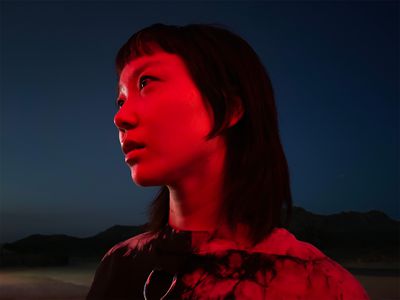
Night Mode originally debuted in the iPhone 11 series, but its use was limited to the rear-facing wide-angle camera. With iPhone 12, however, Apple has extended Night Mode functionality to all the lenses, including the front-facing camera, so now you can take selfies in the dark.
When you use Night Mode, it will use machine learning algorithms to automatically brighten your pictures while preserving the night time feeling, balancing the light and dark elements of an image. Here's how to take a Selfie using Night Mode.
- Launch the Camera app on your iPhone 12.
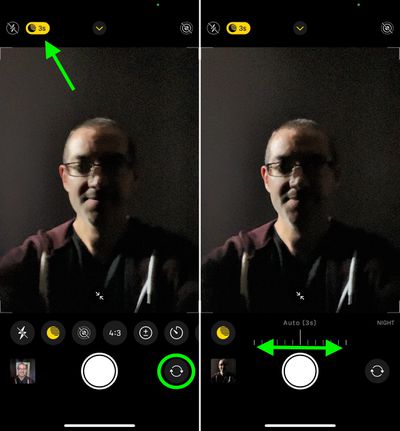
- To switch to the front-facing camera, tap the button made up of two arrows forming a circle.
- If the flash icon is yellow in the top-left corner of the screen, tap it to turn it off.
- Look for the Night Mode icon at the top of the viewfinder that looks like a crescent moon. If the ambient light is low, Night Mode will automatically engage and the icon will be yellow. If it's not engaged but you think your selfie would still benefit from Night Mode, simply tap the button. If you don't see the Night Mode icon at all, there's too much light and you won't be able to use it.

- If you manually engaged Night Mode, you can adjust the exposure time with the slider just above the shutter button. If Night Mode was already engaged then the exposure time is already on maximum, but you can adjust it yourself by tapping the yellow moon icon.
- Tap the shutter button and hold your iPhone still while the exposure time runs and your picture is taken.
By recruiting the help of the gyroscope in your iPhone, Night Mode can detect when the device is attached to a tripod and will present longer exposure times than normally offered, enabling you to take more detailed shots in very low light.

When taking Night Mode shots during handheld use, you'll usually see 1-3 second delay and you can manually select up to a 10-second delay, but with a tripod you may see up to 30 seconds available in the Night mode dial.