Skip to Content

How to Access Your iPhone Wallpaper Gallery

by

In iOS 16, Apple introduced some major changes to its mobile operating system, including a total overhaul of the Lock Screen.
image
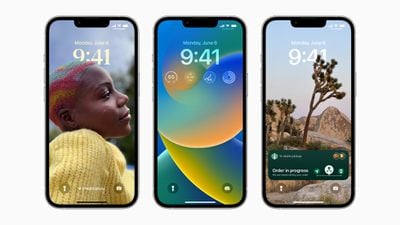
On an iPhone running iOS 16 or later, it's possible to customize the Lock Screen in ways that were simply not possible before, thanks to new options to apply unique fonts, colors, filters, and, for the first time, add widgets.

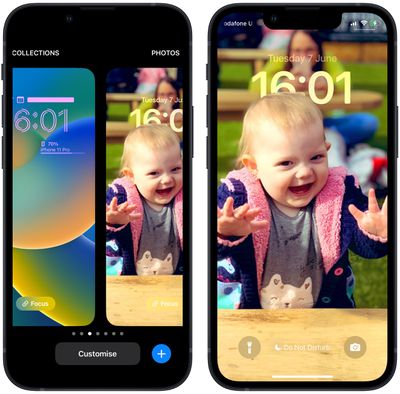
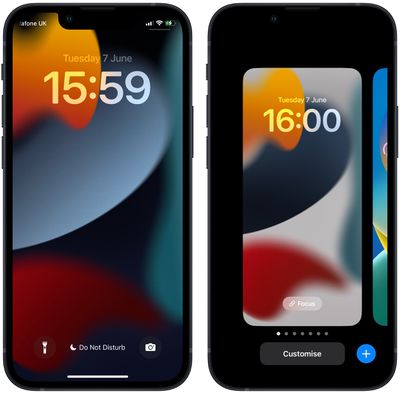
Recognizing that users might like to create multiple Lock Screens to switch between from time to time, Apple has included a Lock Screen wallpaper gallery that will look familiar to anyone with an Apple Watch, since it's very similar to the way watch face customization works.

The wallpaper gallery allows you to switch up your Lock Screen on the fly, without even entering your iPhone's Home Screen. The steps below show you how it's done.

  1. Unlock your ‌iPhone‌ with Face ID or Touch ID.
  2. Press and hold on the Lock Screen.
    Lock Screen

  3. In the gallery view, swipe left or right to preview your Lock Screen wallpapers.
  4. Simply tap on the wallpaper you'd like to switch to, and it will immediately be adopted as your active Lock Screen.
    Lock Screen

Wallpaper gallery looking a little sparse? Fortunately, Apple has created a variety of customizable Lock Screen wallpaper types that you can add to your gallery, including shuffling photos, Emoji backgrounds, Apple Collections, and Colors, as well as dynamic Weather and Astronomy screens that reflect real-time data. For instructions on creating a new Lock Screen, check out our dedicated how-to.


Popular Stories

Apple Event Logo

Apple Released Seven New Products Today

Wednesday March 11, 2026 7:05 am PDT by
Starting today, the seven new Apple products that were announced last week are available at Apple Stores and beginning to arrive to customers. The colorful MacBook Neo and all of the other new products are on display at most Apple Store locations around the world starting today. Apple Stores have inventory of the new products for both walk-in customers and Apple Store pickup, but...
iOS 27 Mock Quick

10+ New Features Coming in iOS 27

Friday March 13, 2026 2:13 pm PDT by
We're only three months away from Apple's WWDC 2026 event, which will see the company unveil iOS 27. With the fully revamped version of Siri possibly delayed until September, iOS 27 is shaping up to be the update we wanted iOS 26 to be. There will be new Apple Intelligence features, updates for the iPhone Fold, and more, with the latest rumors summarized below. Foldable iPhone Features...
iOS 27 Mock Quick

iOS 27 Will Reportedly Be Like Mac OS X Snow Leopard

Sunday March 15, 2026 9:42 am PDT by
In his Power On newsletter today, Bloomberg's Mark Gurman reiterated that iOS 27 will be similar to 2009's Mac OS X Snow Leopard, in the sense that one of Apple's biggest priorities is bug fixes for improved performance and stability. At WWDC 2008, Apple showed a presentation that said Mac OS X Snow Leopard had "0 new features," as it opted to focus on performance and stability...