With the introduction of Apple Intelligence in iOS 18.1, communicating with Siri has become more flexible since you can easily type your requests instead of speaking them. It's a subtle but powerful change that's perfect for those moments when you need to be quiet or discreet.
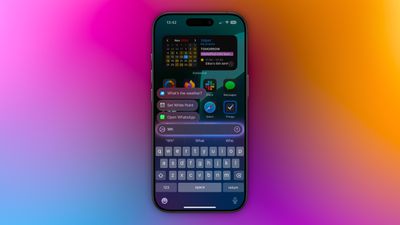
Enabling Type to Siri is straightforward. Head to Settings -> Apple Intelligence & Siri, tap Talk & Type to Siri, and make sure the Type to Siri toggle is switched on. Once enabled, you can summon the typing interface with a quick double-tap at the bottom edge of your iPhone's display.
The typing interface includes suggested requests to help you get started, and you can type virtually anything you'd normally say to Siri. Simply enter your query and tap the up arrow to submit. Siri will respond just as it would to a voice command, maintaining context between messages for natural back-and-forth conversations.
This text-based interaction is particularly useful during meetings or in quiet spaces, when you're in a noisy environment where Siri might struggle to hear you, or if you prefer typing to speaking for more precise queries. It can also help when you want to maintain privacy in public places.
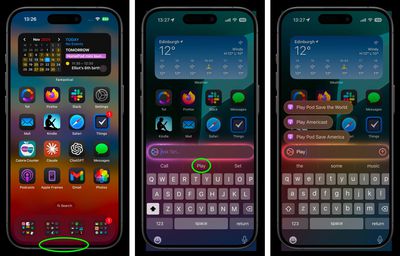
The feature integrates seamlessly with Siri's expanded knowledge base in iOS 18.1, including Apple product support and settings navigation. You can even use natural language to find settings when you're not sure of their exact names.
Whether you're a longtime Siri user looking for more flexibility or someone who's been hesitant to use voice commands in public, Type to Siri offers a handy alternative for interacting with Apple's virtual assistant.