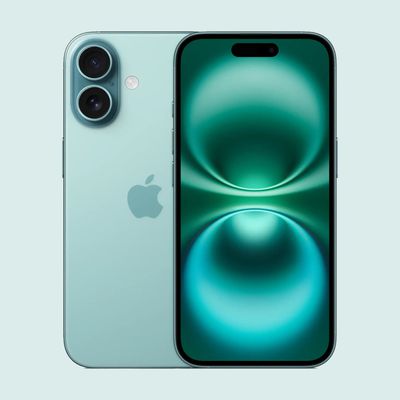
If you own an iPhone or iPad with a USB-C port, the port can be used to charge AirPods, an Apple Watch, or even another iPhone, which is handy for times when you don't have a spare charger or power outlet available. Here's how it works.
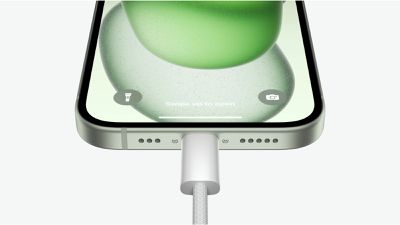
If your AirPods or Apple Watch run out of battery while you don't have access to a charger, you can use the battery in your iPhone or iPad for a little extra juice rather than carrying around an additional battery pack.
Additionally, if you plug an iPhone 15 or newer into another iPhone 15 or newer, the two devices will communicate with one another, determine which iPhone has the lower battery, and transfer power in the direction that needs it most. So if your iPhone has a very low battery and a friend's iPad/iPhone has a full battery, you can plug your iPhone into your friend's device and they can provide you with some juice to hold you over until a more practical charging solution arrives in your midst.
If your friend has a USB-C Android phone, if the device has USB Power Delivery support and you connect your power-hungry iPhone to it, the Android device will also be able to provide battery power. However, if the Android phone does not have USB PD, the results are likely to be inconsistent, and there's no way to predict which phone will be the charger and which will get the charge.
What You Need
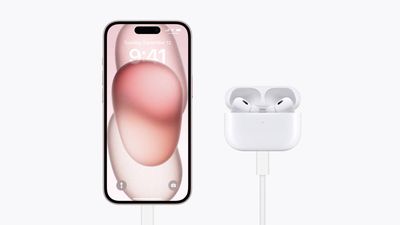
You'll need an appropriate cable for the job, depending on what you want to charge. You'll need a Lightning to USB-C cable for older-generation AirPods with a Lightning port, or a USB-C to USB-C cable for AirPods with a USB-C Charging Case. For Apple Watch, you'll need a dedicated USB-C charging puck.
Unfortunately, when charging another device with an iPhone 15 or newer, the charge is limited to 4.5W. That's appropriate for small devices like the Apple Watch, but not so much for another iPhone. In other words, expect slow charging speeds when using iPhone to iPhone charging functionality.
One more thing – despite persistent rumors, you still can't charge your AirPods by placing them on the back of a MagSafe-enabled iPhone. Apple is said to have been developing this kind of reverse wireless charging for years, but the feature hasn't made it to market. For now, using a USB-C connection remains the most practical and reliable way to top up your AirPods or other accessories on the go.