Apple often adds new features to its built-in apps with each iOS update, and iOS 14 is no exception. Many apps have important new features, including Apple Maps, which gains cycling directions, EV routes, guides, and more.
This guide highlights all of the new features that Apple has added to the Maps app in the iOS and iPadOS 14 updates.
Cycling Directions
Maps in iOS 14 offers cycling directions for bike riders for the first time, putting it on par with Google Maps. Cycling directions take into account bike lanes, bike paths, and bike-friendly roads to get you where you need to go.
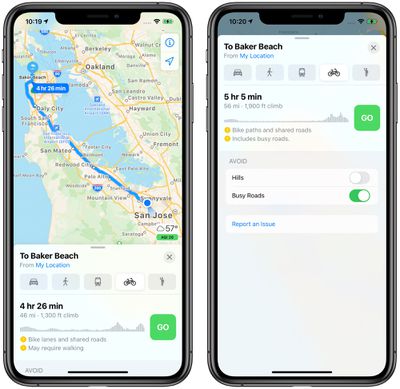
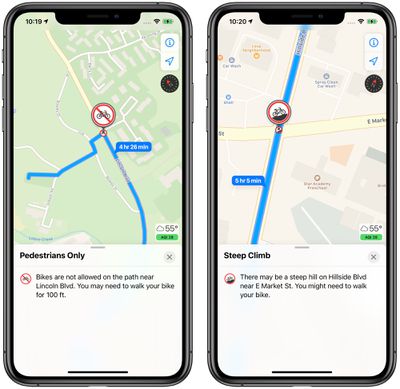
You can preview the elevation for your route so you know just how difficult it will be, and see how busy the streets are with traffic. There are options to avoid steep inclines or stairs where you would have to carry your bike.
Cycling directions expand to the Apple Watch in watchOS 7 with Maps offering voice guidance and directions that make it easy to navigate with just a glance.
Cycling directions are limited to a handful of cities that include New York, Los Angeles, San Francisco, Beijing, and Shanghai.
Routes With EV Stops
If you have an electric vehicle that's compatible with the iPhone, Maps will automatically add charging stops along your route when you plan out a trip.
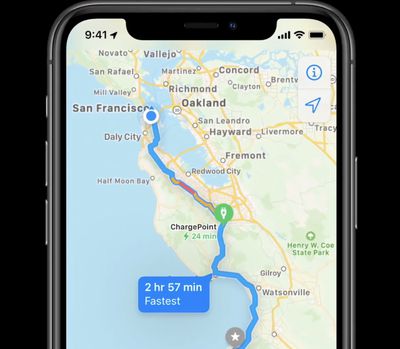
The EV route option will also account for time spent charging when creating an estimated time of arrival, and the Maps app is able to keep track of current charge and charger type to provide customized routes for electric vehicle owners.
To use this feature, an electric vehicle needs to be synced to the iPhone, and it is not an option that's available without an EV so it won't work when planning a trip with a friend that uses an electric vehicle, for example.
Right now, routes with EV stops work with vehicles from BMW and Ford.
Guides
Apple in iOS 13 added "Collections," a feature that lets you make lists of places to visit either for yourself or for friends and family. In iOS 14, "Collections" has been renamed to "Guides."
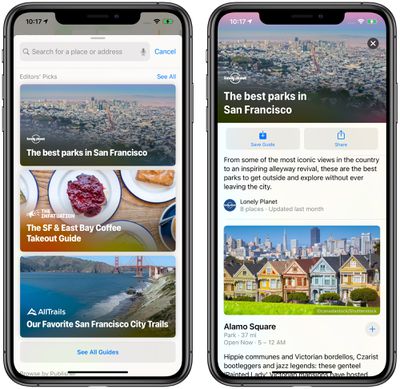
You can continue to make your own Guides on a device running iOS/iPadOS 14 (or macOS Big Sur), but Apple is also now providing a curated selection of guide options created by trusted brands.
Guides provide recommendations for the best places to visit in a city, offering up suggestions on places to eat, shop, and explore. Guides can be saved to Maps, and automatically update as new places are added.
Some of Apple's partners for Guides include Lonely Planet, the Washington Post, AllTrails, The Infatuation, and more.
Redesign Expansion
Apple last year started rolling out an updated Maps design with more detail for elements like roads, buildings, parks, beaches, marinas, forests, and more, and in iOS 14, those updated Map designs are expanding to new locations.
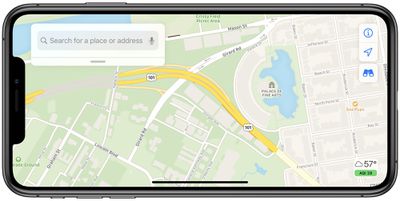
The updated Maps have rolled out across the United States as of 2019 and are now expanding to Canada, Ireland, and the UK.
Speed Cameras
If there are speed cameras and red-light cameras along your route, Apple will now let you know as you approach them. There's also an option to see where cameras are located on the map.
Refine Location
If you're in an urban area where GPS isn't working great and Maps isn't quite registering you in the right location, you can use the new refine location feature to get a highly accurate location reading to better orient yourself.
Refine location will ask you to use your iPhone to scan buildings that are nearby to narrow down where you're at, taking advantage of the Look Around feature added in iOS 13.
Because it uses Look Around, refine location is limited to places that include San Francisco, New York, Boston, Chicago, Houston, Las Vegas, Philadelphia, Washington, DC, as well as Oahu in Hawaii. Location matching done with the refine location feature is done on device.
Congestion Zones
Some big cities like Paris and London use congestion zones to reduce traffic in areas where traffic can be bad. Maps in iOS 14 shows congestion zone tolls and provides options for routing around them if desired.
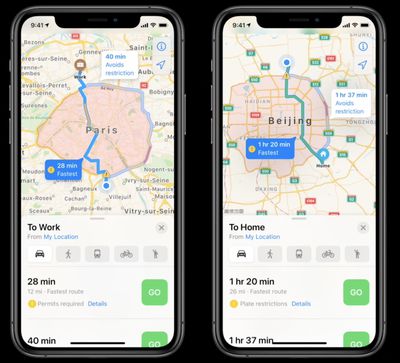
There are also cities that limit access to certain high traffic roads by license plate, and Apple Maps also now supports license plate info so you can determine whether you're allowed to use a road on a given day.
Guide Feedback
Have questions about the Maps app, know of a feature we left out, or or want to offer feedback on this guide? Send us an email here.