Tim Hardwick

Tim is a Senior Editor at MacRumors and has been writing for the site since 2016. Formerly a magazine journalist, his work has appeared in over 30 newsstand print publications and online brands covering a range of topics, from the latest trends in technology to the mysteries of ancient history.
Based in the UK, Tim's current role at MacRumors involves editorial oversight and how tos, in addition to covering daily news and contributing occasional reviews. Tim can be reached at tim@macrumors.com, Telegram (@waxeditorial) or Twitter.
Based in the UK, Tim's current role at MacRumors involves editorial oversight and how tos, in addition to covering daily news and contributing occasional reviews. Tim can be reached at tim@macrumors.com, Telegram (@waxeditorial) or Twitter.
Tim Hardwick's Articles
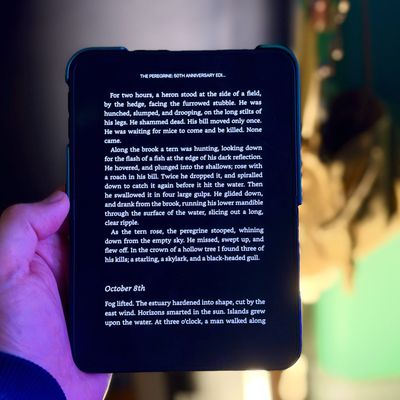
iPhone Duo: Turn the Hinge Into an App Launcher
If you're eager to change your screen time habits – like staying off Instagram or reading more books – the iPhone Duo may offer a solution. It's the first iPhone with two screens, and there's a trick that you can use to make it consistently open a specific app whenever you unfold it and look at the bigger display.
In the Shortcuts app, there's a new iPhone Duo trigger called "Opened or ...
Read Full Article • 31 comments
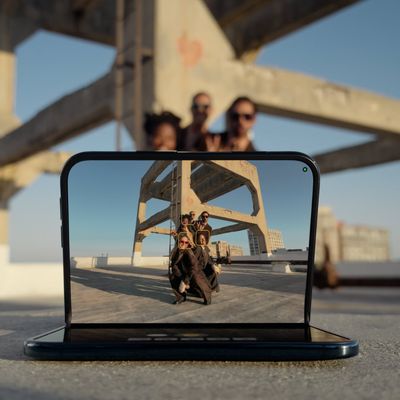
iPhone Duo: Use Smart Take for Hands-Free Group Photos
When taking a group photo, it usually means one person remains stuck behind the camera or everyone has to rush to pose before a timer ends. Smart Take on iPhone Duo means you don't have to do either. All you do is prop the phone up and get in the frame yourself, and the feature captures photos automatically when you strike a pose or hold still.
iPhone Duo takes up to 20 photos over a couple...

iPhone Duo: Take Selfies With Rear Cameras for Higher Quality Shots
One of the advantages of the iPhone Duo's folding design is that you aren't limited to using the front camera when taking self-portraits. It may sound counterintuitive, but by unfolding the device, you can flip it around and take selfies with the higher-quality 48MP rear Fusion cameras instead.
The Duo's outer display is what makes this use case practical, since once the rear cameras are...
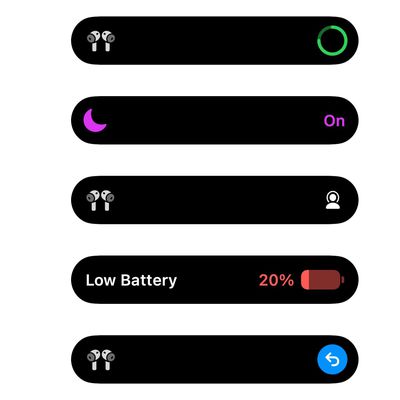
macOS 27 Assets Hint at Dynamic Island for MacBook Pro
Ahead of Apple's expected debut of new touchscreen MacBook Pro models, five system assets have been discovered in macOS 27 that bear a strong resemblance to information displayed in the iPhone's pill-shaped Dynamic Island.
The new MacBook Pros are expected to feature a Dynamic Island-like cutout for the FaceTime camera, finally doing away with the notch that has been part of the machine's...

Touchscreen MacBook Pro to Debut Today With These 5 Features
Some reports have suggested the new high-end MacBook Pro models that Apple is expected to announce today might not be called MacBook Pros at all. They could in fact be something altogether new and more exciting – "MacBook Ultra," perhaps – marketed as the company's top-tier laptop offering. The machines are expected to sit above the current M5 Pro and M5 Max MacBook Pros, rather than replace...

Apple Opened Pre-Orders for Five New Products This Week
Apple opened pre-orders for five new products on Wednesday, October 28, including its first touchscreen MacBook Pro models.
Pre-orders opened for the following new products:
iPad mini with OLED display and A20 Pro chip
iMac with M6 chip
14-inch MacBook Pro with M6 chip
14-inch MacBook Pro with OLED touchscreen
16-inch MacBook Pro with OLED touchscreen
Pre-orders for the iPad mini,...

MacPaw Launches 'Eney' AI Assistant for Mac and iPhone
MacPaw has launched Eney, a proactive AI assistant for Mac and iPhone that the company says understands what is happening across a user's apps, files, and system, prepares the next step, and asks before it acts.
On Mac, Eney offers copy-triggered suggestions, bot-free meeting transcription with notes and follow-ups, and ready-made workflows such as Morning Brief and Plan My Day. An "Eney...
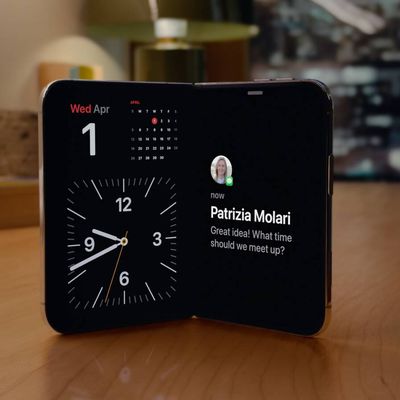
iPhone Duo: Activate StandBy Mode When Not Charging
Unlike other iPhones, iPhone Duo can enter StandBy mode without a charger. You only need to fold the Duo in half or in a tent orientation and you'll see widgets, music, calendar, weather, and more – even when you're away from a power source.
Here's how to set up iPhone Duo StandBy mode without a charger:
Open Settings, tap StandBy, and make sure StandBy is turned on.
On the same screen,...
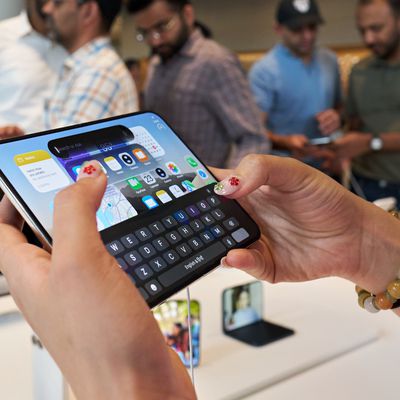
iPhone Duo: Split the Keyboard in Landscape Orientation
When you're using iPhone Duo unfolded in landscape orientation, you can split the onscreen keyboard into two halves in order to bring the keys closer to your thumbs. It's a longtime iPad option that has now come over to the Duo as an exclusive feature among iPhones.
How to Split the Keyboard on iPhone Duo
It's easy when you know how. Just follow these steps in landscape:
Open an app that...
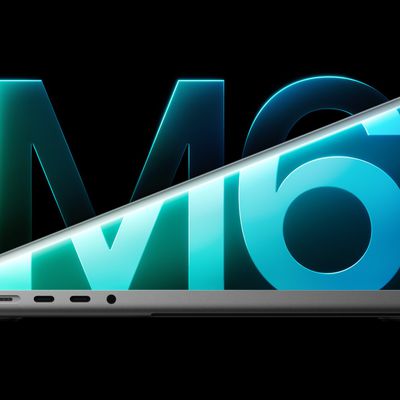
M6 MacBook Pro's 170GB/s Memory Bandwidth Skips Base 16GB Model
The just-announced 14-inch MacBook Pro with M6 chip features memory bandwidth of up to 170GB/s, up from 153GB/s in the M5 model, but notably the performance increase doesn't stretch to the base 16GB configuration.
According to Apple's tech specs page, the option for 16GB of unified memory remains limited to 153GB/s. That's identical to the M5 version, while only the new 24GB and 32GB...

M6 iMac Pre-Orders and Release Date Announced
Apple has announced the first iMac update in two years, bringing its M6 chip to the all-in-one desktop. The new model features a 24-inch 4.5K Retina display, up to a 12-core CPU and 12-core GPU, and Wi-Fi 7. Pre-orders open Wednesday, October 28, at 10:10 a.m. Pacific Time on apple.com and in the Apple Store app, and availability starts Friday, November 6.
Pricing begins at $1,499 for the...
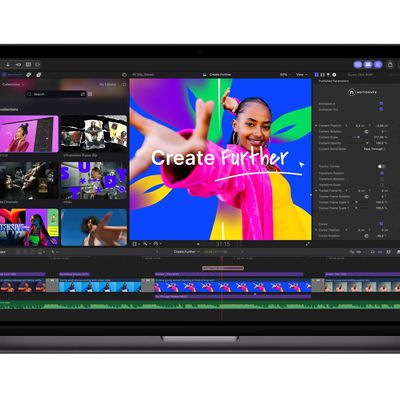
Apple Updates Creator Studio With New Tools and AI Features
Apple today announced a new update to its Creator Studio suite of apps, adding a number of additional features and tools across Mac, iPad, and iPhone.
Amongst the new features, Final Cut Pro for Mac now includes built-in MotionVFX, which was previously a third-party content maker. The integration brings over thousands of effects, plug-ins, transitions, templates, titles and motion graphics...
M6 14-Inch MacBook Pro: Pre-Orders and Release Date Announced
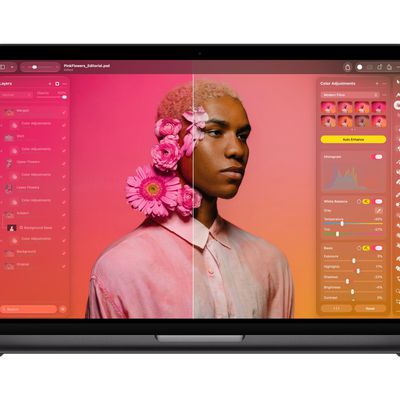
Apple today announced the new 14-inch MacBook Pro with M6, featuring a 12-core CPU and 12-core GPU, Wi-Fi 7, and up to 24 hours of battery life. Pre-orders for the new model open Wednesday, October 28, at 10:10 a.m. Pacific Time on apple.com and in the Apple Store app, with availability starting Friday, November 6.
Pricing starts at $1,999, with 16GB of unified memory and 1TB of storage as...
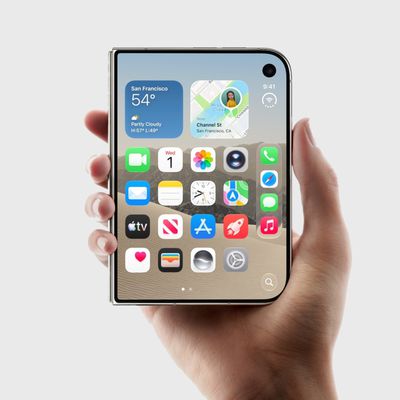
iPhone Duo: Access Control Center With a Tap Not a Swipe
Opening Control Center on iPhone normally means swiping down from the top-right corner of the screen, but the iPhone Duo features a second, easier way to invoke the controls. Keep reading to learn how it's done.
Tap to Open Control Center on iPhone Duo
With your iPhone Duo unlocked, tap the circular status bar below the clock (the combined Wi-Fi, cellular and battery indicator).
When...

Apple Fixes Possibly Exploited CoreGraphics Flaw on Older iPhones
Among the flurry of iOS 27.2 releases on Monday, Apple also pushed a wave of software updates for its older operating systems, including a fix for a CoreGraphics vulnerability that Apple says may have been exploited in targeted attacks.
The releases include iOS 26.7.2, iPadOS 26.7.2, iOS 18.7.11, iPadOS 18.7.11, macOS Tahoe 26.7.2, macOS Sequoia 15.8.2, and tvOS 26.6.1.
iOS 18.7.11 and...
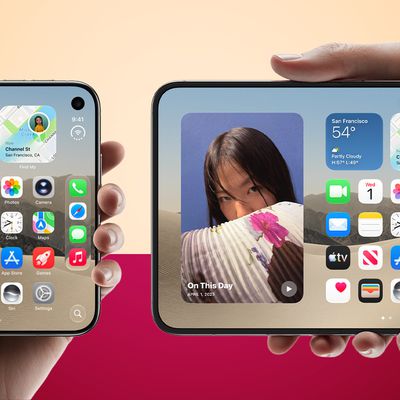
iPhone Duo: Lock Screen Rotation for One or Both Displays
On iPhone Duo, you can lock the screen orientation of its two displays independently. In other words, the outer display can stay locked in portrait, while the inner display remains free to rotate as you open and reposition the phone.
For example, you could keep the outer display locked in portrait for reading while reclining on the sofa, but leave the inner display free to rotate into...
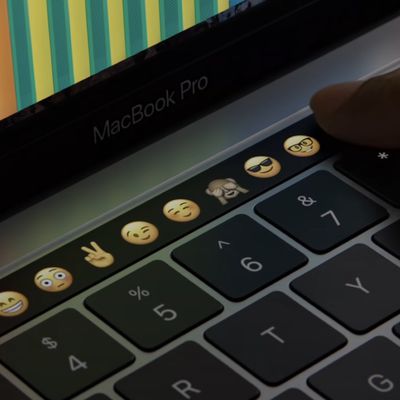
Apple's MacBook Pro Touch Bar Was Announced 10 Years Ago Today
Apple introduced the Touch Bar 10 years ago today. At its "Hello again" event on October 27, 2016, Apple pitched the OLED Multi-Touch strip as "revolutionary." It replaced the MacBook Pro's function keys and divided users from the start, arriving in the same controversial redesign as the butterfly keyboard and removal of HDMI, SD card, and MagSafe ports.
The Touch Bar died slowly. A physical...

iPhone Duo: Use Edge Light for Brighter Video Calls
With the release of iOS 27.2, the Mac's Edge Light feature comes to an iPhone for the first time. Exclusive to the iPhone Duo, Edge Light illuminates the borders of the screen to evenly light your face during video calls in low-light conditions.
Edge Light works like a virtual ring light, with no external lighting required. You can enable it in FaceTime and third-party video-calling apps...
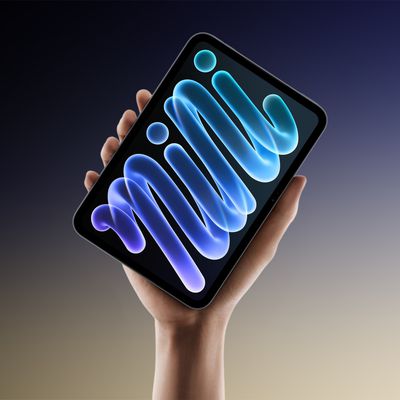
OLED iPad Mini: Pre-Orders and Release Date
Apple's all-new OLED iPad mini will be available to pre-order starting on Wednesday, October 28, at 10:10 a.m. Pacific Time on apple.com and in the Apple Store app in 36 countries and regions, with availability starting Friday, November 6.
In the U.S., pricing for the 128GB configuration starts at $699 or $58.25 per month for 12 months for the Wi-Fi model, and $849 or $70.75 per month for...
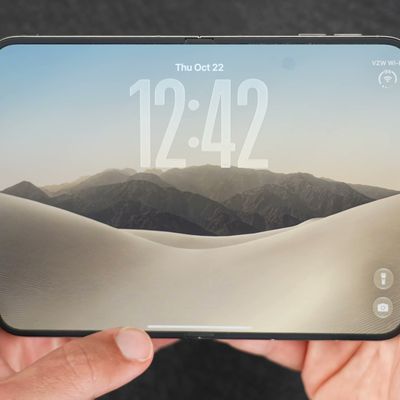
iPhone Duo Features Independent Rotation Lock Controls
The iPhone Duo can lock the screen orientation of its two displays independently. Enabling Orientation Lock from Control Center applies only to the display you're using at the time, so the outer display can stay locked in portrait while the inner display is free to rotate as you open and reposition the phone.
The separation offers a little more flexibility. For example, you could keep the...