Gemini for Mac Adds System-Wide Voice Dictation and Screen-Aware Commands
Google today updated Gemini for Mac to add a new quick keyboard shortcut that activates voice mode. By long-pressing the Fn key, users can speak naturally to Gemini from any window on their desktop machine.
Gemini supports intelligent dictation, so users can speak to the chatbot using natural language and Gemini will transcribe their words to text. Ums, ahs, and other filler words are removed during the process, and it can catch mid-sentence corrections, dropping formatted text at the cursor.
There's an opt-in screen-aware reasoning mode. If enabled, Gemini can see what's on the Mac's screen to complete tasks. Users can highlight files, images, text, or documents and have Gemini edit, summarize, and compose content in the app they're working in. Gemini is also able to generate and edit images when the screen-aware mode is turned on.
A double press on the Fn key is one of the options for triggering the Mac's built-in dictation feature, so the Gemini replacement will be familiar to those who prefer Gemini.
Gemini's new Mac voice mode is rolling out globally to all Gemini for Mac users in English, with Google planning to add more languages in the future.
Popular Stories
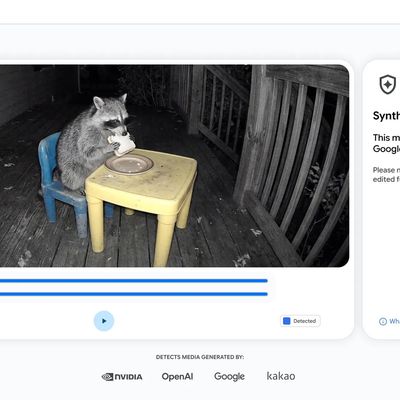
Google today said it is making its SynthID Detector available to everyone for identifying content created using AI.
SynthID Detector first rolled out to members of the media last year, and it is now available worldwide in English. SynthID Detector is a website that lets users upload a photo, video, or audio file to determine whether it has a SynthID watermark that identifies it as...
Some iPhone Duos are already experiencing hinge issues that cause display cracks, based on photos shared on Reddit and the MacRumors forums. Almost all of the display faults are right along the hinge, and most result in a line of bright pixels across one side of the screen.
An iPhone Duo owner in Australia said his device cracked after being opened fewer than 20 times, and there was no...
Apple Music has a 404 page easter egg on the web: a functional iPod that appears when you load a page that does not exist, such as music.apple.com/macrumors.
"Page Not Found," says Apple. "Give this a spin instead."
Apple is clever with this. If you navigate to music.apple.com/ipod instead, the page says "Looking for something?" instead of "Page Not Found."
The easter egg is only...