iOS 27 Tidbits: Share a Phone Number on Two iPhones, Independent Alarm Volume, Faster AirPlay and More - MacRumors
Skip to Content

iOS 27 Tidbits: Share a Phone Number on Two iPhones, Independent Alarm Volume, Faster AirPlay and More

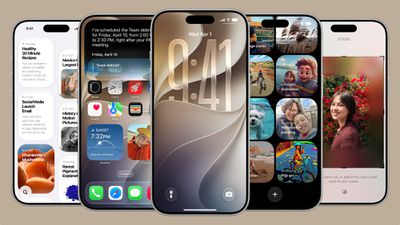
During WWDC 2026, Apple detailed iOS 27 changes like Siri AI with a dedicated ‌Siri‌ app and Apple Intelligence features across multiple apps, but there are dozens of smaller but still important changes that Apple didn't have time to go through.
ios 27
Apple shared an image summarizing some of the bug fixes and optimizations it made in ‌iOS 27‌, iPadOS 27, and macOS 27, and there are some interesting changes.

apple keynote changes scaled

Dual Phone Numbers

iPhone Handoff is a paid carrier feature that not all carriers are supporting yet. You can use it on T-Mobile and Deutsche Telekom, with other carriers planning to add support in the future. In the U.S., T-Mobile charges $5 per month for the option.

When you switch between two iPhones with iPhone Handoff, calls, voicemail, messages, and Find My location move to the active iPhone, and you'll see a "Switched to this iPhone" message confirming the transition.

Data synced with iCloud will update across both devices, and third-party apps will work across devices. Some banking apps may only work on the primary iPhone, which is the iPhone you set up first and set as your main iPhone.

‌iOS 27‌ or later is required for iPhone Handoff. You'll also need both devices connected to Wi-Fi, both devices on the same Apple Account, and Messages in ‌iCloud‌ needs to be turned on. You're also required to sign into FaceTime and iMessage with the same account. Paired Apple Watches will not switch between iPhones, and features like Call Forwarding and Caller ID are limited to the main iPhone.

iPhone Handoff can be set up in Settings > Cellular > Set Up Cellular or Add eSIM.

Two FaceTime Cameras

Dual camera in ‌FaceTime‌ lets you use the front and back cameras at the same time while on a ‌FaceTime‌ call.

Faster AirPlay and AirDrop

AirPlaying content to the HomePod and Apple TV is faster than before thanks to multiple system improvements. AirDrop transfers from the iPhone to other devices are also faster, and it's quicker for an iPhone to find nearby AirDrop recipients.

Messages Drawing App

There's a drawing app in Messages where you can handwrite a message or draw a picture. It uses the same drawing tools that are available in the Notes app or when annotating images.

Extra Large Widgets

There's a new extra large widget size you can select on the iPhone's Home Screen. The extra large size takes up an entire app page and displays more information from an app.

Shared Album Expirations

You can now set a shared photo album to expire after a set time, so it doesn't exist indefinitely.

Independent Alarm Volume

Alarm volume can be controlled separately from system volume, as can alerts and system sounds. In Settings > Sounds & Haptics, there are toggles to match Alarms, Timers, Alerts, and System Sounds to Ringtone Volume or to decouple them. Toggling off the match option lets you select a preferred volume level for alarms and system sounds.

Markdown in Notes

You can now copy and paste Markdown in the Notes app.

Save a Video Frame

There's a new option to save a video frame as a photo in the Photos app.

Weather

The Weather app has a "Highlights" view with at-a-glance information, plus it includes updated hourly and 10-day views for precipitation and wind speed.

Other iOS 27 Optimizations and Changes

  • Faster message loading in Mail
  • Enhanced Safari power efficiency
  • Improved battery insights
  • Smoother scrolling in App Library
  • Smoother unlocking on iPhone
  • New AutoMix transitions in Apple Music
  • Faster HomeKit accessory pairing
  • Faster start page loading in Safari
  • More accurate Visited Places in Maps
  • Improved Messages syncing across devices
  • More power efficient personal hotspot on devices with N1 chip
  • Failed messages will automatically try resending
  • Improved Bluetooth power management
  • Support for time zone changes in Sleep
  • Improved unread badge accuracy in Mail

These are just some of the improvements and changes that Apple has introduced in ‌iOS 27‌, with more information available in our iOS 27 roundup.
Related Roundups: iOS 27, iPadOS 27
Related Forum: iOS 27

Popular Stories

iOS 27 0 1

iOS 27.0.1 is Coming Soon

Wednesday September 23, 2026 1:06 pm PDT by
After releasing iOS 27 last week, Apple is already testing a follow-up iOS 27.0.1 update for iPhones, according to MacRumors logs. iOS 27.0.1 will likely be a minor update with bug fixes and/or security patches. Shortly after Apple launches new iPhone models, some software bugs are usually discovered as the devices get into the hands of millions of customers around the world. This year, so...
Face ID iPhone 18 Pro

Apple Confirms iPhone 18 Pro Bug Fix Update is Coming Next Week

Thursday September 24, 2026 6:10 am PDT by
Apple has confirmed to 9to5Mac's Benjamin Mayo that it plans to release a software update early next week with a fix for a Face ID issue affecting some iPhone 18 Pro users. Yesterday, we reported that Apple is testing iOS 27.0.1, which is likely to be the update with the...
iPhone Handoff Feature

AT&T Responds to iOS 27's New iPhone Handoff Feature

Wednesday September 23, 2026 7:06 am PDT by
Apple added a new iPhone Handoff feature to iOS 27 that allows you to switch between two iPhones while using the same phone number on each device. T-Mobile and Deutsche Telekom are the first carriers to offer iPhone Handoff, and Apple said Verizon and EE will add support later this year, but AT&T is noncommittal about the feature. A spokesperson for AT&T told CNET that the carrier sees...

Top Rated Comments

gsmornot Avatar
19 weeks ago
I'm interested to see more about the two phones. I know the iPhone Air is not as popular as expected but I would really like to have one of those in addition to my heavier Pro for the times I really dont want to mess with my phone but still have it with me. Gym shorts with a Pro vs Air, I could see the benefits.
Score: 19 Votes (Like | Disagree)
ErikGrim Avatar
19 weeks ago
1. Performance & Speed Improvements 🚀
A huge portion of the list is Apple polishing existing experiences:


* Faster message loading in Mail
* Faster network file browsing
* Faster Safari page loading
* Faster HomeKit accessory pairing
* Faster app launches in tvOS
* Faster media playback in watchOS
* Faster lock screen switching
* Faster browser transfers in Files
* Faster uploads to iCloud Photos
* Faster PDF saving
* Faster Apple Music playback start
* Faster Return to Service
* Faster start-page loading in Safari
* Faster shortcut indexing in Spotlight

Theme: Less waiting, more responsiveness across the entire ecosystem.

[HR][/HR]
2. Apple Intelligence & Smarter Suggestions
Lots of subtle AI-powered enhancements:


* More relevant Spotlight suggestions
* Natural language search in Maps
* Natural language reminder categorisation
* Better photo recipient suggestions
* Search by phone number/contact metadata in Messages
* Improved typing predictions
* Smarter Smart Stack suggestions in watchOS
* On-screen context suggestions for Chinese/Japanese typing
* Improved photo search
* Content-based sharing suggestions

Theme: Apple Intelligence becoming embedded everywhere rather than appearing as one big feature.

[HR][/HR]
3. Photos & Shared Albums 📸
Photos received an enormous number of upgrades:

Organisation

* Filter photos/videos in Shared Albums
* Captured By Me collection
* Album organisation improvements
* Improved photo search
* Improved people and pets recognition

Sharing

* Shared Album participation from Android and Windows
* Additional participant permissions
* Easier invites
* Expanded iCloud Shared Albums support

Editing & Viewing

* Full-resolution shared album photos
* Custom slideshows
* Save slideshow as video
* Save video frame as photo
* Richer collaboration previews

Metadata

* Keywords in Photos
* Identify Documents collection
* More accurate photo date handling

Theme: Photos becomes more collaborative and easier to organise.

[HR][/HR]
4. Messages, FaceTime & Communication 💬
Messages

* Improved syncing
* Better attachment handling
* Failed-message retries
* Poll options
* Multiple Tapback notifications consolidated
* Emoji reactions in Shared Albums
* Improved recipient discovery

FaceTime

* Dual-camera support
* Better quality on poor connections
* FaceTime Live Captions (Traditional Chinese)
* Faster FaceTime launching

Phone & Calling

* Call Recording transcription support
* Better spam/contact identification
* Better multilingual communication tools

[HR][/HR]
5. Maps & Navigation 🗺️
Maps quietly gained a lot:


* Offline map improvements
* More accurate visited places
* Guides in more locations
* Enhanced Flyover
* Natural language routing search
* Better GPS accuracy in CarPlay
* Expanded map availability
* Alternate calendars while travelling
* Improved route maps in Fitness

Theme: Maps becomes more useful internationally.

[HR][/HR]
6. Health & Fitness ❤️
A particularly strong area this release.

Health

* Perimenopause tracking
* Perimenopause education
* Symptom logging
* Better Health app updates

Fitness

* Better workout summaries
* Synced step counts
* Fitness+ improvements
* More accurate route tracking
* Workout app updates

Watch

* Better activity tracking
* Better emergency monitoring
* More Apple Watch battery efficiency

Theme: Significant focus on women’s health and watch-based wellness tracking.

[HR][/HR]
7. Apple Watch & watchOS ⌚
Beyond fitness:


* Dynamic app grid
* New Smart Stack suggestions
* Transit cards in Smart Stack
* Guest key support
* Faster media playback
* Live Activities support
* Better notification handling
* View card balance in Wallet
* Better weather views
* Improved watchOS Control Centre responsiveness

[HR][/HR]
8. Home, HomeKit & Smart Home 🏠
Apple continues its Matter/HomeKit push:


* Faster HomeKit pairing
* Improved Thread connectivity
* More HomeKit camera storage
* Camera streams viewed simultaneously
* Improved accessory updates
* Better Personal Hotspot efficiency
* Switch between iPhones sharing a phone number
* Better smart-home accessory performance

Theme: Reliability improvements rather than flashy new features.

[HR][/HR]
9. Music, Podcasts & Media 🎵
Apple Music

* AutoMix transitions
* Refreshed album pages
* Refreshed artist pages
* More reliable streaming
* Faster playback start

Podcasts

* Search within shows
* Updated video podcast experience

Playback

* Web audio no longer interrupts system audio
* Better CarPlay scrubbing
* Better AirPlay connections

[HR][/HR]
10. Notes, Freeform & Productivity ✍️
Notes

* Copy/paste as Markdown
* Divider lines
* Section links
* Better PDF editing
* Better handwriting support

Freeform

* Dark-mode adaptive canvas
* Better board performance
* Better text editing
* Drawing improvements

General Productivity

* Redesigned Shortcuts editor
* Better shortcut indexing
* More shortcut actions
* More automation options

[HR][/HR]
11. Accessibility ♿
One of Apple’s strongest areas in this update:


* Easier PDF reading with VoiceOver
* Improved Voice Control
* More accessible passwords on Lock Screen
* Better text recognition
* Larger text sizes
* Better accessibility borders in macOS
* Assistive Access improvements
* Guided Access improvements
* Easier sharing of third-party app media

[HR][/HR]
12. Languages & Internationalisation 🌏
Huge international language expansion:

New Languages

* English (Canada)
* English (Philippines)
* Afrikaans
* Basque
* Baybayin
* Galician
* Guarani
* Luxembourgish
* Xhosa
* Zulu

Indigenous Languages

* Blackfoot
* Comanche
* Cree
* Kiowa
* Tsuut’ina

Improved Support

* Hindi
* Chinese
* Japanese
* Traditional Chinese
* Brazilian Portuguese
* Slovenian
* Estonian
* Marathi

Theme: One of Apple’s largest language-support expansions in years.

[HR][/HR]
13. CarPlay 🚗

* Audio scrubbing improvements
* Better navigation accuracy
* Better Siri responsiveness
* Better reliability
* Improved media playback
* Better hearing-device integration

[HR][/HR]
14. iPad & Multitasking

* Undo/redo Home Screen edits
* Better external display handling
* More window persistence
* Curved visionOS-style windows
* Improved app resizing
* More efficient multitasking
* Improved Control Centre access during mirroring

[HR][/HR]
15. visionOS 🥽
A surprising amount of Vision Pro work:


* Extra-small widgets
* Better Control Centre
* Spatial panorama support
* Improved panoramas
* New Mac Virtual Display widget
* Improved notifications
* Better shared content support
* More immersive environments

[HR][/HR]
16. Security, Accounts & Reliability 🔐

* Recovery contacts in Quick Start
* Easier access to recovery codes
* Proactive car-key setup
* Improved unread badge accuracy
* Better iCloud sync status
* Better account creation
* Better password accessibility
* Improved system reliability across apps

[HR][/HR]
Biggest Takeaways
The three biggest stories hiding in this wall of text are:

[LIST=1]
* Apple Intelligence is quietly spreading into every app through search, suggestions, categorisation and prediction.
* Photos received one of the largest upgrade batches of any Apple app.

* Women’s health tracking (especially perimenopause) appears to be a major new Health initiative.

There are very few headline-grabbing features here. This is overwhelmingly a quality-of-life release focused on speed, reliability, internationalisation, accessibility and ecosystem polish. It reads like Apple spent a year sanding down rough edges across iPhone, iPad, Mac, Watch, TV and Vision Pro rather than chasing flashy new features.
Score: 11 Votes (Like | Disagree)
19 weeks ago

• Improved unread badge accuracy in Mail
Say it isn't so...after years it might actually work across devices.
Score: 7 Votes (Like | Disagree)
braddick Avatar
19 weeks ago
Downloading it now on my iPhone 12 Pro. I can't wait to experiment and try-out the new SIRI Intelligence features and voices.
Score: 6 Votes (Like | Disagree)
BombDialog Avatar
19 weeks ago
The dual iPhone feature could allow for traveling with a secondary, “bare minimum“ phone as an alternative to “wipe, cross border, restore”.

(US border authorities legally can and sometimes do confiscate devices, even of American citizens. In general, the courts see border crossings as a special gray area where reduced constitutional protections apply.)
Score: 5 Votes (Like | Disagree)
19 weeks ago


Independent Alarm Volume

Alarm volume can be controlled separately from system volume, as can alerts and system sounds. In Settings > Sounds & Haptics, there are toggles to match Alarms, Timers, Alerts, and System Sounds to Ringtone Volume or to decouple them. Toggling off the match option lets you select a preferred volume level for alarms and system sounds.
At long freaking last!!!!
Score: 5 Votes (Like | Disagree)
Latest Stories
Apple Stores in Bordeaux and Lille Looted During French Protests
3 hours ago
Loop Capital Cuts Apple Rating Over iPhone Sales Outlook
4 hours ago
Bluesound Adds Native Apple Music Support
4 hours ago
Apple CEO John Ternus Explains What Makes Good Product Design
5 hours ago
UK Proposes New Ways to Help Apple Pay Rivals
7 hours ago
WhatsApp Developing In-App Browser for All Chat Links on iPhone
8 hours ago
Apple's App Store Chief Explains Its Push for Premium Games
8 hours ago
Apple Could Owe Even More After $5.7 Billion Patent Verdict
9 hours ago
Skyrim Comes to Apple Silicon Macs With New Unofficial Installer
9 hours ago
Apple Highlights Mac and iPad Use in Paris Design Exhibition
10 hours ago
Apple Seeks 6G Modem Engineers as It Plans for Post-5G iPhones
12 hours ago
First iPhone Duo Unboxing Video Appears Ahead of Friday Launch
13 hours ago
Perplexity Computer Can Now Run Fully Locally on Mac
14 hours ago
Apple's Touchscreen OLED MacBook Pro: Everything We Know
17 hours ago
iPad Mini 8 Expected Next Week With These 10 New Features
17 hours ago
Here's What Apple's Apps Look Like on the iPhone Duo
18 hours ago
iOS 27.3 May Expand RCS Support to Australia's Telstra in December
20 hours ago
New Apple TV 4K Features 'Whole Room Audio' With Four HomePods
22 hours ago
Apple Now Sells DIY Repair Parts for iPhone 18 Pro and Two New Macs
22 hours ago
Amazon's HomeView Pre-Order Discount Returns, Plus Save on Apple TV 4K
23 hours ago
Apple Says Mac Mini Assembly in U.S. to Begin Later This Year
23 hours ago
Apple Says Nearly 100 iPhone Duo and iPhone 18 Pro Parts Made in USA
23 hours ago
Apple Watch Ultra 3 Hits New Low Price With Amazon's $299 Discount [Updated]
23 hours ago
Apple's October 28 'Pro and Tell' Launch: What's Coming
2 days ago
Apple Limiting U.S. iPhone Duo Orders to Two Per Customer
2 days ago
Apple Buys AI Audio Editing App Samplab
2 days ago
EFF's Privacy Badger Anti-Tracking Extension Expands to Safari
2 days ago
HomePod 27.2 Adds Sound Glow to Existing HomePod Models
2 days ago
Apple Starts Moving Up iPhone Duo Delivery Dates
2 days ago
tvOS 27.2 RC Lays Groundwork for HomePod Surround Sound
2 days ago