Apple has released iOS 26.4, the fourth major point update for iPhones since iOS 26 was released in September, and there are at least 14 notable changes and improvements worth checking out. We've rounded them up below.
The update doesn't have the enhanced Siri feature set we were hoping for – that's likely to arrive in iOS 27 – but there are quite a few other new additions included. They are as follows.
Generate Playlists With Text Prompts
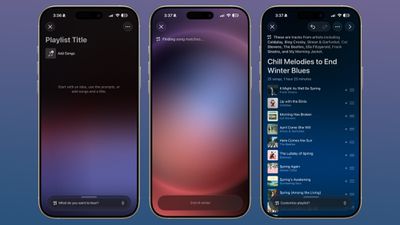
Apple Music has a new Playlist Playground feature that creates playlists based on whatever you type in natural language. You can describe a mood, a scenario, or a vibe, like "morning coffee music" or "disco songs that defined the 1970s," for example, and the app will generate a 25-song playlist with a custom title. You can refine the results with follow-up prompts, and even pick your own cover art and description.
Watch Video Podcasts
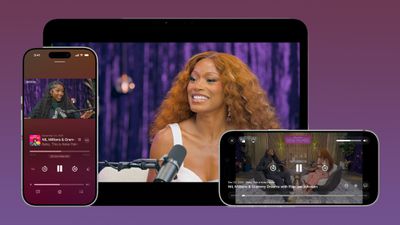
Apple has brought video podcast support to the Podcasts app for the first time. The feature uses HTTP Live Streaming to deliver video episodes, and you can switch between watching and listening on the fly. Videos can also be downloaded for offline viewing, and they'll integrate with the app's existing recommendation features.
Add a Song to Multiple Playlists
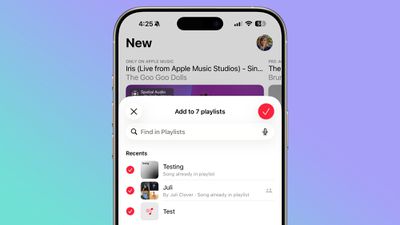
A song can now be added to multiple playlists at the same time in the Apple Music app. In the "Add to Playlist" interface, there's a list button that lets you select several playlists simultaneously. It's easy to miss if you're not looking for it, but once you know it's there, it should make playlist management noticeably less tedious.
Reduce Motion and Bright Effects
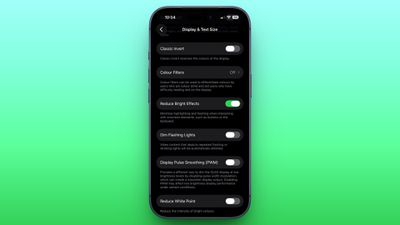
A new Reduce Bright Effects option minimizes bright flashes that occur when tapping interface elements like buttons. The existing Reduce Motion setting has also been improved to more reliably tone down Liquid Glass animations for those who prefer less movement.
Zoom into Audio Sources When Filming
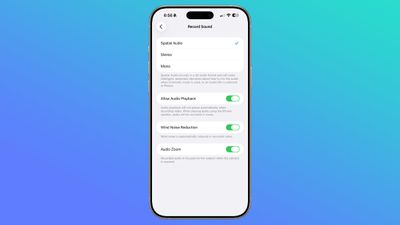
In the Camera app's settings, there's a new "Audio Zoom" option. When enabled, it adjusts the recorded audio to focus on the subject as you zoom in while shooting video. The feature can be toggled on or off depending on your preference.
Easily Check Your Hotspot Data Usage
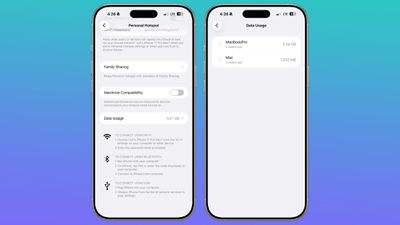
Apple has moved hotspot data usage to a more convenient location. Instead of being tucked away under Cellular settings, usage metrics now appear directly in the Personal Hotspot section. The change should make it easier to keep tabs on how much data you're burning through when tethering.
Stolen Device Protection Is Now On by Default
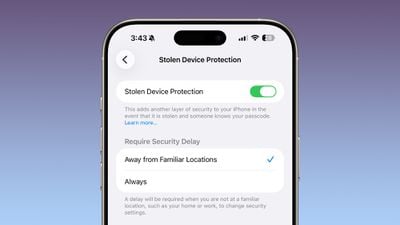
Stolen Device Protection, which Apple introduced back in 2023 to combat a wave of passcode-based iPhone thefts, is now enabled by default for all users in iOS 26.4. Previously, it was an opt-in feature. The setting requires Face ID or Touch ID authentication to access things like the Passwords app, Lost mode, and Safari purchases, and it imposes a one-hour security delay on certain changes.
Play Ambient Music From Your Home or Lock Screen
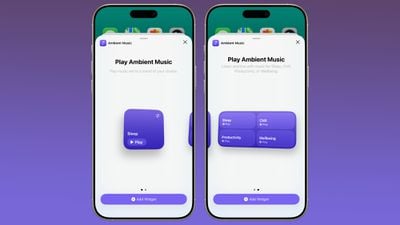
There's a new Ambient Music widget that can be added to both the Home Screen and Lock Screen. It lets you play built-in ambient soundscapes for sleep, focus, relaxation, and more, so you don't need a third-party app to achieve the same thing.
Find Concerts Near You in Apple Music
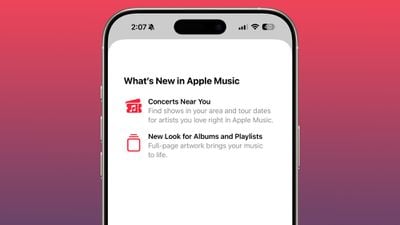
Apple Music now has a "Concerts Near You" feature that surfaces local shows and tour dates for artists you listen to. The Music app also now has redesigned album and playlist pages with full-page artwork.
Access Freeform Creator Studio Features
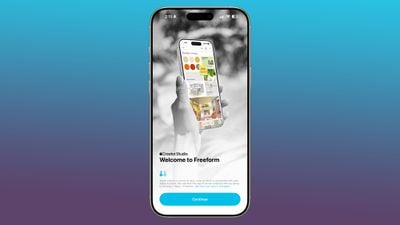
Freeform Creator Studio arrives with iOS 26.4, giving subscribers access to a dedicated Content Hub with shapes, graphics, photos, illustrations, and AI-based image creation and editing tools. The Freeform app also has a new icon.
View Urgent Reminders in a Dedicated Section
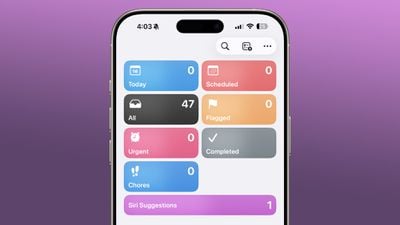
The Reminders app now has an "Urgent" section that collects all reminders with the Urgent toggle enabled. These reminders come with an alarm that sounds when they're due, so you won't accidentally blow past them.
Manage iCloud Web Settings
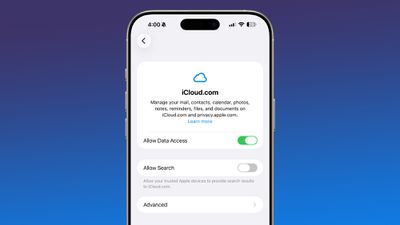
There's a new "iCloud.com" option at the bottom of the iCloud settings page, which replaced the old "Access iCloud Data on the Web" toggle. It includes a new "Allow Search" setting that lets trusted Apple devices provide search results to iCloud.com.
Use a Unified Apple Account Hub
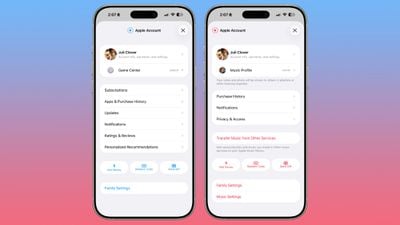
The App Store, Apple Music, and other Apple apps now feature a unified Apple Account hub in place of individual profile screens. The App Store specifically merges your apps and purchase history into one view and adds a dedicated section for app updates, although it now takes an extra tap to reach them. The search bar has also moved to the top of the screen.
Browse an Updated Wallpaper Gallery
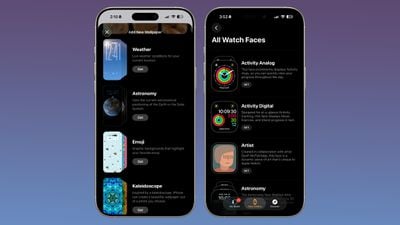
The Wallpaper Gallery has been redesigned, letting you browse and download wallpapers by category – Weather, Astronomy, Emoji, Colors, and more. The same design update applies to the Watch Face Gallery in the Apple Watch app.
Forward Notifications to Third-Party Wearables (EU)
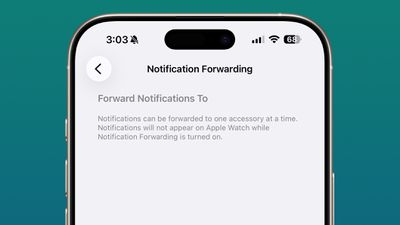
Notification Forwarding was tested in the iOS 26.3 beta but didn't ship in the final release, but now it's back in iOS 26.4. The feature lets iPhone users in the European Union forward notifications to a third-party wearable like an Android smartwatch. Bear in mind it's limited to one device at a time, so enabling it will disable notifications on your Apple Watch.
Access AI Chatbots in Carplay
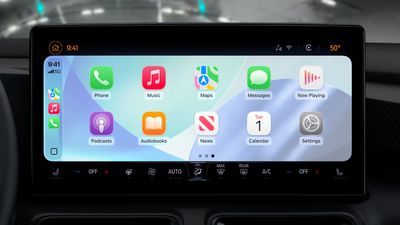
iOS 26.4 brings AI services like Claude, Gemini, and ChatGPT to CarPlay for the first time. The integration lets drivers ask questions hands-free through voice-based apps, though the chatbots won't be able to control vehicle or iPhone functions. There's no wake word support for third-party apps, so you'll need to manually launch one before using it. Once open, a vehicle-optimized voice control screen provides the chatbot experience. Note that third-party apps will need to add support for the feature.