

The new MacBook Neo is equipped with two USB-C ports, but they are not the same. The left USB-C port supports USB 3 speeds of up to 10 Gb/s, while the right USB-C port closer to the trackpad is limited to USB 2 speeds of just 480 Mb/s. As a result, Apple says external display connectivity is supported on the left port only.
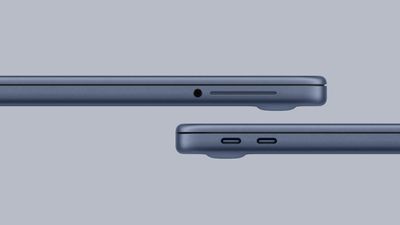
Given the ports are not labeled, this limitation could be an inconvenience. Fortunately, though, Daring Fireball's John Gruber said if you plug an external display into the incorrect port, macOS will alert you to use the other port.
Apple says the MacBook Neo supports one external display with up to 4K resolution at 60Hz.
If you want to learn more about which features and specs you have to live without if you buy a MacBook Neo, read our in-depth list of compromises.
MacBook Neo is available to pre-order now, with U.S. pricing starting at $599 ($499 for college students). The laptop launches Wednesday, March 11.













Top Rated Comments
It'd still be nice to put a physical "dot" or literally anything next to the physical port.
I know, everyone hates this ... but USB-A is still a thing ... a very big thing ... tons and tons and tons of cables, adapters, dongles, thumb drives, etc.
If there's a device out there where a USB-A port would have made sense, it's this machine.
Edit: Ah dang, someone already wrote this one page 1. But that would be my preference, even knowing that it will never happen. USB 2 ports are perfect for wireless mouse dongles and so on.