10 Mac Apps Worth Trying in 2026

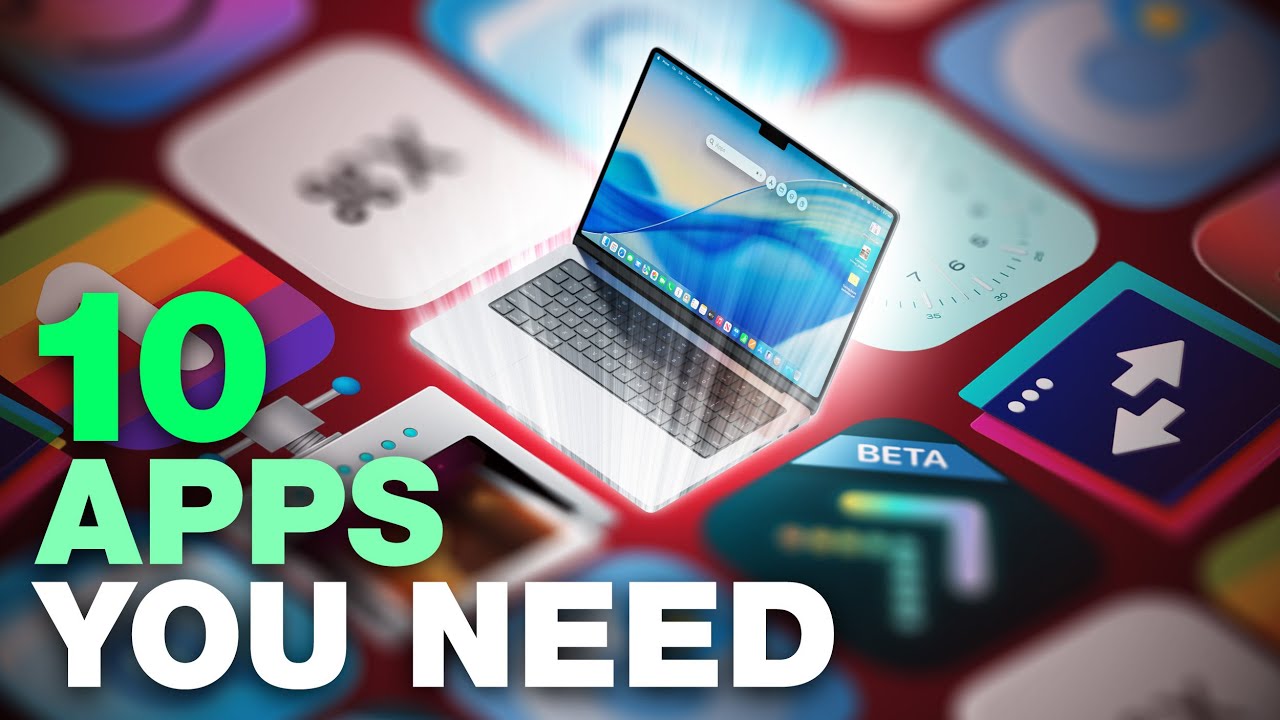
2026 is almost upon us, and a new year is a good time to try out some new apps. We've rounded up 10 excellent Mac apps that are worth checking out.

  1. Alt-Tab (Free) - Alt-Tab brings a Windows-style alt + tab thumbnail preview option to the Mac. You can see a full window preview of open apps and app windows.
  2. One Thing (Free) - One Thing is a super simple menu bar app that helps you remember the one main thing that you need to accomplish. Whatever you type in will show up in your menu bar so it's front and center. Text and colors are customizable, and you can use emoji.
  3. Launchy (Free, $6.99 Pro upgrade) - Launchy is a customizable app launcher and switcher with a radial menu interface that you can use to launch and switch between your seven favorite apps.
  4. Folder Preview ($2.99) - Folder Preview lets you see what's inside a folder or a zip file by pressing the spacebar in Finder.
  5. Command X ($4) - Command X brings the Windows cut and paste workflow to Mac. You can use Command X and Command V keyboard shortcuts to cut and paste folders in the Finder app.
  6. ImageOptim (Free) - ImageOptim uses quality preserving compression to reduce image file size, plus it removes private EXIF metadata, thumbnails, comments, color profiles, and other image cruft.
  7. Monocle ($9) - Monocle blurs your background apps and brings the main app you're using to the forefront, so you can better focus on what you're doing. Monocle says it's noise canceling for your screen.
  8. Dockdoor (Free) - Dockdoor adds live window previews to the dock, and enables option + tab window switching. Hovering over an icon on your Mac's dock will show a preview of the app and all windows from it.
  9. Substage ($3.99/month) - Substage adds an AI-based natural language text bar to the Finder app so you can control your Mac with simple written commands instead of tricky command lines. It supports converting, organizing, and managing files and images. It can also answer questions about files, do calculations, and manage settings on your Mac.
  10. Bauhaus Clock ($19) - Bauhaus Clock adds an elegant clock screensaver to your Mac. It's design-forward, with careful attention to detail and a sharp look that makes the Mac a focal point in the room when it's idle. The look is customizable with different colors and day and night settings.

Have a favorite Mac app we didn't mention? Let us know about it in the comments below.

Popular Stories

Touchscreen MacBook Feature

Apple Is Expected to Launch These Four MacBooks in 2026

Friday January 9, 2026 8:17 am PST by
2026 could be a bumper year for Apple's Mac lineup, with the company expected to announce as many as four separate MacBook launches. Rumors suggest Apple will court both ends of the consumer spectrum, with more affordable options for students and feature-rich premium lines for users that seek the highest specifications from a laptop. Below is a breakdown of what we're expecting over the next ...

iPhone Top Left Hole Punch Face ID Feature Purple

10 Reasons to Wait for This Year's iPhone 18 Pro

Thursday January 8, 2026 2:56 am PST by
Apple's iPhone development roadmap runs several years into the future and the company is continually working with suppliers on several successive iPhone models at the same time, which is why we often get rumored features months ahead of launch. The iPhone 18 series is no different, and we already have a good idea of what to expect for the iPhone 18 Pro and iPhone 18 Pro Max. One thing worth...
proposed unicode emoji 18%402x

Squinting Face, Pickle, and Lighthouse Among New Emoji Coming to iOS

Friday January 9, 2026 4:24 am PST by
The Unicode Consortium has published a draft list of emoji that could come to smartphones and other devices in the future. The list shared by Emojipedia outlines 19 emoji candidates under consideration for Emoji 18.0, which is expected to be finalized in September 2026. Among the proposed additions are a squinting face emoji, left- and right-pointing thumb gestures, a pickle, a lighthouse, a ...
apple homekit ios 18 5

Apple Reminding Users of Pending Home App Upgrade Requirement

Friday January 9, 2026 10:08 am PST by
Back in late 2022 and early 2023, Apple rolled out a new architecture for its Apple Home platform to deliver improved performance and compatibility, although the rollout came with some hiccups that forced Apple to pull and later re-release the upgrade. Three years later, Apple is now on the verge of ending support for the old version of the Home architecture, which may result in access to...
grok logo purple gradient

U.S. Senators Ask Apple and Google to Remove X and Grok Apps Over Sexualized Image Generation

Friday January 9, 2026 9:43 am PST by
In a letter to Apple CEO Tim Cook and Google CEO Sundar Pichai, U.S. Senators Ron Wyden, Ben Ray Lujan, and Edward Markey have requested that Apple and Google remove X Corp's X and Grok apps from their app stores over recent incidents of "mass generation of nonconsensual sexualized images of women and children." X has come under fire over the past week amid reports of Grok's AI image...
iOS 26 Glass Feature

iOS 26 Shows Unusually Slow Adoption Months After Release

Thursday January 8, 2026 3:44 pm PST by
iOS 26 is showing unusually slow adoption among iPhone users months after release, according to third-party analytics. Usage data published by StatCounter (via Cult of Mac) for January 2026 indicates that only around 15 to 16% of active iPhones worldwide are running any version of iOS 26. The breakdown shows iOS 26.1 accounting for approximately 10.6% of devices, iOS 26.2 for about 4.6%, and ...
iphone fold text

iPhone Fold to Pave Way for Thinner, Brighter Display on iPhone Air 2

Friday January 9, 2026 3:37 am PST by
The iPhone Fold will be the first Apple device to adopt a Samsung-made OLED technology called CoE (Color Filter on Encapsulation), which could make the display brighter and thinner than previous panels, reports The Elec. In a traditional OLED panel, a polarizing film sits above the display to cut reflections and improve contrast. The drawback is that this film also absorbs some of the OLED's ...

Top Rated Comments

tonmischa Avatar
3 weeks ago

Command X ($4) - Command X brings the Windows cut and paste workflow to Mac. You can use Command X and Command V keyboard shortcuts to cut and paste folders in the Finder app.
This is already included in macOS.

Press CMD+C to copy, then
press CMD+ALT+V to move.

Works with folders and files.
Score: 27 Votes (Like | Disagree)
Ursadorable Avatar
3 weeks ago
I remember when they were simply called programs.
Score: 25 Votes (Like | Disagree)
lovehateapple Avatar
3 weeks ago
IMO apple should make the Command X app functionality part of MacOS.
Score: 20 Votes (Like | Disagree)
963852741 Avatar
3 weeks ago

Is there any app that can alter Finder so that when I look through a gallery of photos, like in Windows or Linux, pressing the right arrow key continuously will go to the next row of photos rather than just stopping? Or pressing left will go up and to the previous row of photos?
Select all, hit spacebar and enjoy.
Score: 15 Votes (Like | Disagree)
nuff_said Avatar
3 weeks ago

This is already included in macOS.

Press CMD+C to copy, then
press CMD+ALT+V to move.

Works with folders and files.
Fair but for many of us who switch between Windows and macOS on a frequent basis, having something consistent to get this done helps.
Score: 12 Votes (Like | Disagree)
ataq Avatar
3 weeks ago
Thank you so much for featuring www.bauhausclock.com (http://www.bauhausclock.com).

Means a lot coming from you guys. I've been visiting this page for the past 20+ years almost daily!

Note: I'm the developer.
Score: 11 Votes (Like | Disagree)