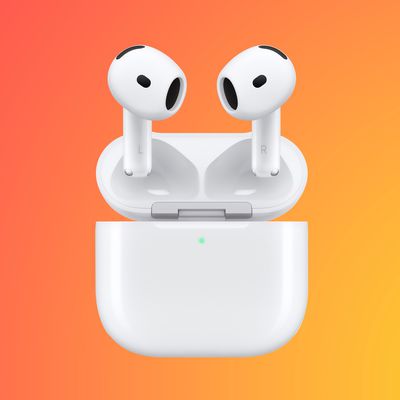
AirPods Pro 2 and AirPods 4 Get iOS 26 Features With New Firmware Update

Apple today released updated firmware for the AirPods Pro 2 and the AirPods 4, introducing support for the new AirPods features that are included in iOS 26, iPadOS 26, and macOS Tahoe.
AirPods Pro Firmware Feature
The firmware has a build number of 8A356, and it replaces the current 7E93 firmware.

With Apple's new software updates, the AirPods Pro 2 and the ‌AirPods 4‌ support better audio quality for phone calls and video calls, and studio-quality audio recording for interviews, podcasts, videos, and more.

There is an option to use the AirPods as a camera remote with the Camera app to take photos or start a video recording, and you can now get the AirPods to pause audio if you fall asleep while listening. A Keep Audio in Headphones feature ensures that your music won't switch to your car when you get in, and you can now get charging reminders when your AirPods battery is low. On the ‌AirPods 4‌ with ANC and the AirPods Pro 2, Live Translation is supported.

All of these features will also be available with the new AirPods Pro 3 that are releasing on Friday, September 19.

To install the new firmware, make sure your AirPods are in range of your iPhone, iPad, or Mac. From there, put your AirPods in the Charging Case and connect the Charging Case to power. Keep the case closed and wait at least 30 minutes for the firmware update to install.

Related Roundups: AirPods 4, AirPods Pro 3
Related Forum: AirPods

Popular Stories

iPhone Top Left Hole Punch Face ID Feature Purple

iPhone 18 Pro Launching Later This Year With These 12 New Features

Thursday January 15, 2026 10:56 am PST by
While the iPhone 18 Pro and iPhone 18 Pro Max are not expected to launch for another eight months, there are already plenty of rumors about the devices. Below, we have recapped 12 features rumored for the iPhone 18 Pro models, as of January 2026: The same overall design is expected, with 6.3-inch and 6.9-inch display sizes, and a "plateau" housing three rear cameras Under-screen Face ID...
Apple MacBook Pro M4 hero

These 5 Apple Products Will Reportedly Be Upgraded With OLED Displays

Friday January 16, 2026 7:07 pm PST by
Apple plans to upgrade the iPad mini, MacBook Pro, iPad Air, iMac, and MacBook Air with OLED displays between 2026 and 2028, according to DigiTimes. Bloomberg's Mark Gurman previously reported that the iPad mini and MacBook Pro will receive an OLED display as early as this year, but he does not expect the MacBook Air to adopt the technology until 2028 at the earliest. A new iPad Air is...
iOS 27 Mock Quick

iOS 27 Will Add These 8 New Features to Your iPhone

Sunday January 18, 2026 3:51 pm PST by
iOS 27 is still many months away, but there are already plenty of rumors about new features that will be included in the software update. The first beta of iOS 27 will be released during WWDC 2026 in June, and the update should be released to all users with a compatible iPhone in September. Bloomberg's Mark Gurman said that iOS 27 will be similar to Mac OS X Snow Leopard, in the sense...
Apple Wallet ID Illinois

Apple Plans to Expand iPhone Driver's Licenses to These 7 U.S. States

Friday January 16, 2026 12:12 pm PST by
In select U.S. states, residents can add their driver's license or state ID to the Apple Wallet app on the iPhone and Apple Watch, and then use it to display proof of identity or age at select airports and businesses, and in select apps. The feature is currently available in 13 U.S. states and Puerto Rico, and it is expected to launch in at least seven more in the future. To set up the...
14 inch MacBook Pro Keyboard

MacBook Pro Buyers Now Facing Up to a Two-Month Wait Ahead of New Models

Sunday January 18, 2026 6:50 pm PST by
MacBook Pro availability is tightening on Apple's online store, with select configurations facing up to a two-month delivery timeframe in the United States. A few 14-inch and 16-inch MacBook Pro configurations with an M4 Pro chip are not facing any shipping delay, but estimated delivery dates for many configurations with an M4 Max chip range from February 6 to February 24 or even later. At...

Top Rated Comments

decypher44 Avatar
18 weeks ago
I really wish they’d finally allow a direct request for updated firmware instead of “plug it in and wait”.
Score: 33 Votes (Like | Disagree)
BJMRamage Avatar
18 weeks ago
I understand there can be Automatic (AutoMagic) updates but there really should be an Option to "Update Now"
Score: 12 Votes (Like | Disagree)
vercordio Avatar
18 weeks ago
How very un-Apple to roll out headline features to older models. Nice one!
Score: 10 Votes (Like | Disagree)
istgradfrompsu Avatar
18 weeks ago
You have to download the language(s) to translate from as well as the language(s) to translate to. I am trying it on a french video on YouTube translating to english (US) and it is working.
Score: 4 Votes (Like | Disagree)
masterofthedarkarts Avatar
18 weeks ago
I plugged my AirPods 4 ANC into my iPad via USB-C (case with pods in) and it just straight updated in a matter of minutes. Not sure if I’ve ever thought about doing that, but tried it. Updated.
Score: 3 Votes (Like | Disagree)
Timpani Avatar
18 weeks ago

Will the firmware updates not make my audio sound like trash when connecting to my Windows computer for work Teams meetings? Never an issue with connecting to my iPhone/iPad/MacBook/Apple Watch. Just always lousy when connected to a Windows machine (prob intentional).
The issue here, in Windows 10 & 11, is that after connecting the AP2 (and probably AP3 also) to your laptop is that Teams and other programs default to using the ‘Headset’ Bluetooth profile for microphone and speakers. You can see this in Teams device setting. This codec is ancient and really mangled the sound.

What succeeded as a workaround for me was to go into Teams and set my laptop’s microphone as the main mic. And then set the AP2 ‘headphone’ profile as the speakers. Now both my voice and others sound good.

Basically, avoid the ‘headset’ Bluetooth profile.
Score: 3 Votes (Like | Disagree)