

iOS 18 Rumor Recap: Smarter Siri, Design Changes, and More - MacRumors
Skip to Content

iOS 18 Rumor Recap: Smarter Siri, Design Changes, and More

iOS 18 is still months away from being unveiled, but there are already several rumors and expectations for the software update, as outlined below.
iOS 18 Mock Feature Baubles
iOS 18 is rumored to include new ChatGPT-inspired generative AI features for Siri and many built-in apps, and Apple plans to add RCS support to the Messages app for an improved texting experience between iPhones and Android devices. The update is also rumored to have some design changes, but details remain slim.

iOS 18 is expected to be announced at Apple's annual developers conference WWDC in June, and widely released in September.

Smarter Siri and Generative AI
iOS 18 Mock Siri Feature Baubles
iOS 18 is rumored to have new generative AI features for Siri, Spotlight, Shortcuts, Apple Music, Messages, Health, Numbers, Pages, Keynote, and more, according to sources such as Bloomberg's Mark Gurman and The Information's Wayne Ma.

Apple CEO Tim Cook has repeatedly teased that the company is working on generative AI, and plans to share details "later this year."

Generative AI surged in popularity in late 2022, when OpenAI released ChatGPT, a chatbot that can respond to questions and other text prompts. The company has also expanded into generative AI tools for images and videos.

Some generative AI features might be exclusive to iPhone 16 models, which are rumored to have a Neural Engine with "significantly" more cores.

RCS Support in Messages App
General Apps Messages
In November, Apple announced that it would support the cross-platform messaging standard RCS in the Messages app on the iPhone starting "later" in 2024, so it will likely be an iOS 18 feature based on that timeframe.

RCS support should result in the following improvements to the default messaging experience between iPhones and Android devices:

  • Higher-resolution photos and videos
  • Audio messages
  • Typing indicators
  • Read receipts
  • Wi-Fi messaging between iPhones and Android devices
  • Improved group chats, including the ability for iPhone users to leave a conversation that includes Android users

These modern features are already available for iPhone-to-iPhone conversations with blue bubbles, via iMessage, and many of the features are also available in third-party messaging apps, such as WhatsApp and Telegram. RCS support on the iPhone will extend the features to green bubbles in the Messages app.

Design Changes
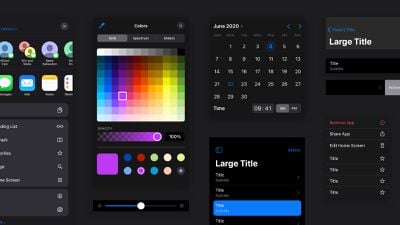
iOS Design 1
In a February edition of his newsletter, Bloomberg's Mark Gurman said Apple was working to update the design of iOS as "early as this year."

Gurman has yet to reveal any specific design changes planned for iOS. In a November edition of his newsletter, however, he said Apple's senior management described iOS 18 as "ambitious and compelling," with "major new features and designs."

Gurman does not expect iOS 18 to receive a "total overhaul that mirrors visionOS."

Accessibility Features

iOS 18 could include new accessibility features related to VoiceOver, Live Speech, and Text Size.

More Details

For additional information, read our iOS 18 roundup.

Related Forums: iOS 18, iPadOS 18

Popular Stories

8 CarPlay Features in iOS 27 Feature

Which iOS 27 CarPlay Features Actually Work in Your Car?

Thursday September 17, 2026 4:17 am PDT by
In iOS 27, available now, CarPlay gets its biggest update in years, but some features depend on what type of car you have rather than your iPhone model. Some of the biggest additions won't do anything in the vast majority of vehicles on the road today. Here's how the new features pan out. Works in Any CarPlay Vehicle Custom widgets: In iOS 27, CarPlay is no longer limited to Apple's handful ...
Apple Watch New Charging Puck

Here's Why a New Apple Watch Charging Puck Was Just Released

Wednesday September 16, 2026 8:53 am PDT by
The new Apple Watch Series 12 and Apple Watch Ultra 4 have hardware changes that allow for faster charging, but you will need to use the new version of the Apple Watch Magnetic Fast Charger included in the box in order to achieve this boost. If you need extra ones for your own charging stands or travel or so forth, Apple released the new version of the charger on its online store last week, with...
ios272anniversary

iOS 27.2 Could Save Your Marriage

Wednesday September 16, 2026 1:32 pm PDT by
The iOS 27.2 beta that Apple released today adds a feature that reminds you it's your anniversary when you call someone, as long as you've added the date in the Contacts app. On the date of your anniversary, when you go to call the person, you'll see a reminder that it's an important day so you don't forget to say something. The anniversary alert uses Call Context, a feature Apple added in...


Top Rated Comments

H.E. Pennypacker Avatar
33 months ago
No amount of effort or money poured into Siri will ever improve it. It’s straight trash in every way. I’m still shocked how in 2024 I can do a voice to text and it gets 12% of what I said right. Trillion dollar company….
Score: 27 Votes (Like | Disagree)
33 months ago
Throw Siri away and start over.
Score: 16 Votes (Like | Disagree)
Maz39 Avatar
33 months ago
we have been hearing forever from MacRumors that Siri is getting smarter forever and if anything she has gotten dumber.
Score: 15 Votes (Like | Disagree)
33 months ago
It’s truly baffling how terrible Siri is. I don’t think it can ever be fixed.
Score: 15 Votes (Like | Disagree)
Victor Mortimer Avatar
33 months ago

It's long overdue. The UI hasn't had a refresh since iOS 7.
I just hope they don't make it even worse. 7 was horrific.

When I power up an old iPhone today it's still astonishing how incredible it looks compared to the awful flatness.

It was nearly perfect, then Apple ruined it.
Score: 14 Votes (Like | Disagree)
GtrDude Avatar
33 months ago
And yet, if we're in an app doing something and a notification comes in, instead of being able to dismiss the notification from the banner it self you, still today, have to quit everything you're doing and go out of everything and back to the lock screen (or as Apple calls it "notification center") in order to dismiss a simple notification from any app, Calendar for example.
So backwards.
Score: 12 Votes (Like | Disagree)











































