Apple Seeds First Beta of macOS Sonoma 14.2 to Developers - MacRumors
Skip to Content

Apple Seeds First Beta of macOS Sonoma 14.2 to Developers

Apple today seeded the first beta of an upcoming macOS Sonoma 14.2 update to developers for testing purposes, with the software coming a day after the release of macOS Sonoma 14.1.
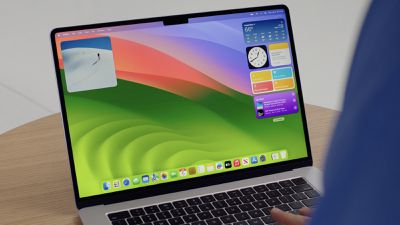
sonoma desktop wwdc
Registered developers can opt-in to the beta through the Software Update section of the System Settings app. Under Beta updates, toggle on the Sonoma Developer Beta. Note that an Apple ID associated with an Apple Developer account is required to get the beta.

There is no word on what's new in the macOS Sonoma 14.2 beta, but we'll update this article when we find out what's been added.

Related Forum: macOS Sonoma

Popular Stories

iOS 26

iOS 26.4 Adds Two New Features to CarPlay

Tuesday March 24, 2026 1:55 pm PDT by
iOS 26.4 was released today, and it includes a couple of new features for CarPlay: an Ambient Music widget and support for voice-based chatbot apps. To update your iPhone 11 or newer to iOS 26.4, open the Settings app and tap on General → Software Update. CarPlay will automatically offer the new features so long as the iPhone connected to your vehicle is running iOS 26.4 or later....
Apple Business hero

Apple Unveils 'Apple Business' All-in-One Platform

Tuesday March 24, 2026 8:53 am PDT by
Apple today announced Apple Business, a new all-in-one platform that unifies device management, productivity tools, and customer outreach features. The service is designed to be a consolidated replacement for several of Apple's existing business-focused offerings, including Apple Business Essentials, Apple Business Manager, and Apple Business Connect. It provides organizations with a single...
AirPods Pro Firmware Feature

Apple Releases New Firmware for AirPods Pro 3, AirPods Pro 2 and AirPods 4

Tuesday March 24, 2026 12:31 pm PDT by
Apple today released new firmware for the AirPods Pro 2, AirPods Pro 3, and the AirPods 4. The firmware has a version number of 8B39, up from 8B34 on the AirPods Pro 3, 8B28 on the AirPods Pro 2, and 8B21 on the AirPods 4. There is no word on what's included in the firmware, but Apple has a support document with limited notes. Most updates are limited to bug fixes and performance...


Top Rated Comments

32 months ago
The 1Password extension for Safari seems to be broken with 17.2 beta. I've reported this to 1Password.


(I like how I'm a macrumors newbie even though I joined in 2007!)
Score: 3 Votes (Like | Disagree)
daneoni Avatar
32 months ago
Might wait for this before upgrading from Ventura
Score: 3 Votes (Like | Disagree)
32 months ago
Does this have the new Journal app like iOS beta does? And if so is their an import function for DayOne where most all existing users would be transitioning from?
Score: 2 Votes (Like | Disagree)
31 months ago
Damn, thanks, man! If that works, I owe you lunch! Im trying it now.

Update: It worked after a little extra step - I had to switch off HDD encryption using terminal and I am happy to report that my Canon camera works again!! Thanks so much for the tip @Realityck
Score: 1 Votes (Like | Disagree)
Realityck Avatar
31 months ago

This update killed my OBS & EOS Webcam Utility Pro, and I cannot use external cameras. I wonder if any of you had this issue? Downgrading is kinda complex ;)
Try this first
[HEADING=1]How to restore legacy video device support in macOS Sonoma[/HEADING]
Restoring legacy webcam support will allow your older device to work, but the green privacy indicator won't appear when it is in use.
[LIST=1]
* Shut down your Mac.
* Start up in Recovery Mode. This is done on Apple Silicon Macs by holding down the power button and on Intel Macs by pressing Command-R while turning the Mac on.
* Click the Options button, then Continue.
* Select the Utilities menu, then Terminal
* Enter the command: system-override legacy-camera-plugins-without-sw-camera-indication=on
* Press Return and complete any additional steps if prompted.
* Quite Terminal
* Go to the Apple menu and select Restart.

After the Mac restarts, a warning will appear in System Settings. Go to Privacy &. Security and select Camera.
If legacy video support has been successfully restored, a warning about the green dot not appearing in the menu bar will appear. That means your outdated webcam should now work on your Mac running macOS Sonoma 14.1.

Source ('https://appleinsider.com/articles/23/10/25/what-to-do-if-your-webcam-doesnt-work-in-macos-sonoma')

Seen on [MEDIA=reddit]canon/comments/17k19s4[/MEDIA]
Score: 1 Votes (Like | Disagree)
31 months ago
Music returned yesterday and working fine, didnt need to do anything. Presumably server-side issue they have fixed
Score: 1 Votes (Like | Disagree)